- Allow users to request just-in-time access to a ServiceNow group or grantable role from the web and Slack
- Sync active users, groups, parent/child group nesting, and the roles each group grants
- Grant and revoke group membership, direct role assignments, and group roles
- Optionally create and deactivate ServiceNow users from Opal
- Automatically revoke access when a time-bound grant expires
This is separate from the ServiceNow ticketing integration, which creates and updates ServiceNow catalog requests for Opal access requests. You can use either or both.
Supported resources
Opal syncs active users who have an email. By default it doesn’t create or deactivate users, so your identity provider can keep provisioning ServiceNow. You can turn user create and deactivate on in the app settings.
How ServiceNow access maps to Opal
- Groups: each active
sys_user_groupappears as a ServiceNow Group. You can add and remove members (sys_user_grmember). - Group nesting: a child group with a
parentis nested under that parent in Opal. Members of the child inherit the parent’s roles through that nesting. - Group roles: roles a group grants with
inherits=trueappear on the group. Opal adds or deletes thosesys_group_has_rolerows. Rows copied from a parent group (where ServiceNow setsgranted_by) aren’t listed or revoked; the child nesting covers them instead. Rows withinherits=falsearen’t listed, because members get nothing from them. - Roles: each grantable
sys_user_roleappears as a ServiceNow Role. Direct, active grants (sys_user_has_rolewithinherited=false) can be granted and revoked. Roles held only through a group or a containing role show as inherited and aren’t treated as direct grants. Requested or pending role grants aren’t access yet. - Users: when user management is enabled, granting access to someone who isn’t in ServiceNow creates a
sys_user, and removing them deactivates and locks the account rather than deleting it. Opal never reactivates a deactivated user, because that would quietly restore their old groups and roles.
Limitations
- Roles contained by another role (
sys_user_role_contains) aren’t modeled separately; ServiceNow writes them like inherited group roles, with no field telling the two apart. - Elevated roles such as
adminmay requiresecurity_adminon the integration user; Opal surfaces ServiceNow’s refusal if the grant isn’t allowed. - Custom domains still use the
instance.service-now.com(orservicenowservices.com) API host in Opal.
Requirements
Before you begin, you must:- Be an Opal Admin
- Be a ServiceNow admin who can create a user, assign roles or ACLs, and register an OAuth application
- Ask the Opal team to enable the ServiceNow access integration for your organization
Configuration steps
1. Create a ServiceNow integration user
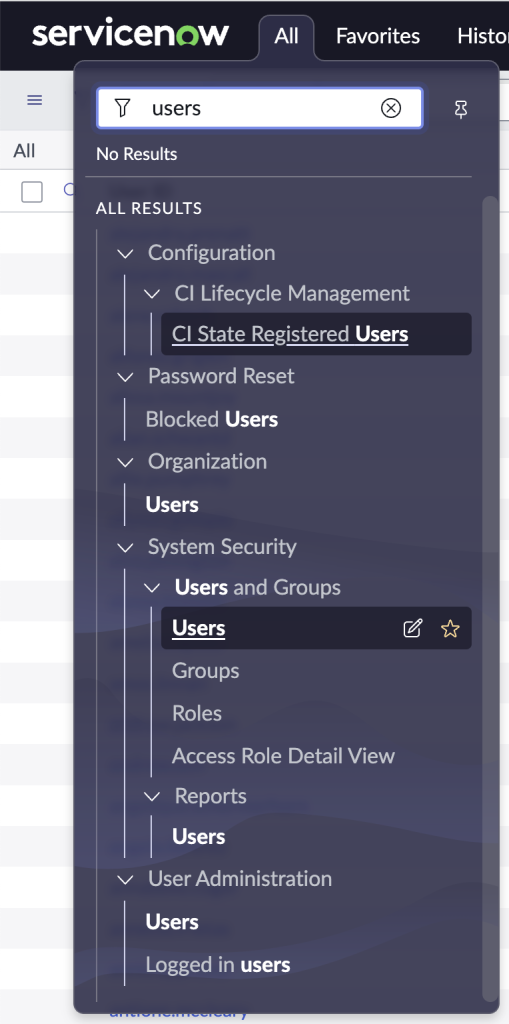
In ServiceNow, go to All > Users and Groups > Users, and create a user for Opal.- Select Web service access only.
- Set a User ID and password (you’ll use the user with OAuth, not basic auth, in Opal).
- Grant the user read access to these tables, and write access when the connection is read/write:
You can grant these through ACLs on a custom role. The
user_admin role also works, and lets the integration user edit every non-admin user.

2. Enable OAuth client credentials and create an OAuth application
- Turn on the system property
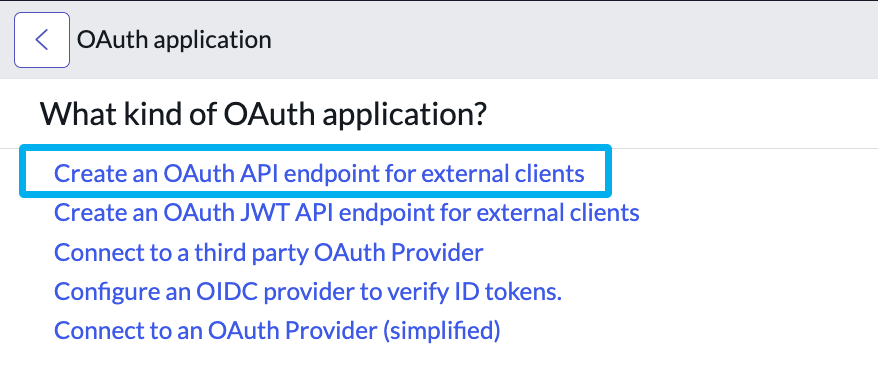
glide.oauth.inbound.client.credential.grant_type.enabledso ServiceNow accepts the client-credentials grant. - Go to System OAuth > Application Registry, select New, then Create an OAuth API endpoint for external clients.
- Set the application’s OAuth Application User to the integration user from step 1.
- Record the Client ID and Client Secret.
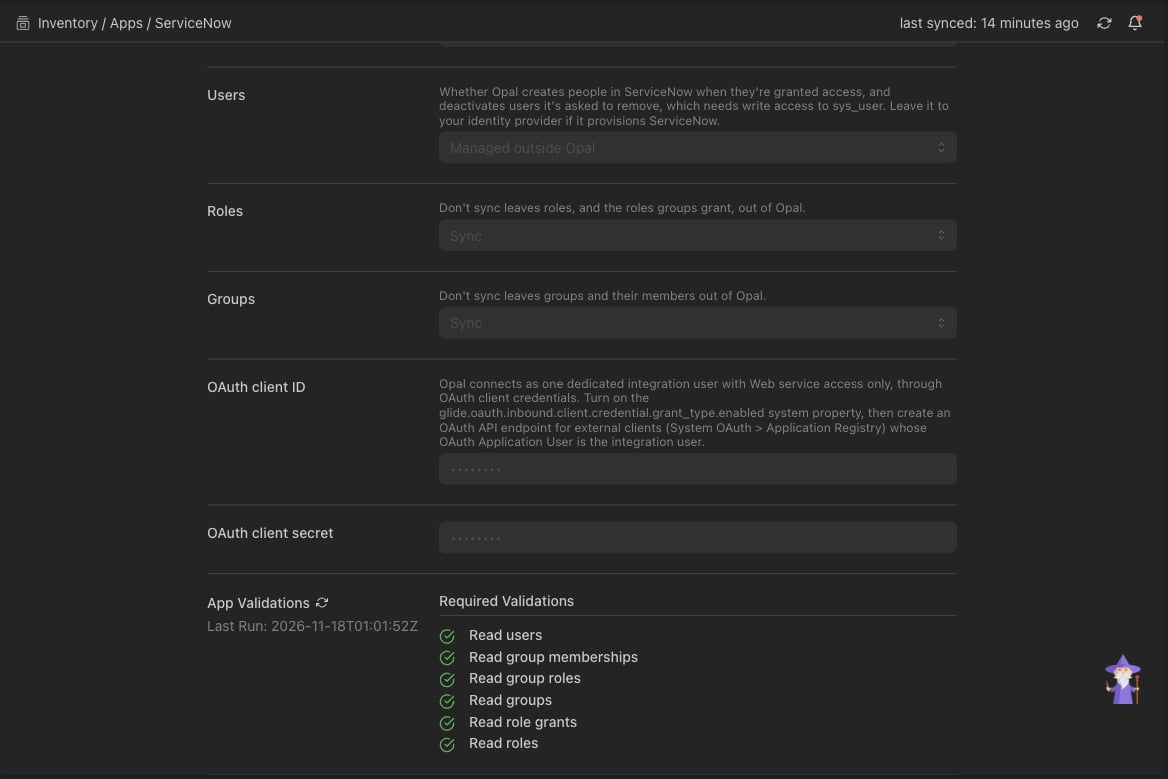
3. Create the ServiceNow app in Opal
In Opal, go to Inventory > + App and select ServiceNow. Fill in the following fields:
Opal checks the OAuth credentials when you save the app. On the Setup tab, app validations confirm the integration user can read each required table. ServiceNow ACLs hide rows rather than returning 403, so an empty users or roles result fails validation.