

Supported resources
With Opal’s Zoom integration:
- Users can request access to Zoom roles, paid license seats, and groups through Opal.
- Admins can review who holds each Zoom role, license tier, and group membership, and grant or revoke that access — including running access reviews.
- Admins can reallocate paid license seats (Licensed / Unassigned). Opal never purchases seats, so a grant with no free seat fails safely instead of billing.
Requirements
To connect with Zoom, you must first:- Be an Opal Admin.
- Have a Zoom plan of Pro or higher (groups require Pro; custom roles require Business).
- Have a Zoom account Owner or full admin create a Server-to-Server OAuth app (covered in step 1).
1. Create a Server-to-Server OAuth app in Zoom
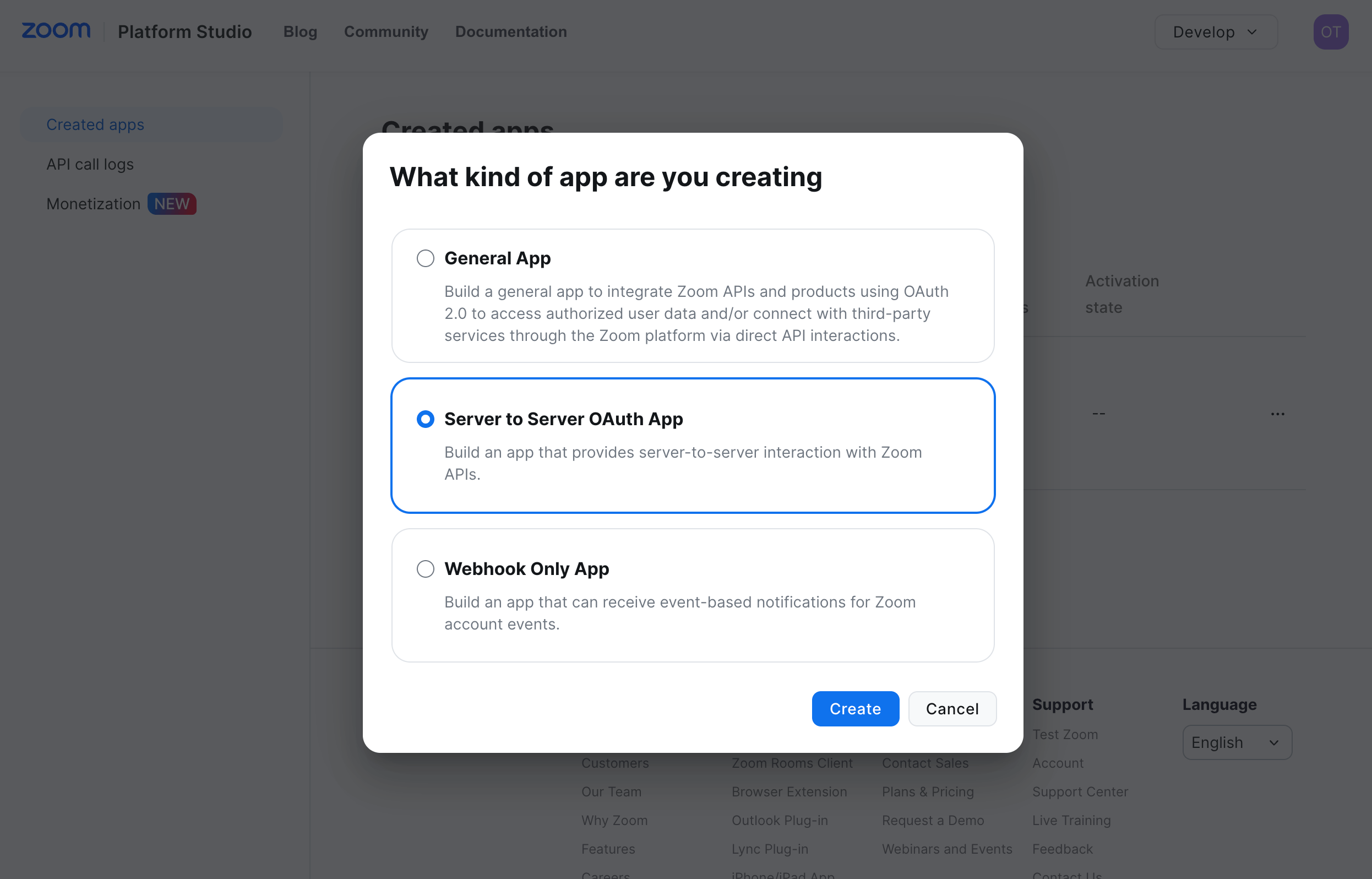
Signed in as a Zoom account Owner or admin, in Zoom’s Platform Studio:- Go to Develop > Build App, select Server to Server OAuth App, and select Create. Give the app a name, for example
Opal.
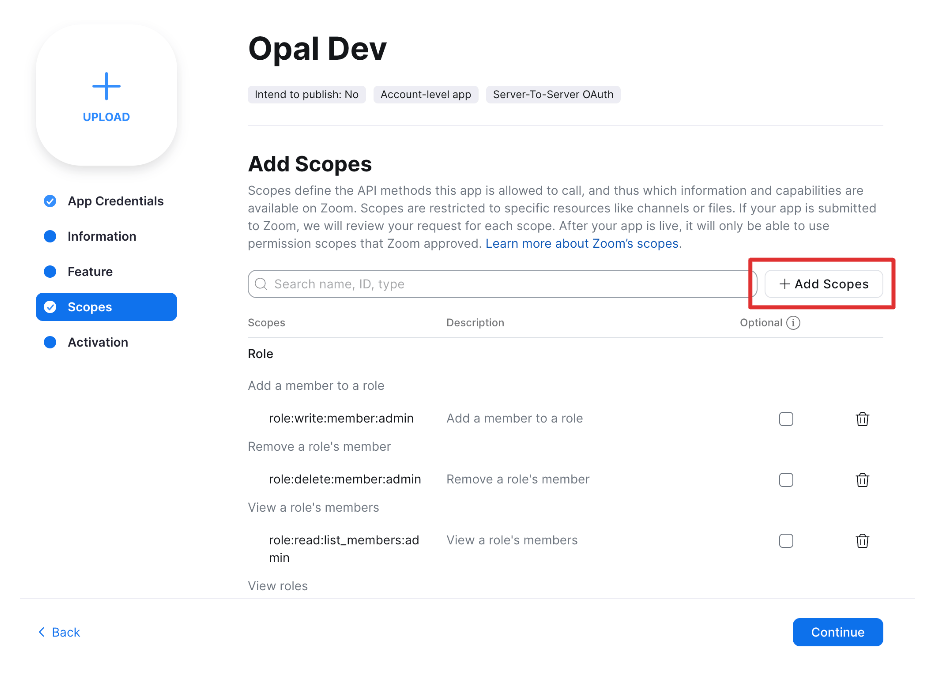
- On the Scopes tab, add the scopes Opal needs (see Scopes): the required read scopes for sync, the optional
user:read:settings:adminscope for add-on license visibility, and the write scopes for any provisioning you want to enable.
- Fill in the app’s basic information and Activate the app.
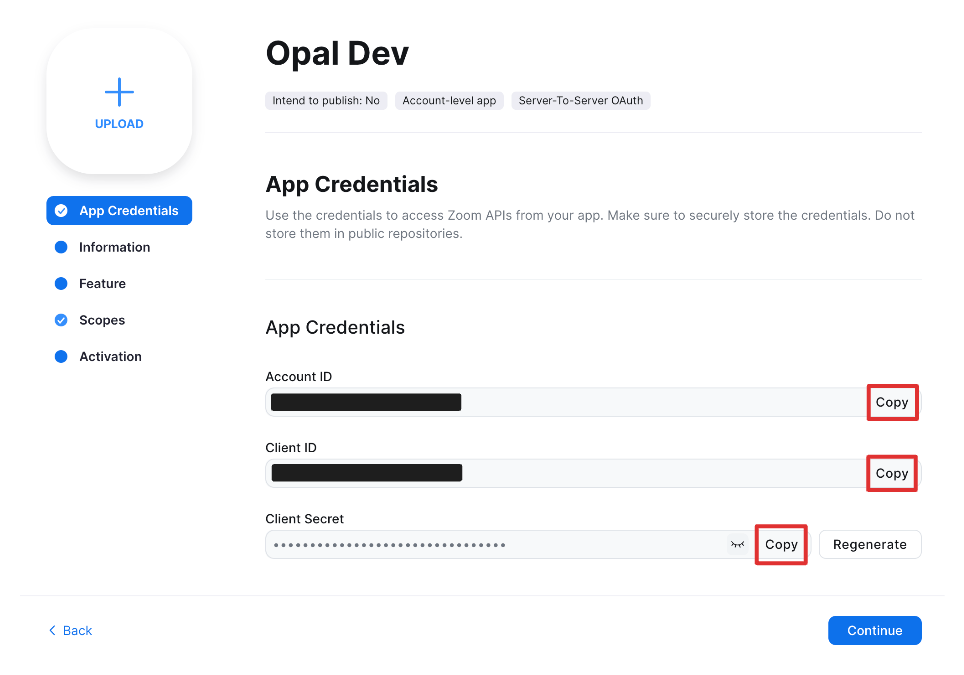
- On the App Credentials tab, copy the Account ID, Client ID, and Client Secret.
2. Create the Opal app
In Opal, go to Inventory > + App, then select Connect on the Zoom tile.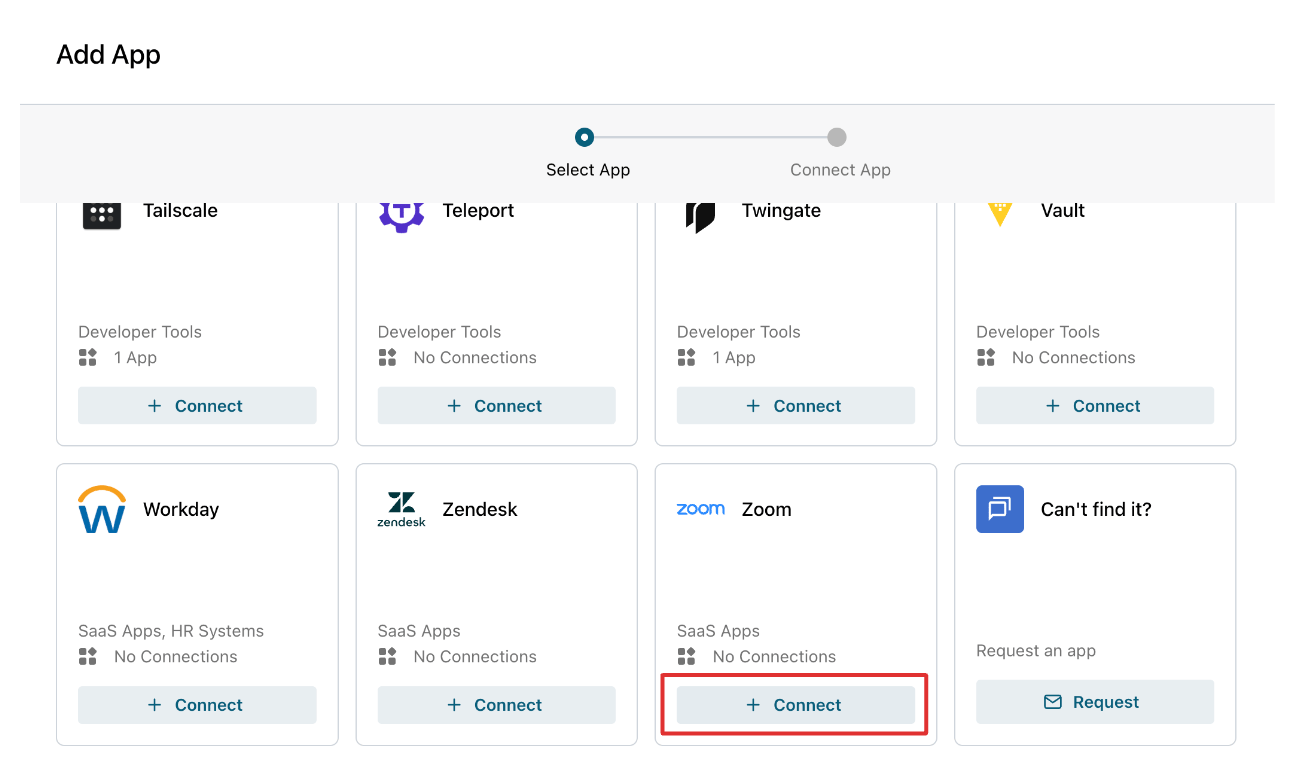
3. Enter your Zoom credentials in Opal
Fill in the following fields, then create. Opal validates the credentials and reports which scopes were granted — any missing scope is flagged with the exact capability it disables.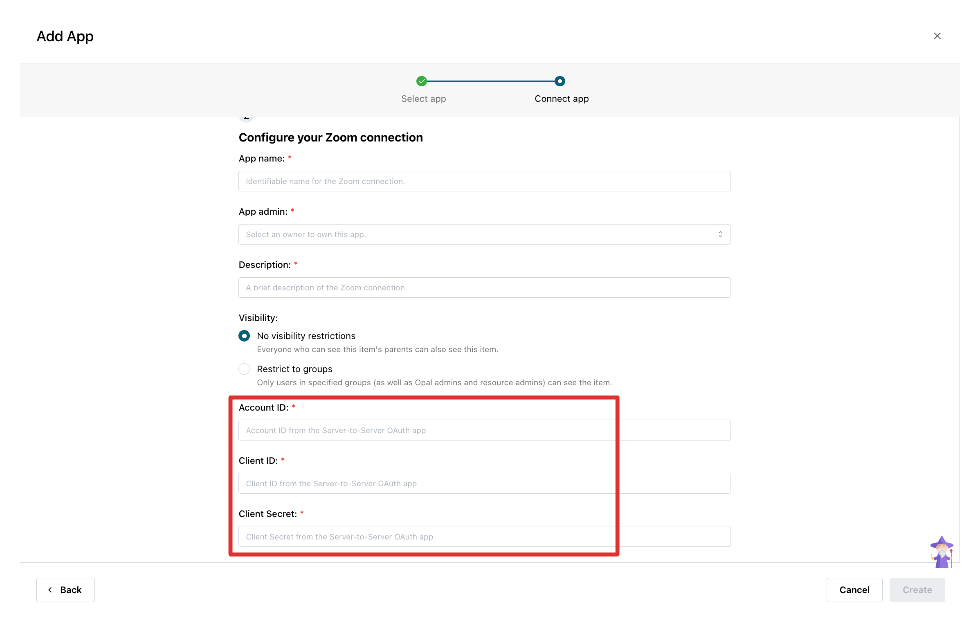
Additional information
What Opal syncs
- Users — across active, inactive, and pending states; identity is matched by email.
- Roles — Admin, Owner, and any custom roles (custom roles require Business) as Zoom Role resources. Each user holds exactly one role, so at most one Zoom Role maps to a user. The default Member role is not modeled as a resource — a user with no elevated role is just an account.
- License tiers as Zoom License resources: Licensed (paid seat) and Unassigned (No Meetings License), plus add-on licenses Webinar and Large Meeting. Basic (free) and On-prem tiers are not modeled.
- Groups as Zoom Group groups (a user can belong to multiple).
Provisioning behavior
- License — grant sets the tier; revoke downgrades to Basic. Opal never bills: if no free seat is available the grant fails with “no available seats” and nothing changes.
- Role — each user holds exactly one role, so Zoom Roles are mutually exclusive: granting a role moves the user off their previous one, and revoking a role reverts them to Member. The base Member role isn’t a grantable or revocable resource, and the Owner role is read-only — account ownership is transferred through Zoom’s dedicated owner-transfer flow, not Opal, so granting or revoking Owner reports unsupported. Applies to active users only.
- Group — add or remove a single membership, leaving other groups untouched. Adds apply to active users only.
Scopes
Required read scopes (needed for all sync):
Optional read scope — add-on license visibility:
user:read:settings:admin. Without it, base tiers, roles, and groups still sync; only the Webinar and Large Meeting license resources come back empty.
Write scopes (add only for the provisioning you want):
For least privilege, Opal does not request user-creation, user hard-delete, or email/password write scopes — it manages license, role, and group membership for existing users, not account creation or deletion.