- Snapshot user access when a review is started
- Scope access campaigns intelligently with natural language or a query builder
- Automatically assign reviews for managers, resource owners or admins to review in a self-service way
- Send custom instructions and bulk reminders all without leaving Opal
- Generate a report to summarize all actions for audit purposes
Requirements
You must have the Opal Auditor or Opal Admin role to create an access campaign, and be on versions1.1196.0 or later to view the new interface. To learn more about the roles in Opal, see our page on role capabilities.
Creating an Access Campaign
Navigate to the Access Campaigns tab and click + Campaigns in the top left corner.Scoping a Campaign
Define the scope of your campaign by using natural language input or adding a Principal, Asset, and/or Edge filter in the query builder.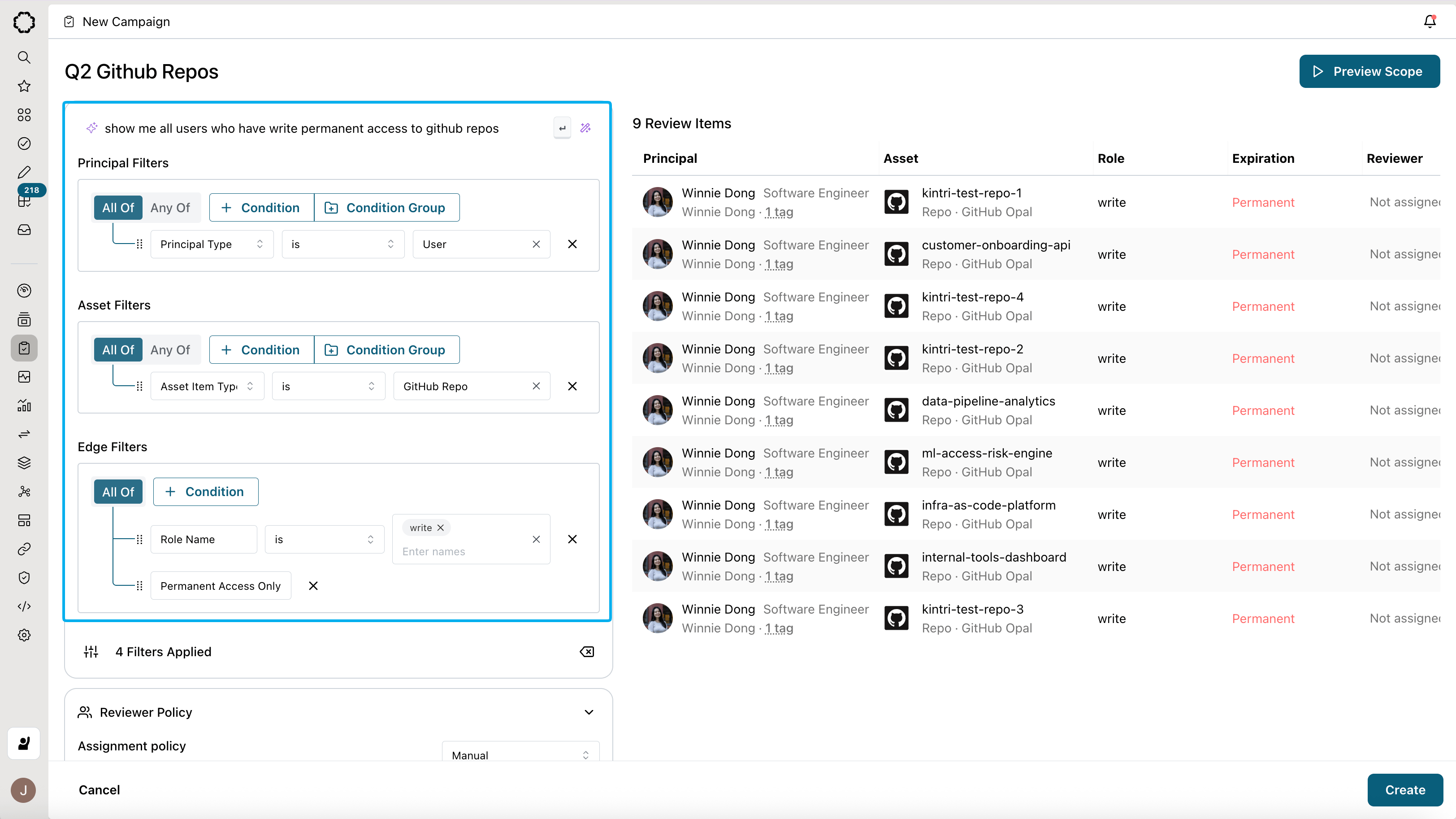
To condition principals, add a condition + Condition under From principals where. To condition assets, add a condition under To assets where. To condition on the edges between the principal and asset, add a condition under via access that is.
Examples of queries you can build include:
All users who have Github Repo admin access
All users who have Github Repo admin access
To find all users Principal who have access to Github repositories Asset, you would select “Principal Type is User” and “Asset Item Type is Github Repo”. Then, to narrow it down only to admin access Edge to Github Repositories, add an edge condition “Role Name is Admin”.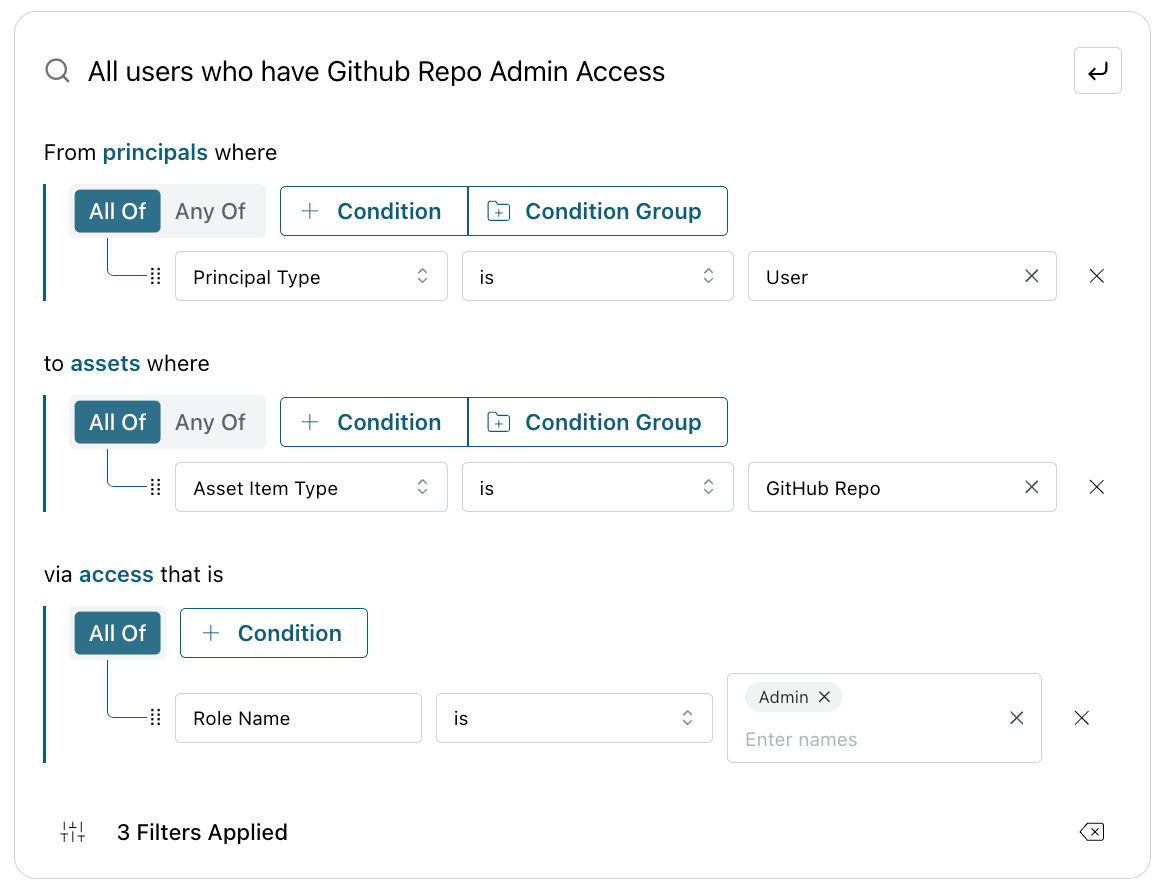
All permanent access to a specific Okta app (e.g. Figma)
All permanent access to a specific Okta app (e.g. Figma)
To find all permanent Edge access to a specific Okta app like Figma Asset, you would select “Asset is Figma” under to Assets where, and edge condition “Permanent access only” under via access that is. The reason you would add the condition “Asset is” instead of “App is” is because Figma is not a native app in Opal; rather it is managed by the Okta app integration as can be seen in the dropdown.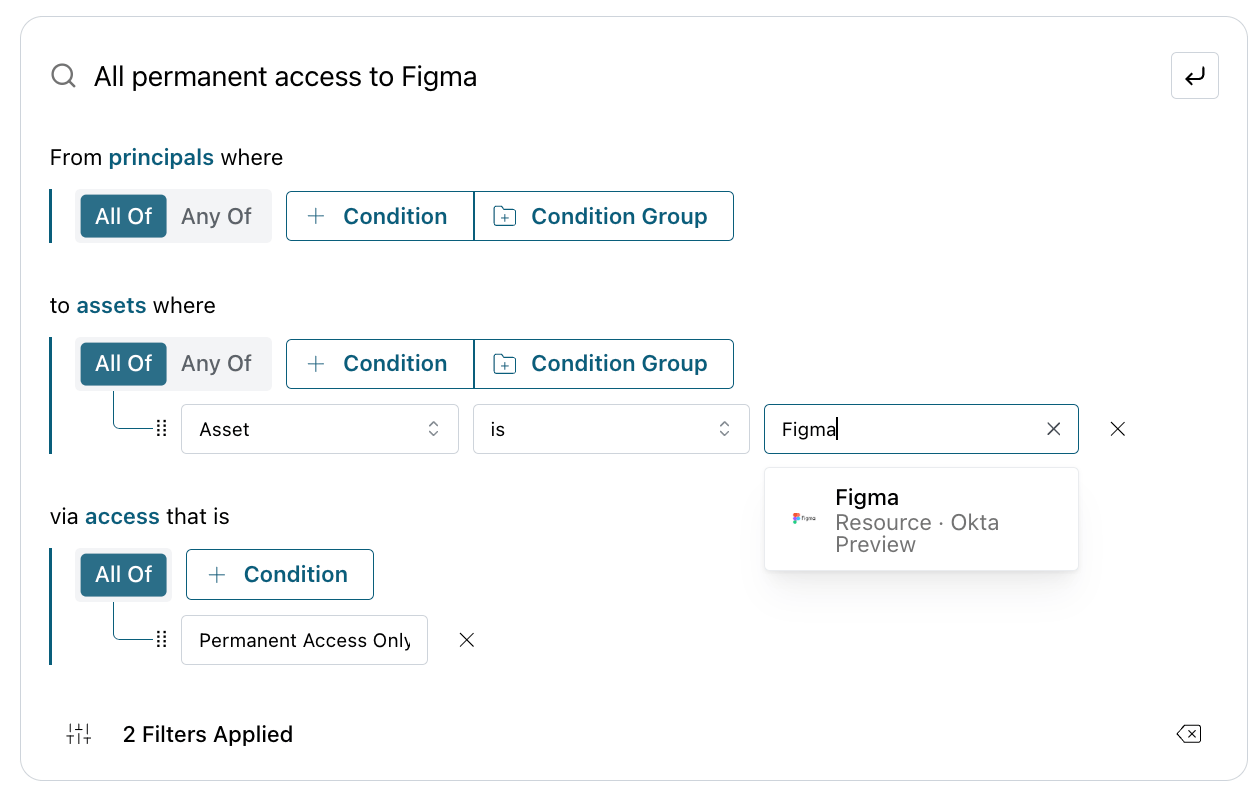
All users who have access to resources tagged SOX:Eng
All users who have access to resources tagged SOX:Eng
To find all users Principal access to resources tagged uar:True Asset, you would first select “Principal Type is User” under From Principals where. Then, you would add the asset condition ALL OFF “Asset Type is Resource” and “Asset Tag is SOX:Eng”, with the Tag source being the place you tagged your resources (e.g. Opal, your HRIDP system). Conditioning the Asset with “Asset Type is Resource” ensures that you only scope in user -> resource relationships. If you have groups you’ve tagged that you want to scope in as well, remove the condition “Asset type is Resource” to include ALL asset types.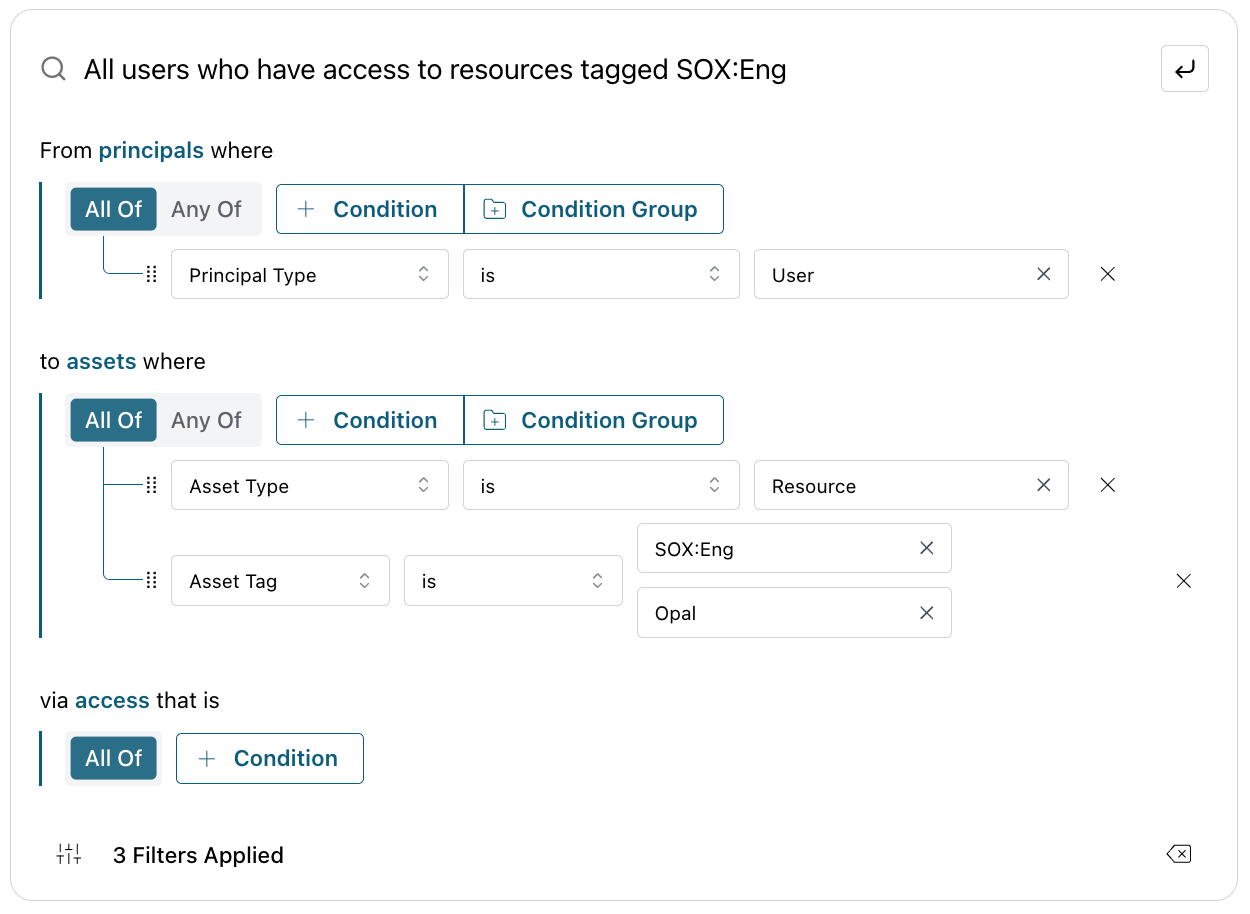
All groups that have access to either Github Repository A or Repository B
All groups that have access to either Github Repository A or Repository B
To find all groups Principal access to either Github Repository A or B Asset, you would first select “Principal Type is Group” under From Principals where to find all Group access. Then, you would add the asset condition ANY OF “Asset is Github Repository A” or “Asset is Github Repository B”. Switching the entity condition to ANY OF applies an OR condition to the two Entity conditions, allowing you to scope in groups that have access to either one or the other repositories. You may generalize this to specific assets (e.g. specific resources), asset item types (e.g. any Github Repositories OR Gitlab repositories), or apps (e.g. Okta apps).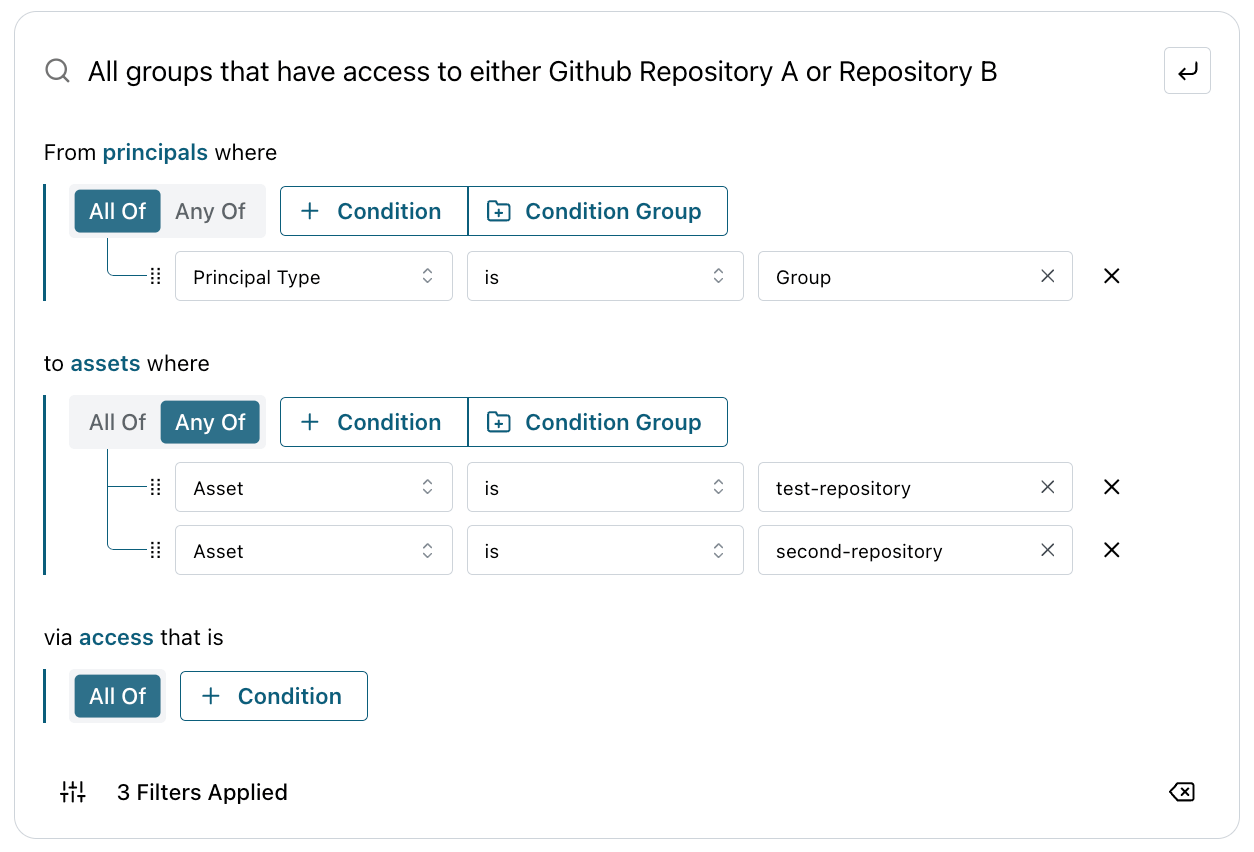
- All access that users who have access to Github Repo Admin have
Set Reviewer Assignment Policy
Select a reviewer assignment policy from the dropdown. The preview table updates automatically to reflect your selection.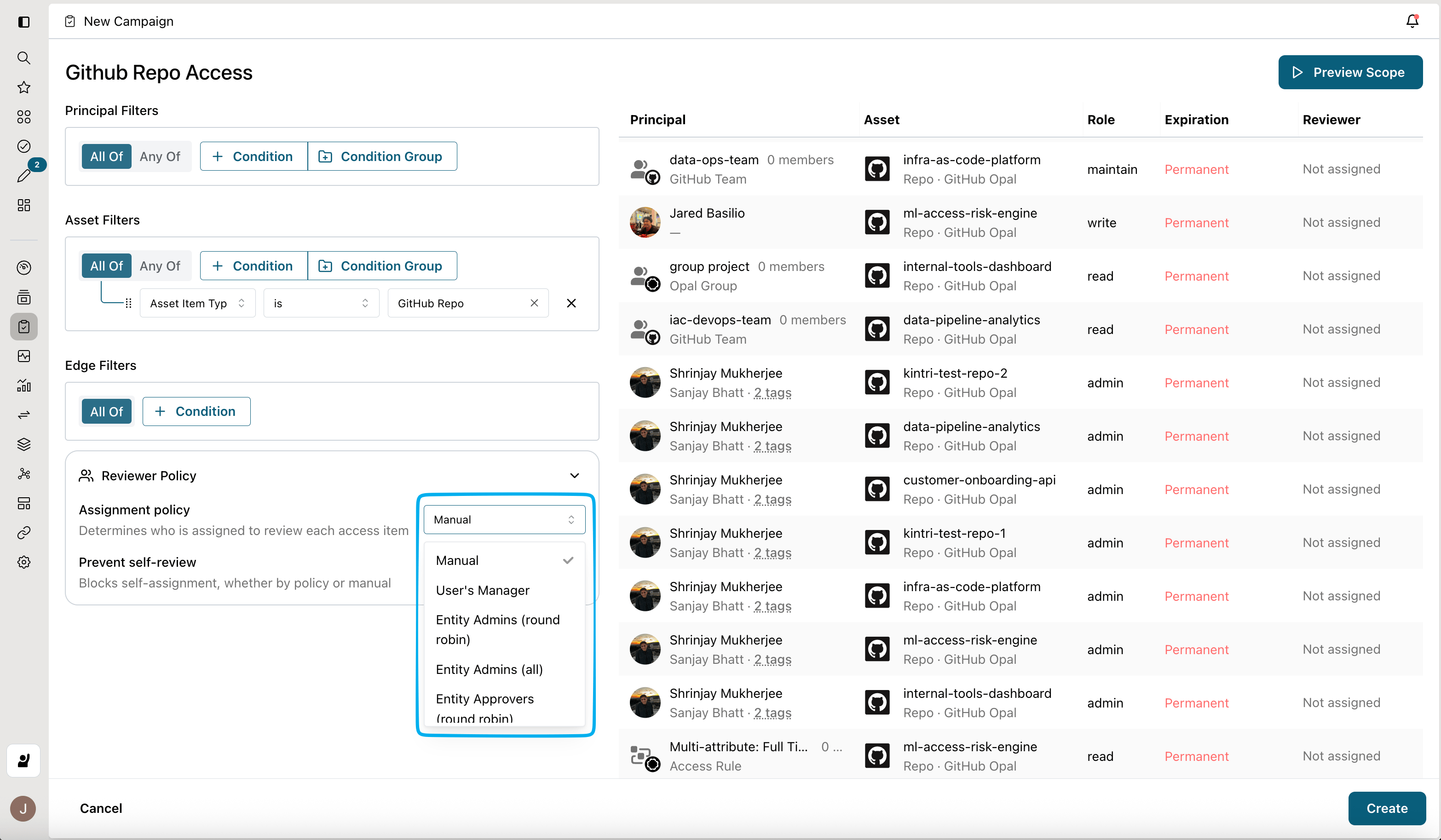
Configure your draft
After you click Create, your access campaign enters Draft mode. This allows you to edit reviewer assignments, add general information, and configure specific controls before you launch it to your reviewers.When you click Create, Opal takes a snapshot of the access relationships between principals and assets in your campaign. Any access changes that occur after this point won’t be reflected in the campaign.For example, if Jane’s GitHub role changes from admin to read-only after you click Create, the campaign will still show her original admin role.
Reviewer Assignment
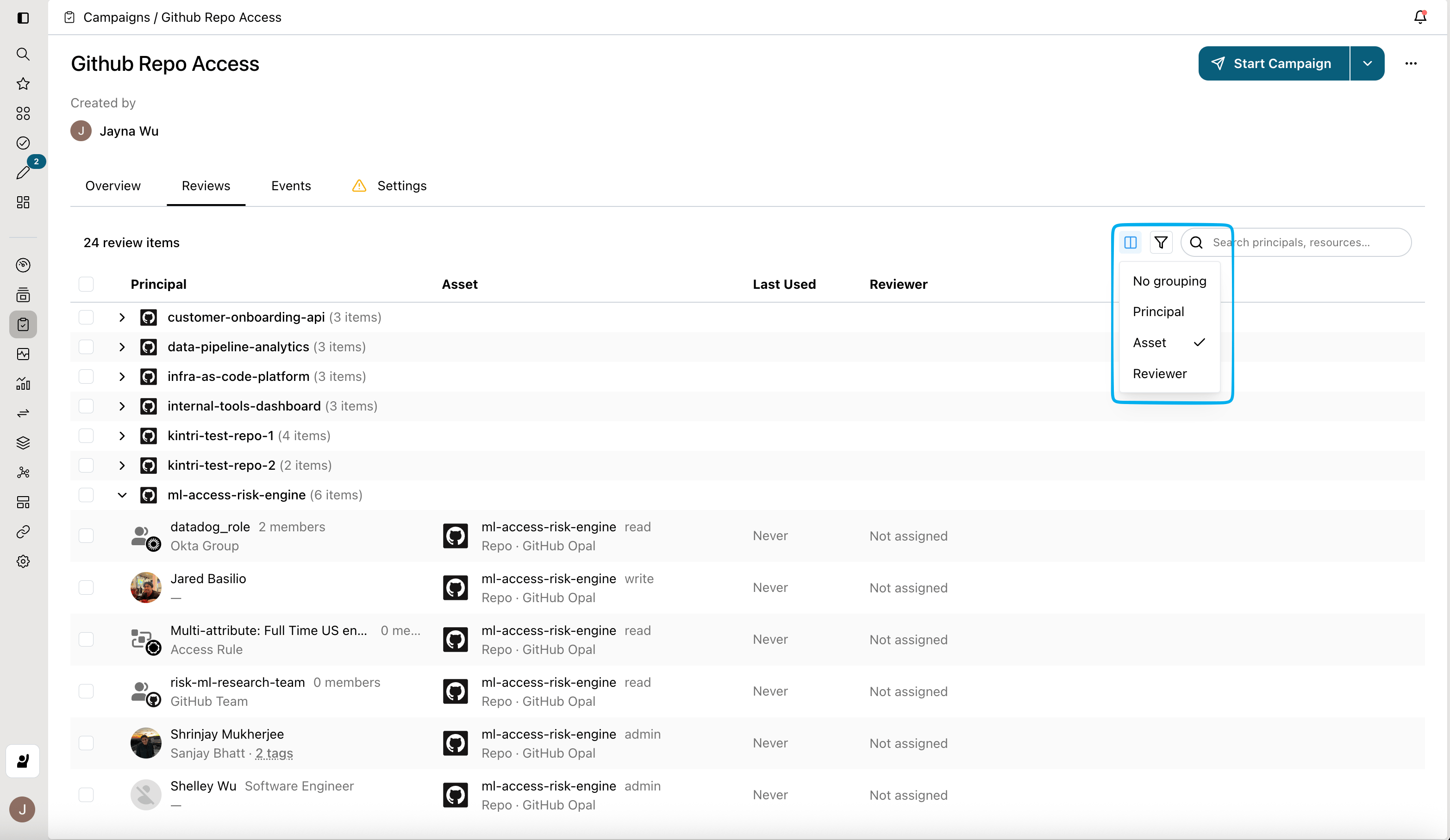
Open the Reviews tab to manually edit reviewer assignments. Use multi-select, grouping, filtering, and sorting to bulk-assign reviews to one or more reviewers.