Overview

By default, owners of resources and groups have full administrative permissions on the entities they own. However, you can customize which permissions owners receive at the organization level to align with your security and compliance requirements.

Use Cases for Customized Owner Permissions

  • Attribution only: Owners are assigned to decentralize access management but don’t need administrative access. (e.g. in User Access Review assignments)
  • Limited management: Owners can manage membership but not change settings or configurations
  • Compliance requirements: Restrict owner permissions to meet SOX or other regulatory controls

Configuring Owner Permissions

To customize owner permissions:
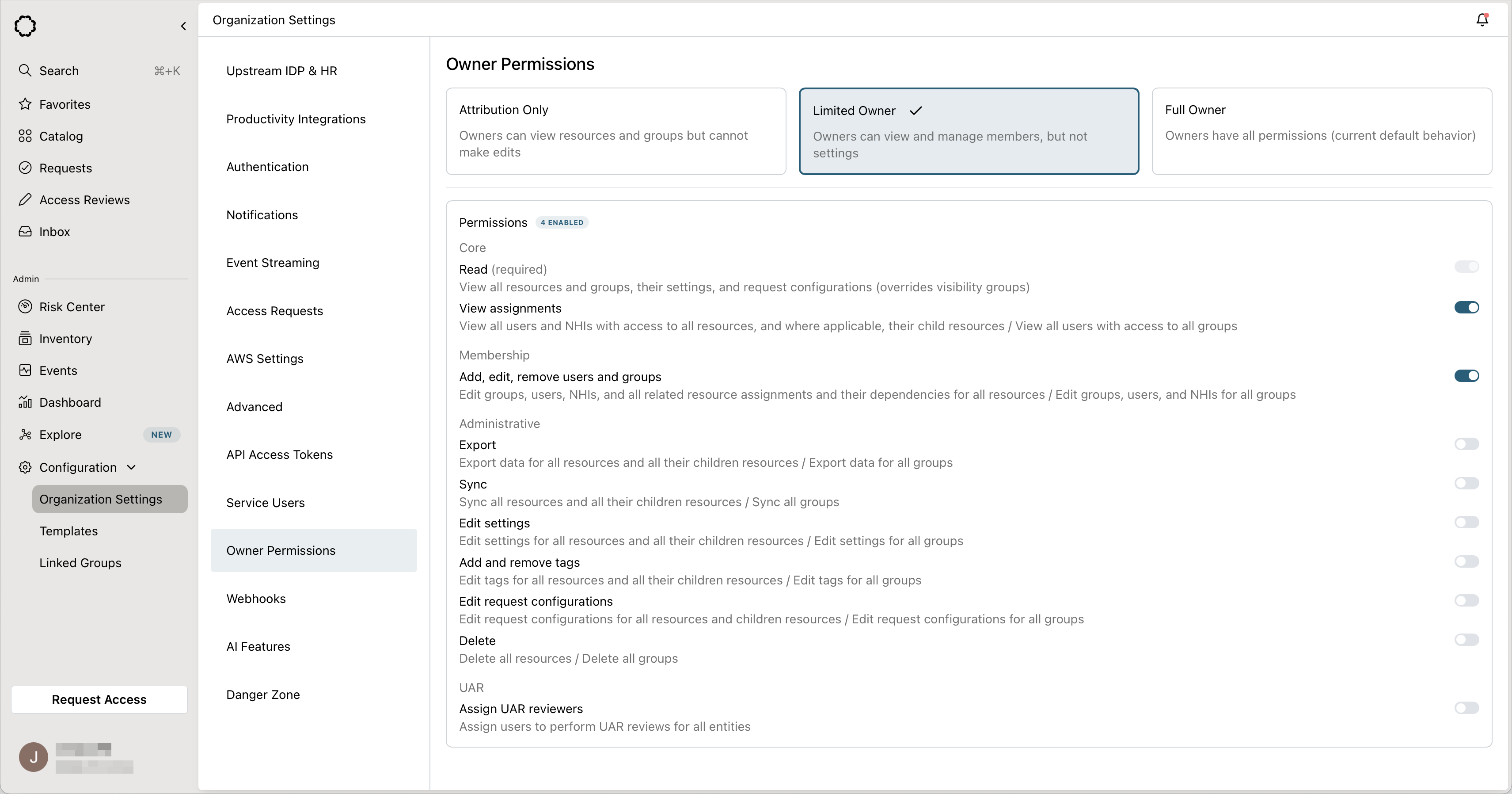
  1. Navigate to Organization Settings > Owner Permissions
  2. Choose a preset configuration:
    • Attribution Only: Owners can view resources and groups but cannot make edits
    • Limited Owner: Owners can view and manage members, but not settings
    • Full Owner: Owners have all permissions (current default behavior)
  3. You may also further customize permissions individually to achieve more granular control by toggling your desired permissions.

How this works with Other Permissions

Owner permissions work alongside other role-based permissions:
  • Admins always have full permissions, regardless of owner permission settings
  • Custom roles are evaluated independently from owner permissions
  • Visibility groups are overridden by the READ permission if granted to owners
  • If a user has both a custom role and is an owner, they receive the union of both permission sets

Backwards Compatibility

Organizations that don’t configure custom owner permissions will maintain the current behavior where owners have all permissions. Existing owner assignments are not affected when you change these settings—only the permissions those owners receive.