

Overview
Paladin is Opal’s platform for building access-understanding agents that evaluate whether access and its surrounding policies are appropriate. Paladin agents operate like senior security engineers, gaining context from your organization’s knowledge bases and communications. Paladin enables you to scale your security function’s practices and understanding, bringing a security evaluation at machine speed to operations focused on business enablement. With Paladin, you no longer have to choose between approving quickly and approving carefully. The Paladin platform can be used by your organization to create agents for your use cases, each with their own guidelines, connectors and goals.Use Cases
Paladin can be applied to multiple use cases:Safety
Paladin agents operate as Opal Service Users, bringing them under the control of our authorization and auditing systems.Authorization
Paladin agents operate within Opal’s authorization system. This means their access can be controlled using: We recommend assigning your Paladin agents the Read-Only Admin role, which gives them enough context to make decisions while limiting their actions to the specific operation being performed.Auditing
As service users, all actions Paladin agents take are audited the same way a human user’s actions are audited. Audit logs are available under Events and can be streamed to other systems via Events Streaming. Paladin agents also maintain an audit log of:- Inputs provided to them
- All tool calls made to Opal and external systems
- Their internal thought process
- Their final outputs provided before actions are taken
Model provider
By default, Paladin runs on Anthropic’s models through Opal’s account. To run it on your own Anthropic account or your own Amazon Bedrock account instead, see Model providers.Connectors
Paladin’s access to your external systems is gated by connectors. Paladin agents cannot read or write from an external system unless specifically authorized to do so as part of their configuration.Slack for Agents
Paladin’s Slack for Agents is a separate Slack app distributed by Opal. Add the specific channels you want an agent to read to its context sources. Paladin reads only the channels you add, where it can:- Read messages in a public channel, or a private channel it has been invited to.
- Join a public channel that is not externally connected (optional).
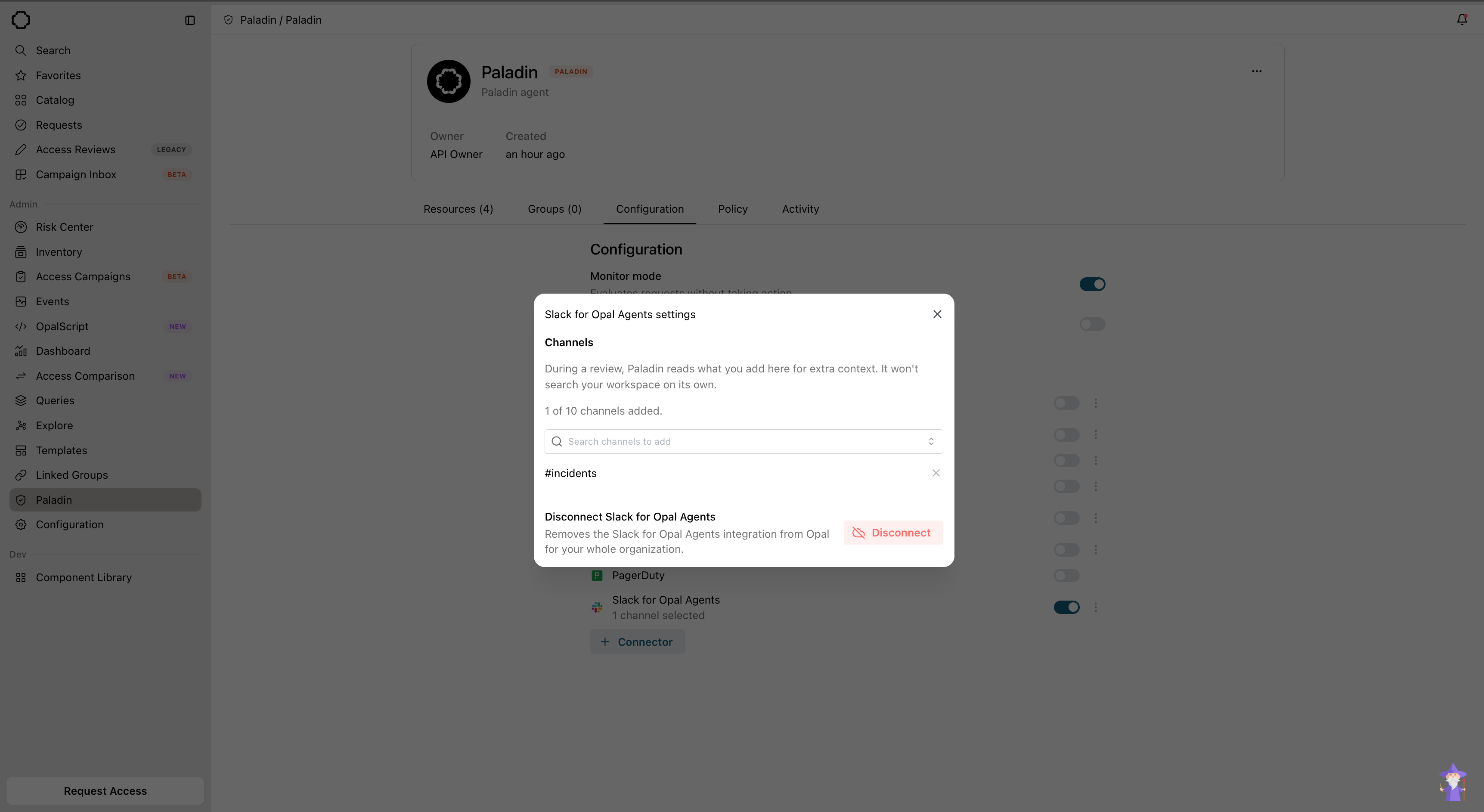
Add specific Slack channels as context sources in an agent's Slack for Agents settings.
Notion Documents
Paladin can connect to Notion to read documents. Add the specific Notion pages you want an agent to read to its context sources. Paladin reads only those pages and the pages nested under them.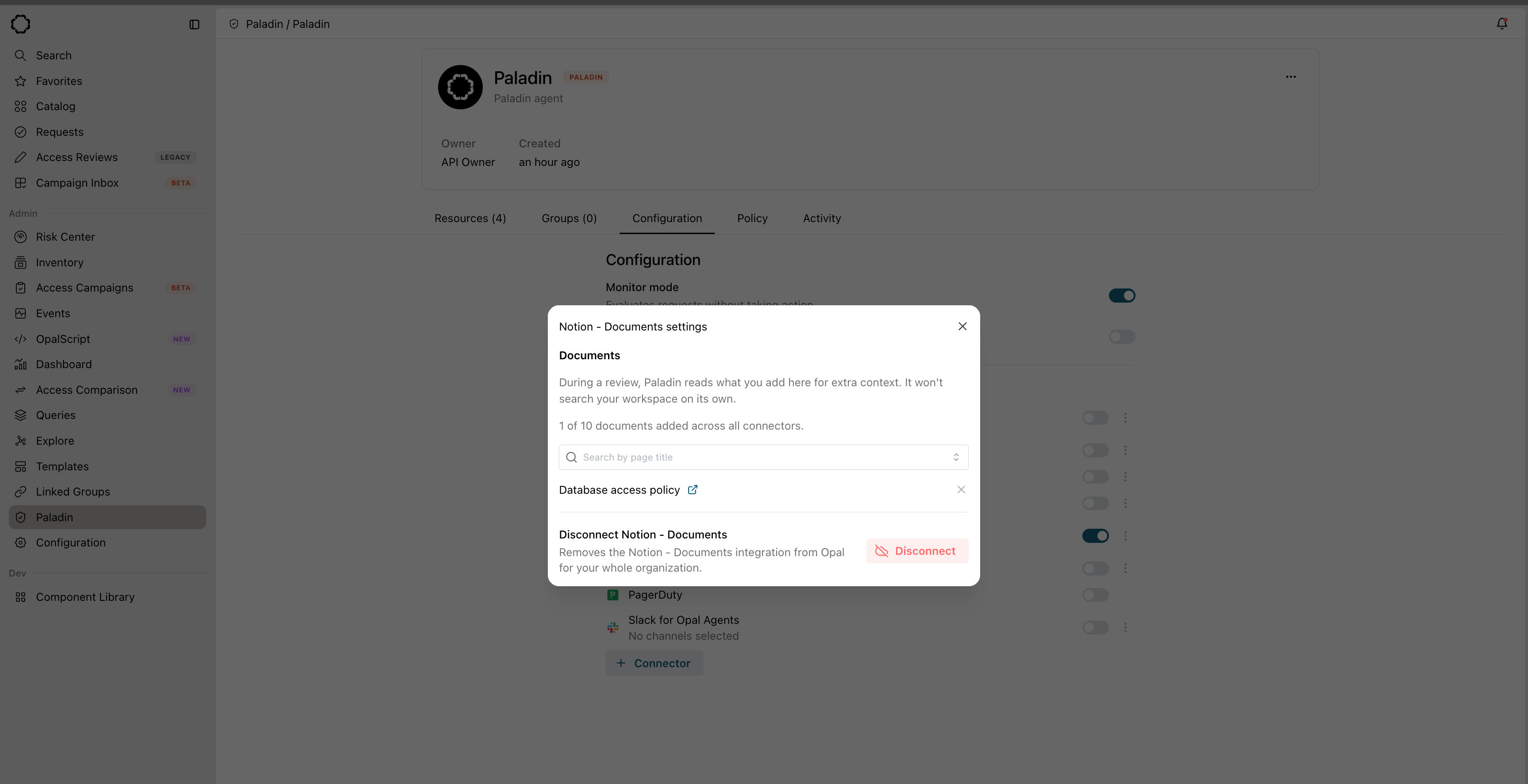
Add specific Notion pages as context sources in an agent's Notion Documents settings.
Confluence Documents
Paladin can connect to Confluence to read pages as a document source, alongside Notion. Add the specific Confluence pages you want an agent to read to its context sources. A single document search spans every connected source, letting Paladin find the runbook, access policy, or ownership doc relevant to a request.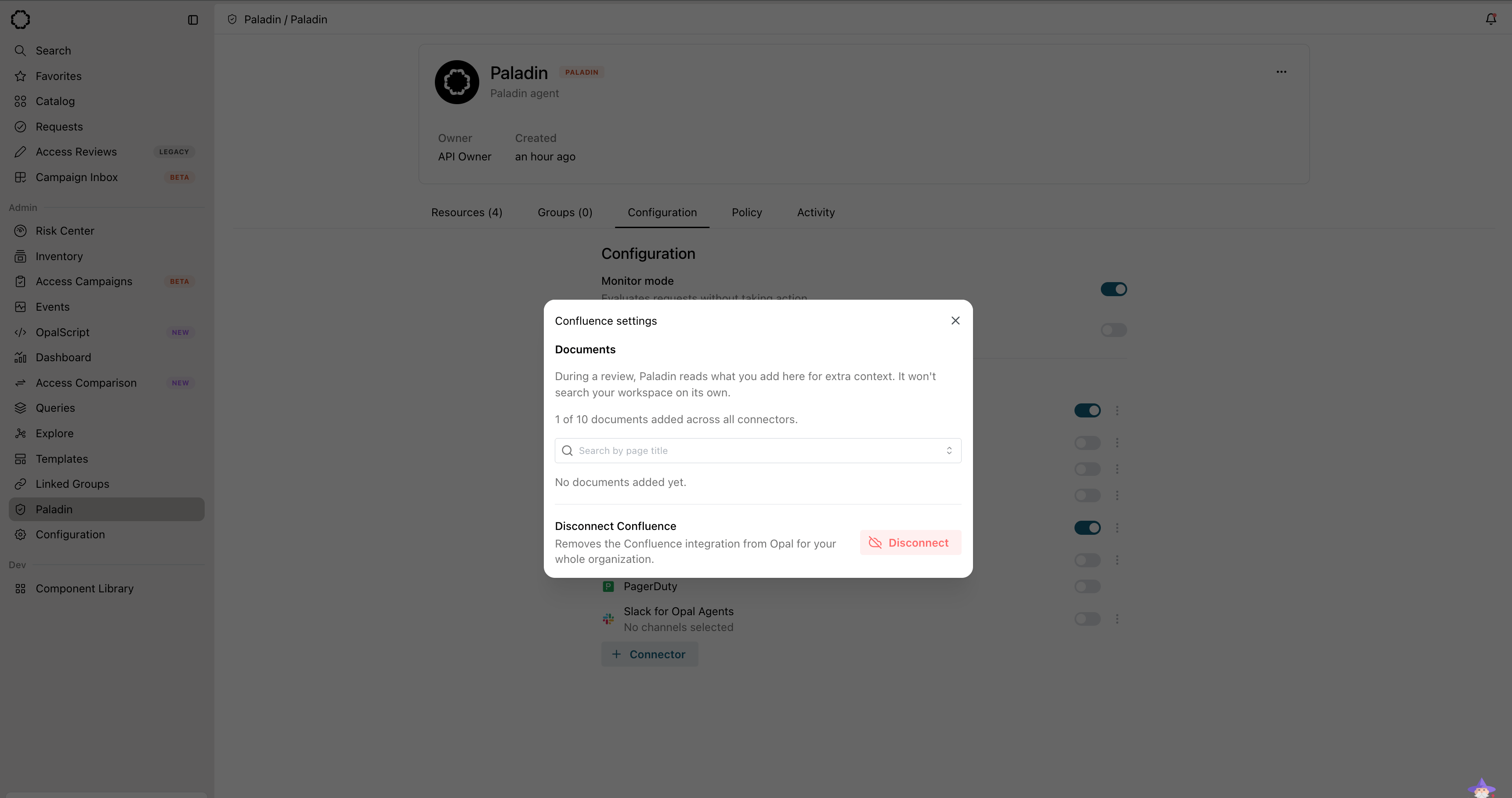
Add specific Confluence pages as context sources in an agent's Confluence settings.
Ticketing Integrations
Paladin can read any ticket in your connected ticketing systems, such as Linear.FleetDM Devices
Paladin can connect to FleetDM to check a requester’s device posture, matching the requester to a Fleet host by email. Paladin reads each device’s compliance verdict — derived from Fleet’s policy results, including which critical policies are failing — to gate access on whether the requester is on a compliant device. If no matching device is found, posture is treated as unverified.PagerDuty
Paladin can connect to PagerDuty to read live on-call and incident context, matching the requester to a PagerDuty user by email. Paladin uses it to confirm whether a requester is currently on-call and to corroborate a cited incident — verifying that it exists, is still active, and names the requester among its assignees. Freeform fields such as incident titles are treated as untrusted context, never as decision evidence.OpalScript Beta
For systems without a built-in connector, write a Paladin context script in OpalScript. The script calls your own APIs and adds what it finds as context for the review. Add scripts to an agent from the OpalScript row in its connector list.Create a Paladin agent
- In Opal, go to Paladin in the navigation and select New.
- Give the agent a name and an owner.
- Choose whether it runs in monitor mode or acts on requests directly. In monitor mode you can also hide its output from non-admins.
- Turn on the connectors you want the agent to use. If a connector’s integration is not set up yet, you can set it up from the same place.
- Select Create agent.
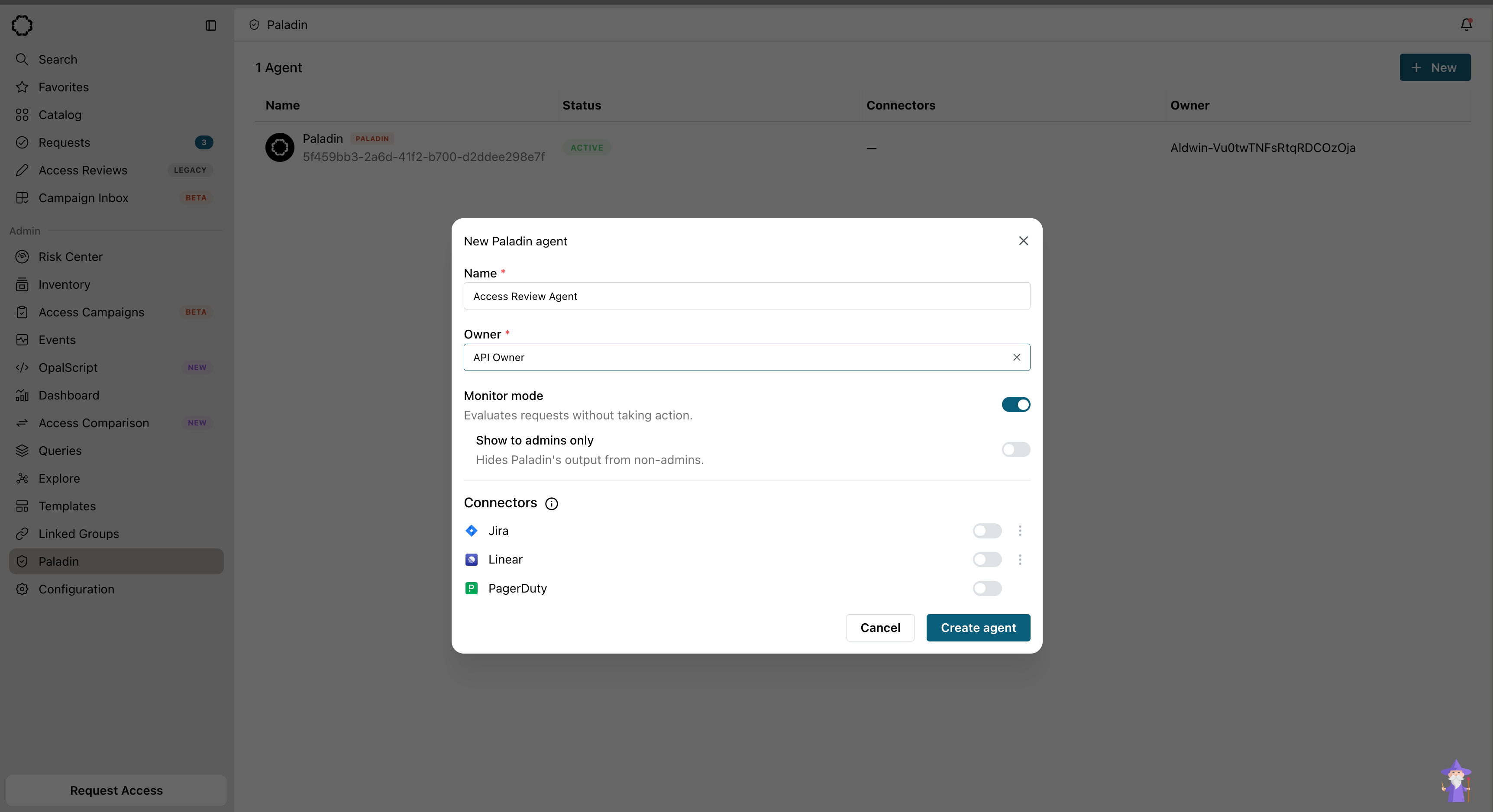
Create a Paladin agent from the Paladin page, setting monitor mode and connectors.