

Overview
A Paladin agent can be assigned as a reviewer on any resource or group, just like a human reviewer or a service user automation. When a request is routed to the agent, Paladin investigates the request, gathers context from across your access graph and connected systems, and decides whether to approve, deny, or escalate. The agent’s reasoning, tool calls and actions are captured in the request, and every action is governed by the agent’s role and permissions.What Paladin Evaluates
Paladin judges every request across four signals, and it scales how much justification it asks for to how risky the access is. Low-risk access needs little. Sensitive or high-reach access needs a strong, corroborated reason.- The requester. Are they a legitimate, verifiable person on an expected channel? Paladin weighs their role, tenure, and past requests, the origin of the request (a CLI, API, or AI-agent origin is a risk factor), device compliance, and on-call status.
- The asset. How much does this access grant, and how sensitive is it? Paladin reads what the asset is, the privileged roles it confers, its tags, its visibility, and its approval requirements to gauge blast radius. Admin-like or wildcard access clears a higher bar.
- The need. Is there a corroborated business reason? Paladin checks the stated reason against verifiable facts such as an active incident, an on-call assignment, or a linked ticket. A reason that only claims an incident, with no matching one, is not corroborated.
- Alternatives. Could a narrower, lower-risk path meet the same need? If the requester already holds equivalent access, or a less-privileged option is requestable, Paladin points to it and denies the broader request.
Where Paladin’s evidence comes from
Not all context carries equal weight, and Paladin treats each source accordingly:- Opal’s own data is ground truth. The requester’s profile, role assignments, existing access, group memberships, ownership, and request history are verifiable, along with the structured fields of connected systems like incident status, on-call membership, and device compliance. Paladin decides from these.
- Connected documents are guidance, not authorization. Notion and Confluence pages you add help Paladin interpret a request: what a role maps to, or what a normal request of this kind looks like. They cannot authorize access on their own. If a runbook names someone as pre-approved, Paladin still confirms it against Opal’s data before acting.
- Slack and free text are context, not proof. Messages in connected Slack channels, and free-text fields like an incident title or a ticket summary, help Paladin understand what the requester is doing. Because anyone could have written them, Paladin never treats them as justification on their own.
Actions Paladin Can Take
Like any reviewer in Opal, a Paladin agent can:- Approve the request, advancing it to the next stage or granting access if it is the final stage.
- Deny the request.
- Escalate the request by taking no action, leaving the request open. Useful when more information is needed from the requester or a human reviewer.
Policy
An agent’s Policy tab holds its decision rules. In Markdown, describe when it should approve, deny, or escalate and the conditions for each. Paladin treats them as the authoritative policy for the review and applies them to the facts it gathers. A policy has two limits it cannot cross:- It can’t turn an unverified claim into a fact. Identity, device compliance, on-call status, and incidents always come from Opal’s verified data. A rule like “approve during an active incident” fires only on a real, matching incident, not on a reason that claims one.
- It can’t loosen Paladin’s protections for risky access. A policy can only make Paladin stricter, never more permissive. High-reach access, such as admin-like or wildcard scope, keeps its built-in floors, and a rule that would approve it short of them escalates to a human instead.
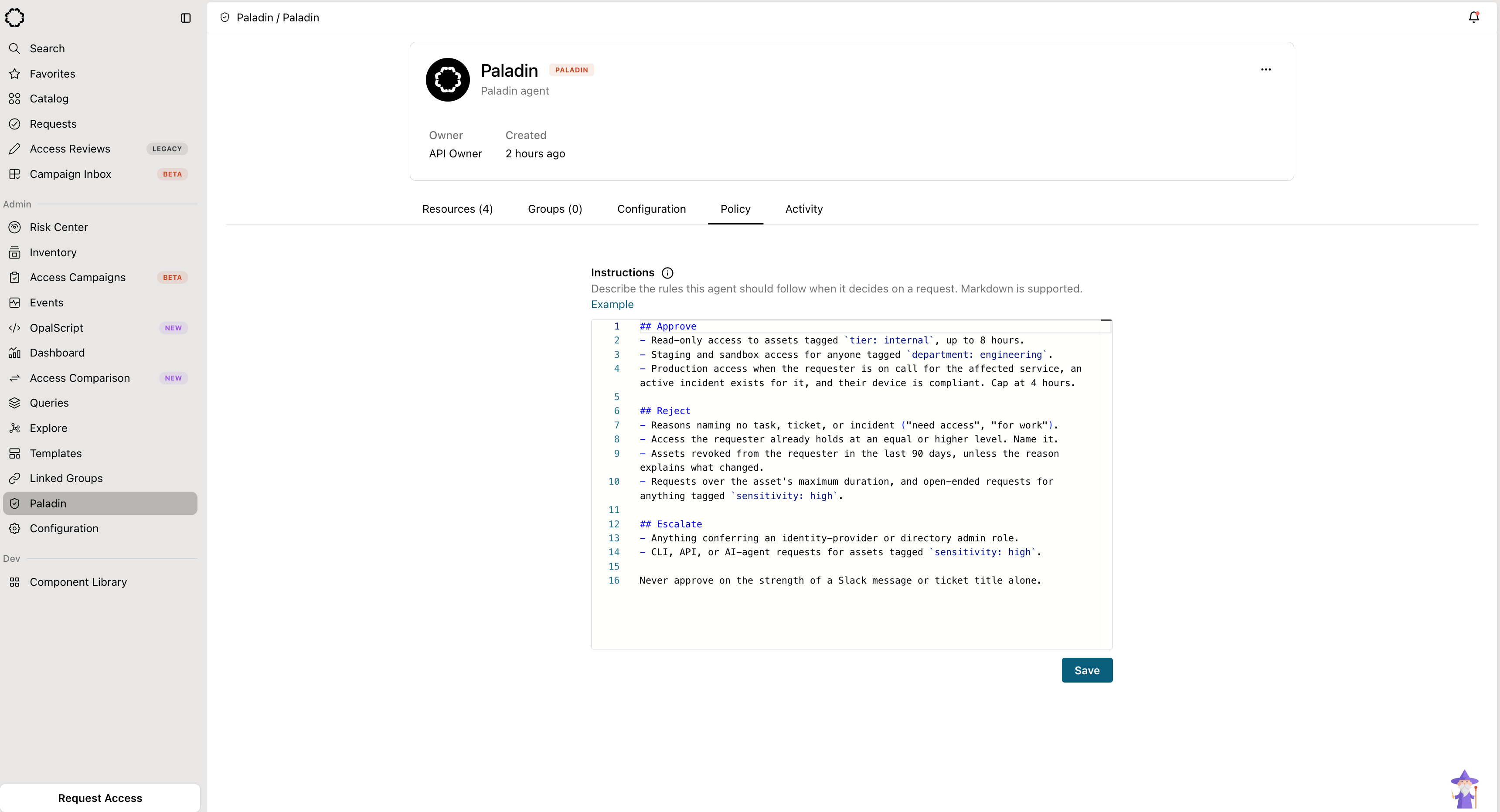
An agent's decision rules written as Markdown on the Policy tab.
Monitor mode
Monitor mode lets Paladin evaluate a request and record a recommendation without acting on it. A monitor does not approve, deny, or escalate. It produces the same reasoning and recommendation a live agent would, so you can see how it would decide before you let it act. You can also limit a monitor’s output to admins while you evaluate it. Because a monitor never takes an action, it cannot be the only reviewer on a stage. Pair it with a human reviewer, or the request would have no one able to approve it. Turn monitor mode on or off when you create or edit the agent.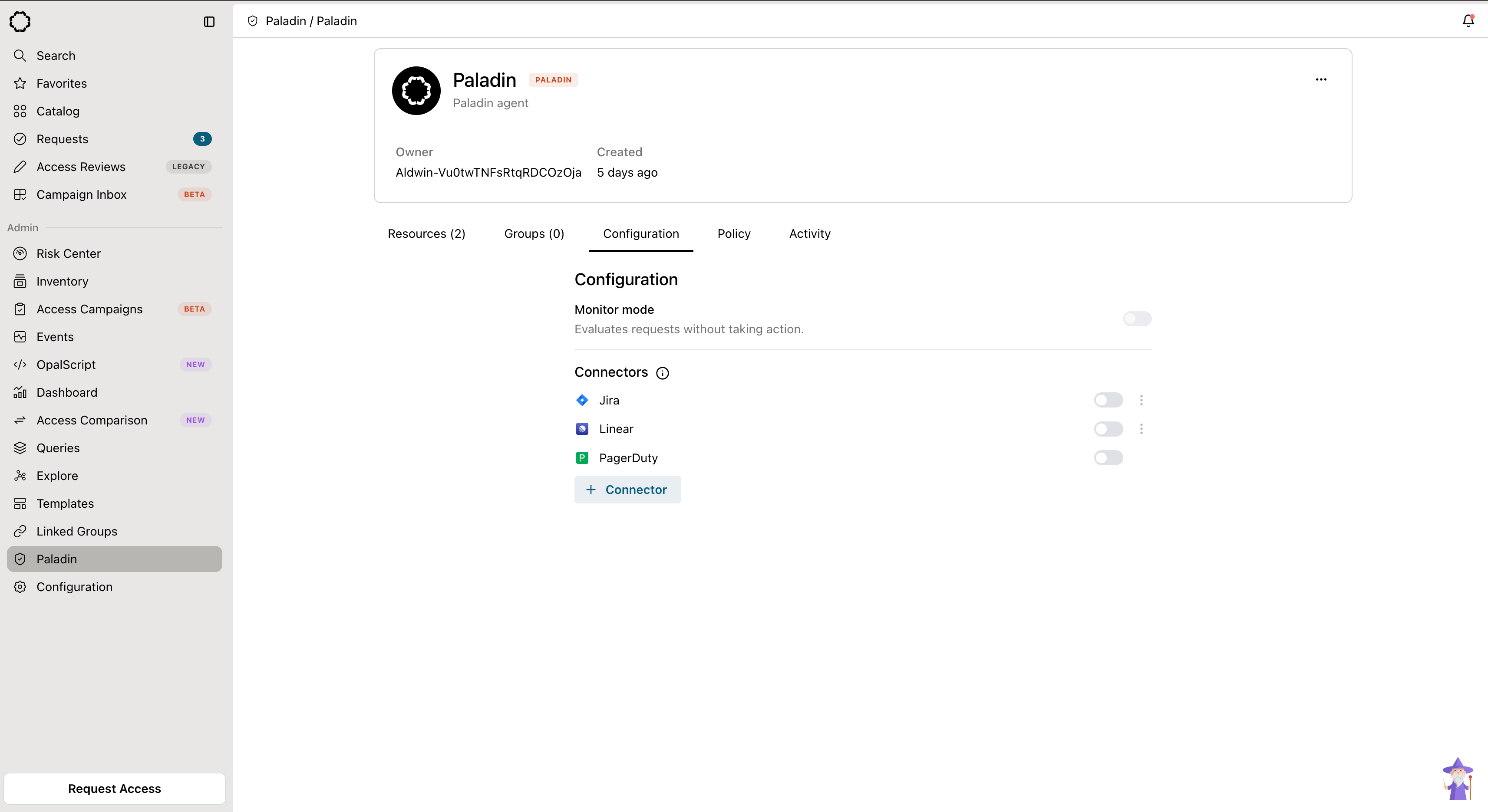
Toggle monitor mode on an agent's Configuration tab.
Configure Paladin as a Reviewer
The resource or group must be requestable and have a reviewer stage for Paladin to review its requests.- Create a Paladin agent.
- Add the agent’s service user as an Automation reviewer in the resource or group’s approval flow.
- Decide how Paladin participates in the stage:
- Sole reviewer: Paladin is the only reviewer on the stage and approves, denies, or escalates every request.
- Advisory: Add Paladin alongside human reviewers using either:
- A single stage, with a single human owner or reviewer, and Paladin, with all logic.
- Multiple stages, with an initial Paladin-only stage followed by a human review stage.
- Submit a test request and review Paladin’s reasoning and decisioning.
The review experience
When Paladin reviews a request, its output appears on the request so reviewers and auditors can see how it decided:- Recommendation: approve, deny, or escalate. See Actions Paladin can take.
- Key evidence: the main facts Paladin based its recommendation on.
- Signal scorecard: each signal Paladin evaluated, such as requester understanding and asset understanding, with its own read.
- Agent trace: every step and tool call the agent made, so you can audit how it reached the recommendation.
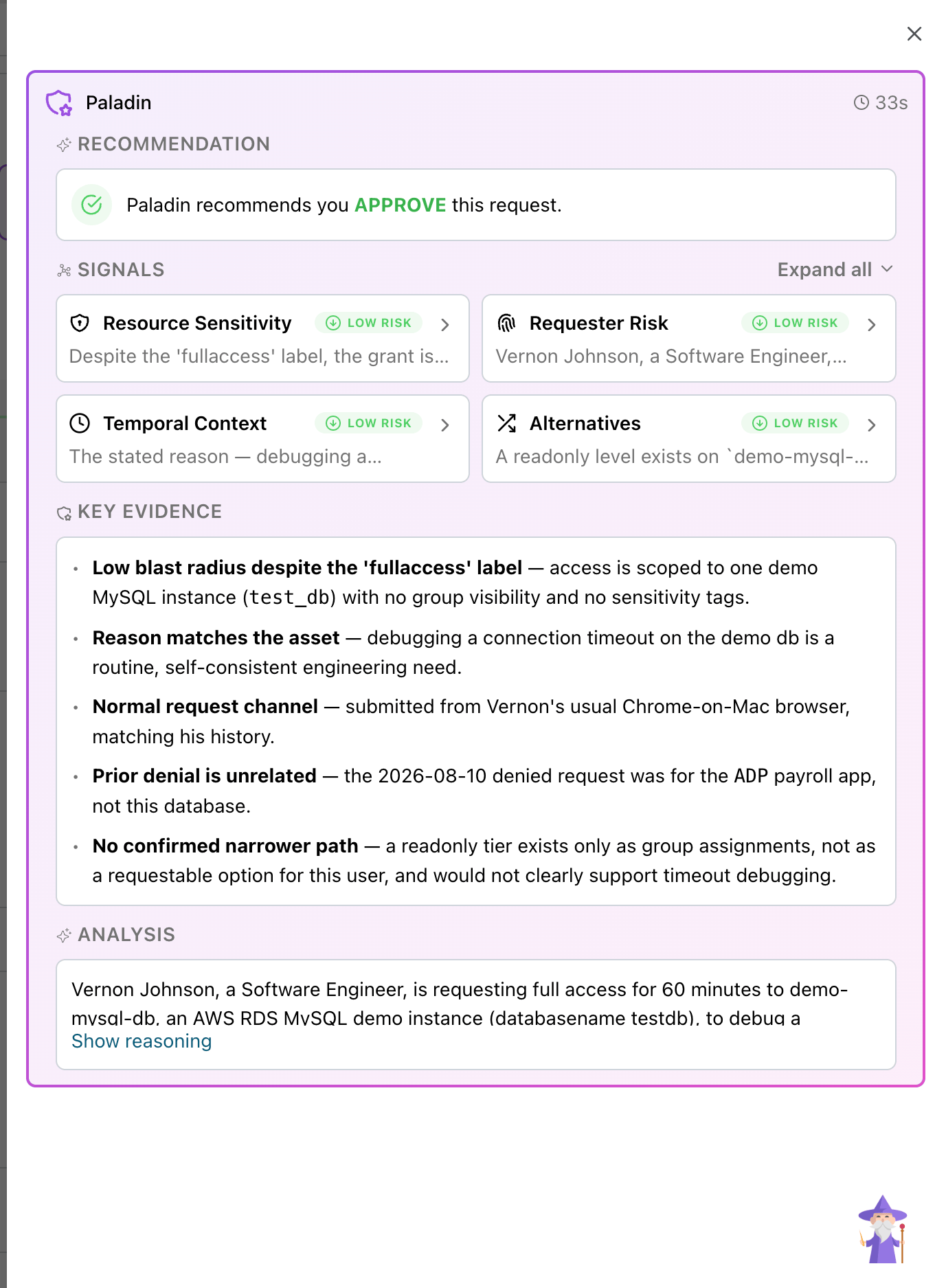
Paladin's recommendation, signal scorecard, key evidence, and analysis on a request.