Add and manage Google Cloud Platform (GCP) service accounts in Opal.
Opal lets you view and manage your GCP service accounts as non-human identities (NHIs). This means you can have control over who has access to your service accounts, and also what resources your service accounts themselves have access to.
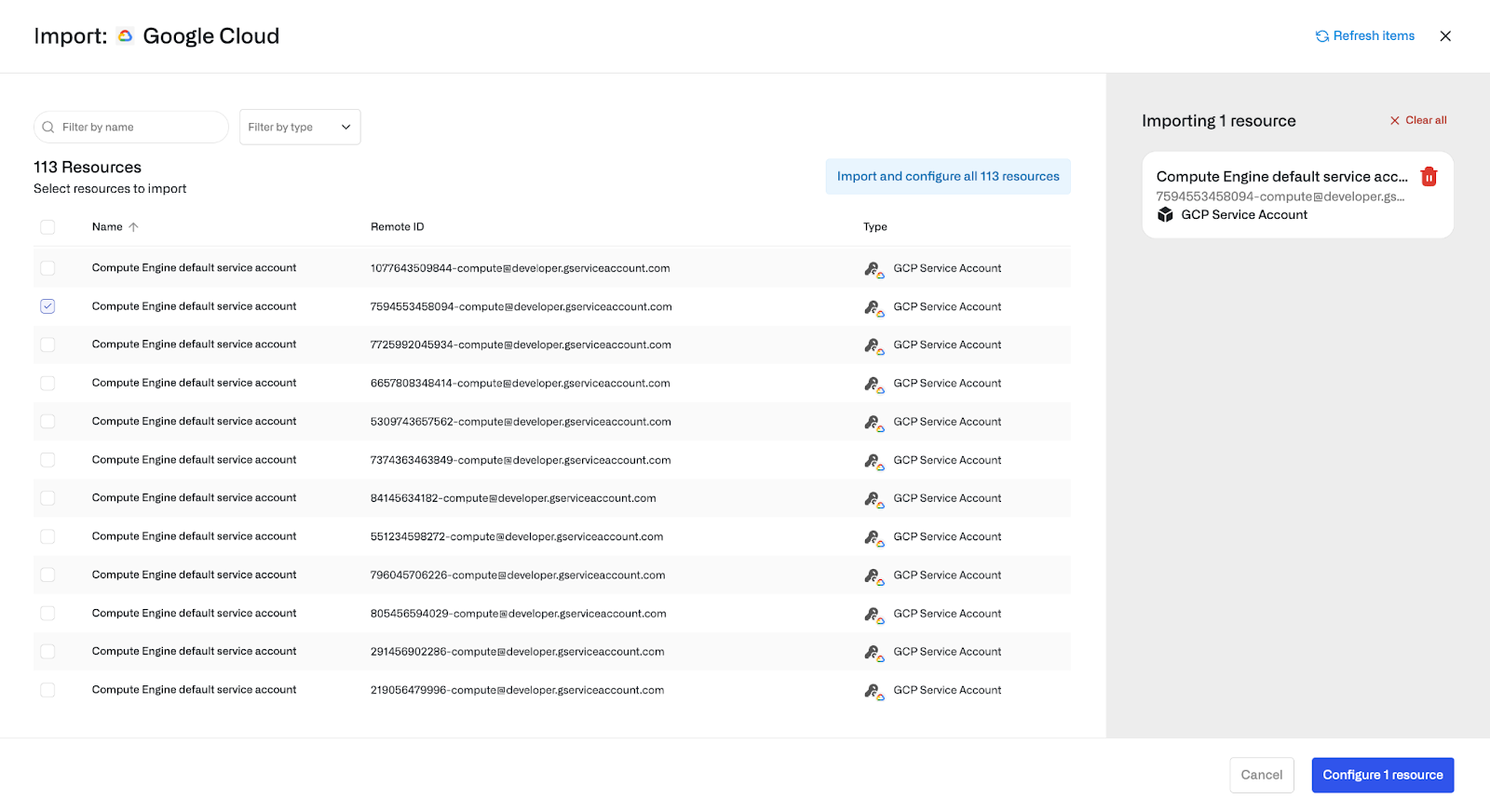
Service Accounts that have access to your resources will be automatically imported into Opal as children of their associated GCP projects. Admins can also select additional Service Accounts to manually import into Opal:
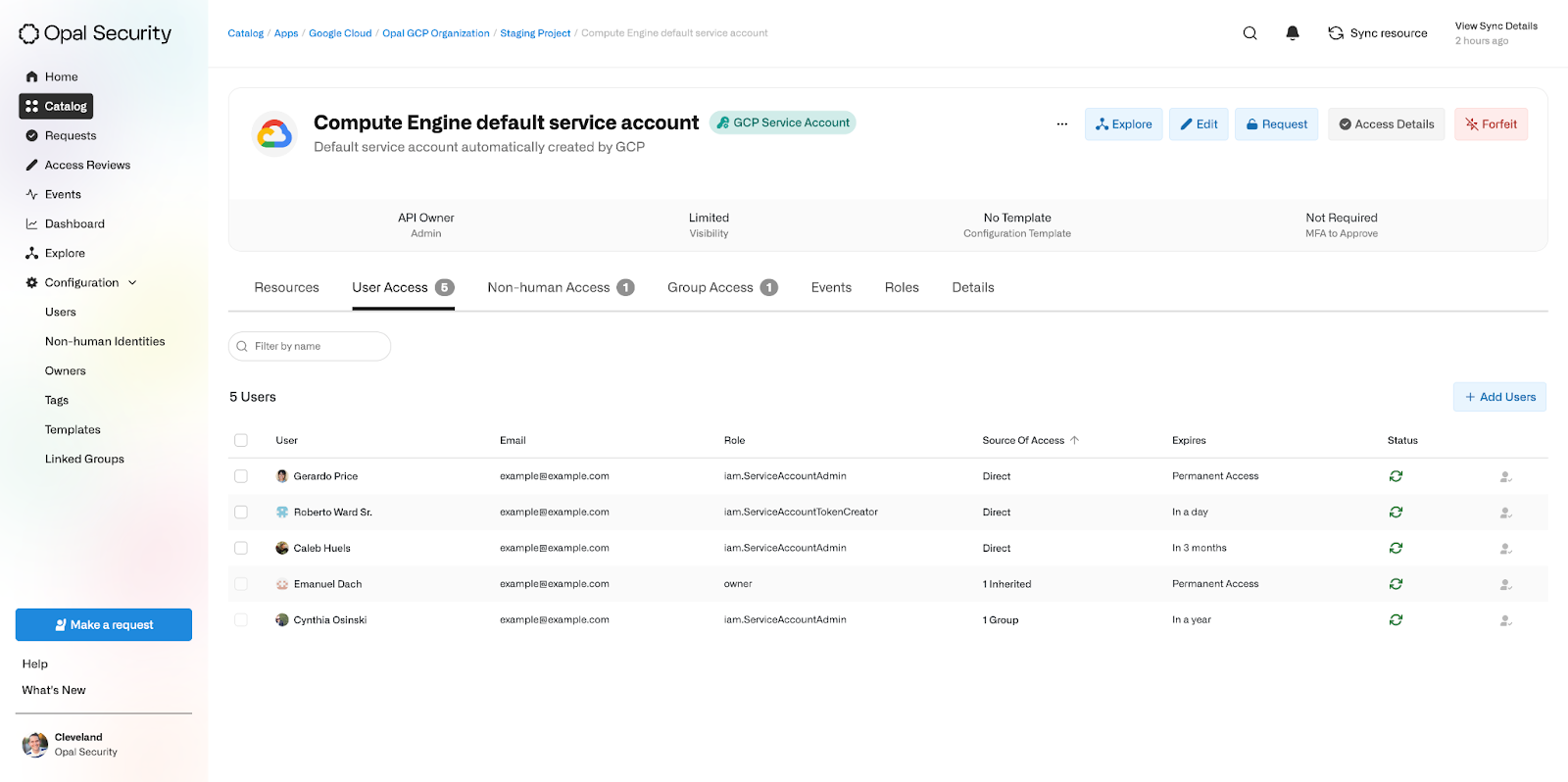
In the “User Access” tab, admins can view all users that have access to a Service Account, including what role they have, when their access expires, and how they obtained the access.
In the below example, Cynthia has access to the Service Account Admin role through a group which expires in a year, whereas Roberto has direct access to the Token Creator role expiring in a day. Emanuel is an Owner of the entire GCP Organization, so he inherited that role onto the Service Account as well.
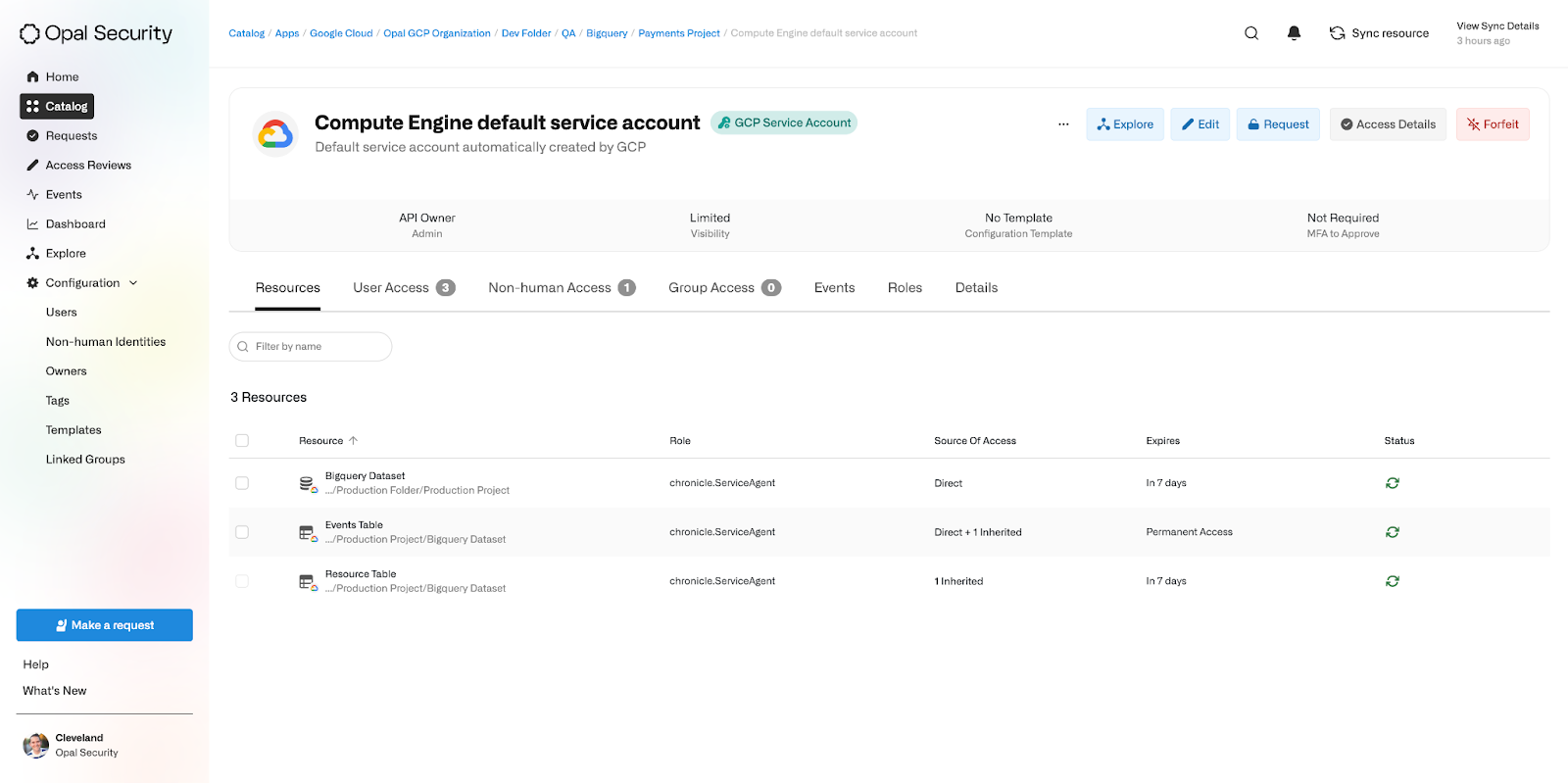
In the “Resources” tab, admins can similarly view all resources that a Service Account has access to.
Here we see that the Service Account has access to the Chronicle Service Agent role on the Bigquery Dataset, which it has also inherited onto all of the Dataset’s tables. We can also see that permanent access has been directly granted to the Service Account on the Events table.
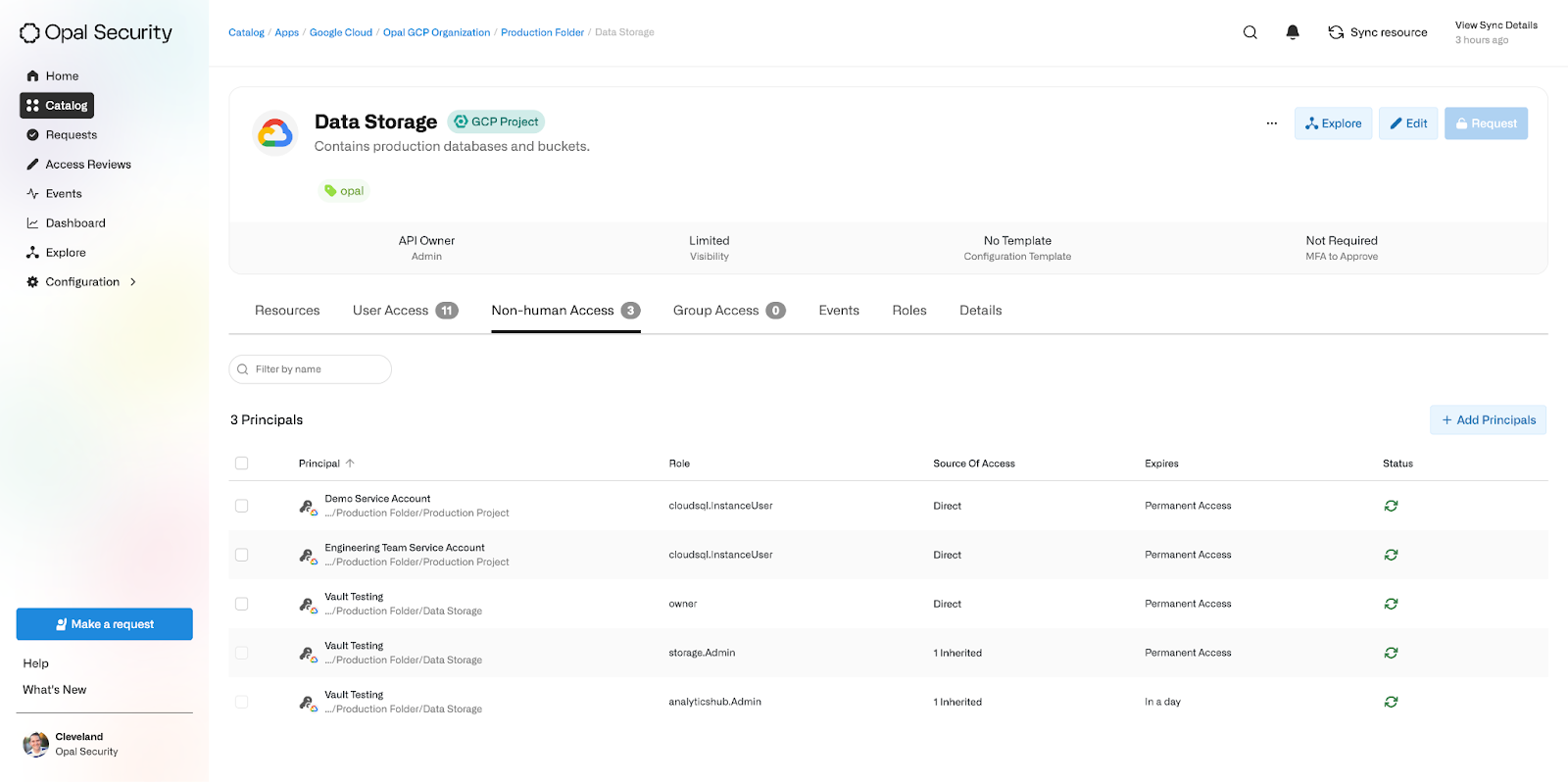
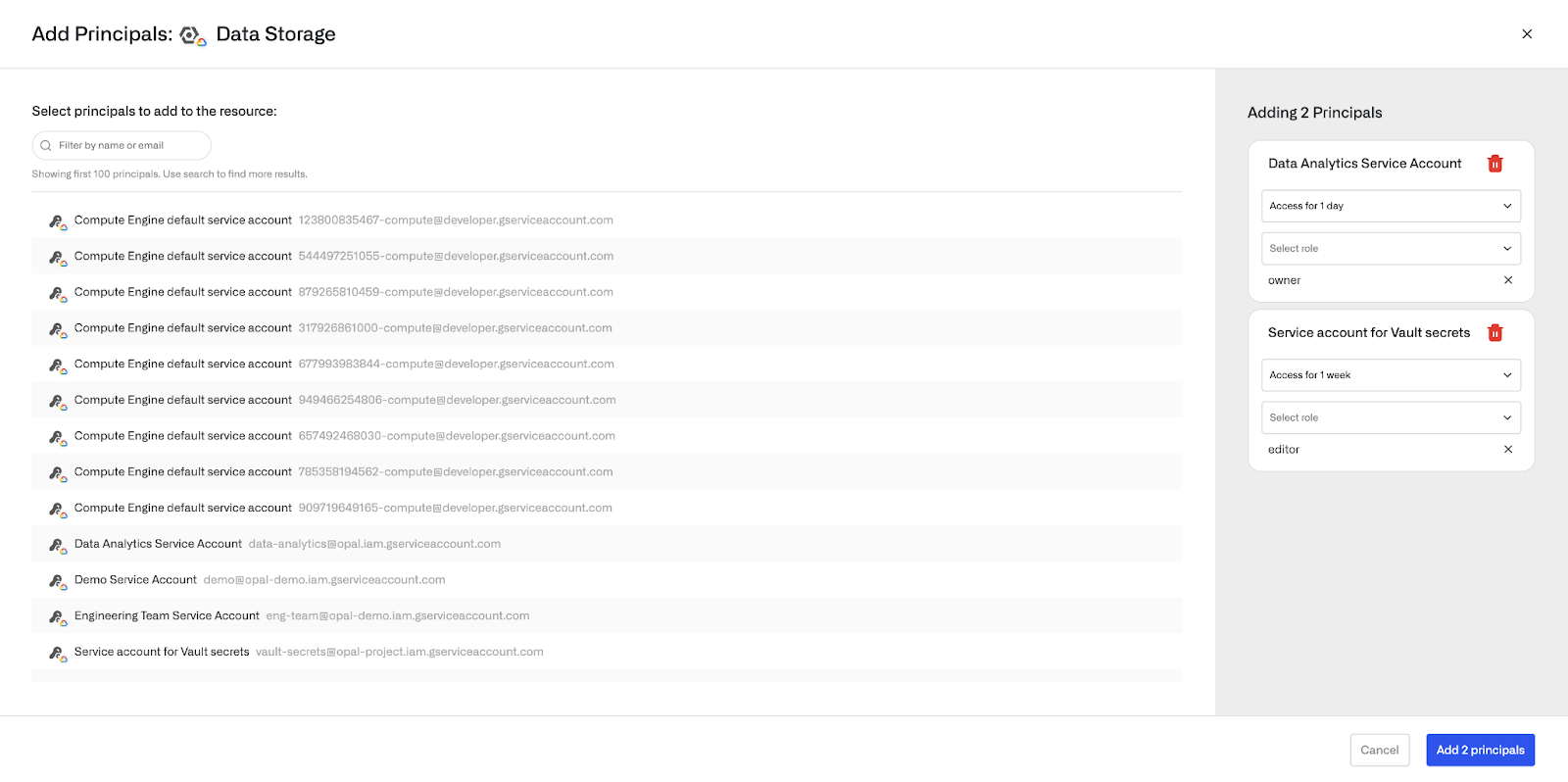
In the “Non-human Access” tab of other resources, admins can view which service accounts have access to the resource.By clicking “Add Principals”, more service accounts can be granted access to the resource as well:
Last modified on November 4, 2025
Was this page helpful?
Assistant
Responses are generated using AI and may contain mistakes.