

Overview
If your organization routes model traffic through its own AI gateway, you can point Opal’s AI features at it instead of at Anthropic or Bedrock directly. Every model call, from Paladin and from Opal’s other AI features, then goes to your gateway with the key you give Opal. The gateway forwards it to Anthropic.AI gateways are currently in beta. Contact Opal support to enable them for your organization. If you self-host Opal, you need version
1.1252.0 or later. Some self-hosted versions label it LLM gateway instead of AI gateway. The setup is the same.- Accept Anthropic’s Messages API (
POST /v1/messages), including streaming. - Pass Claude requests through to Anthropic. A gateway that translates requests to another provider, such as Bedrock or Vertex, drops settings Opal relies on.
- Serve these Claude models under their Anthropic names:
claude-sonnet-5-5claude-opus-4-8claude-sonnet-4-5claude-haiku-4-5claude-haiku-5-5
Supported gateways
Opal supports these gateways:
Other gateways aren’t officially supported. If one meets the requirements above, the connection check shows whether it works before anything is saved.
Connect your gateway
1
Open the AI gateway integration
Go to Configuration > Productivity Integrations. In the AI section, select Connect next to AI gateway.
2
Enter the gateway's URL and key
- Gateway URL is the gateway’s Anthropic-compatible base URL, without
/v1/messages. For example,https://llm.example.comorhttps://llm.example.com/anthropic. On Opal cloud it must use HTTPS. - Gateway key is the key Opal sends in the
x-api-keyheader. Use a key made for Opal, such as a LiteLLM virtual key or a Bifrost virtual key, so you can limit and revoke it on its own. - Headers are optional. Add one only if your gateway needs an extra header on every request, such as a tenant or provider header. See Headers.
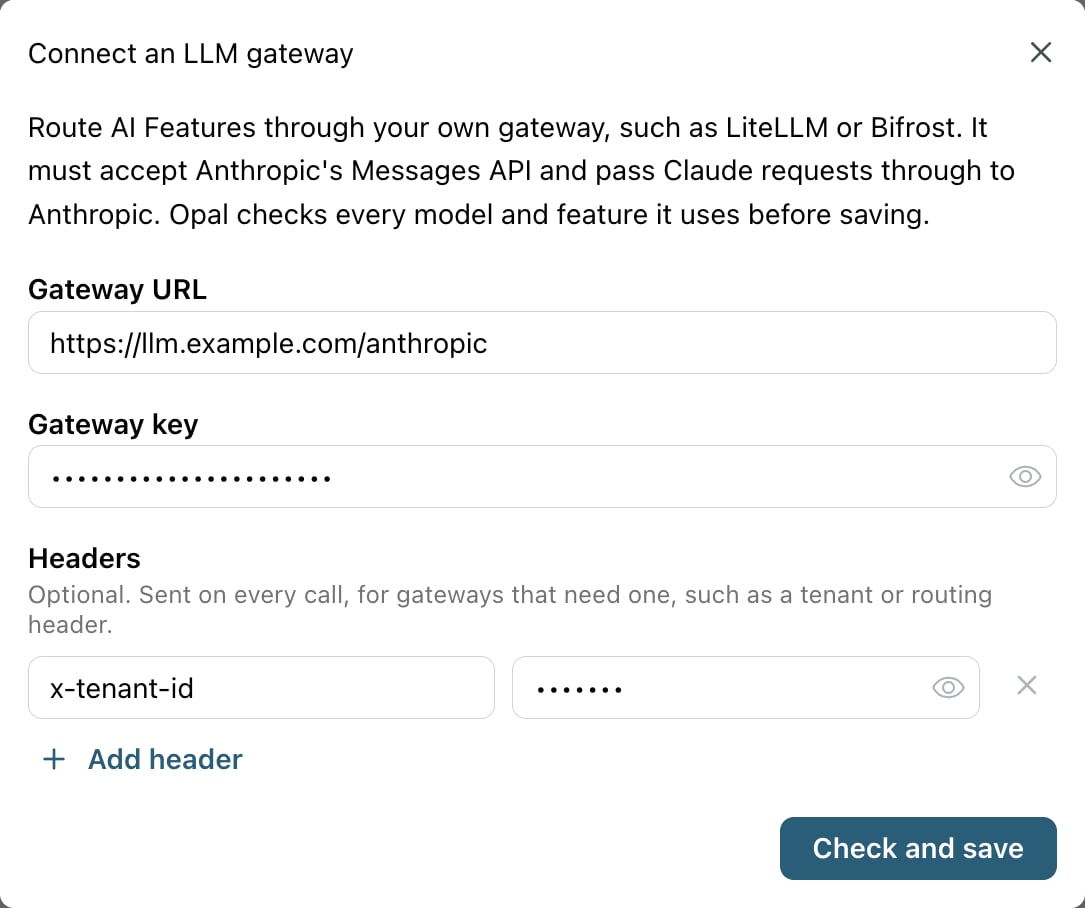
Enter the gateway's URL and key, plus any headers it needs.
3
Check and save
Select Check and save. Opal sends small test requests through the gateway, then saves it only if every check passes. If something fails, fix it in your gateway and select Check again.
4
Select it as your provider
Go to Configuration > Settings > AI Features, and under LLM Provider, select AI gateway - Your account. The option stays disabled until a gateway is connected. The AI gateway tile under Productivity Integrations shows which host it’s connected to.
What the check tests
The check sends a short request to every model Opal uses. Then, on the model Paladin uses for decisions, it tests each API feature Opal’s AI features depend on:
Each failure says why it failed. When the gateway rejects a request, Opal shows the gateway’s own short error message, such as a model that isn’t allowed for the key.
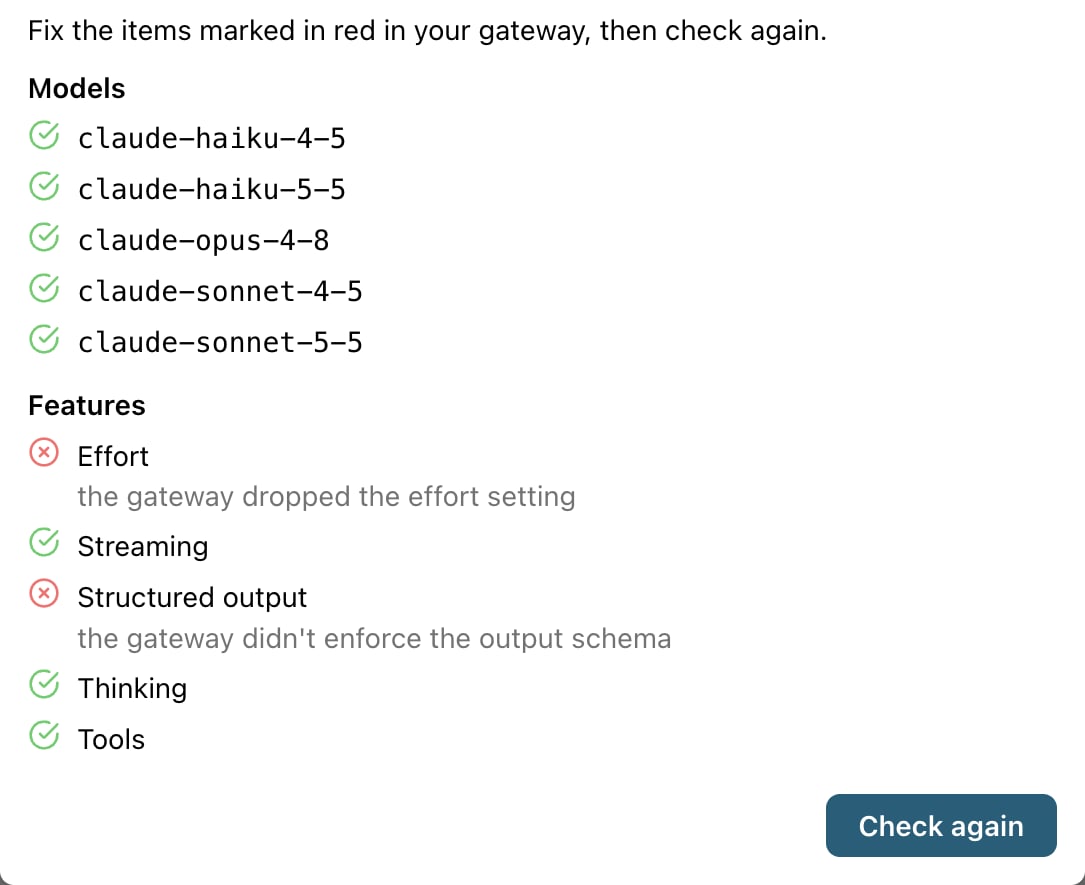
A gateway that drops the effort and structured output settings fails those checks, so Opal doesn't save it.
Headers
Some gateways need an extra header on every request. Add up to 10 under Headers when you connect. Opal sends them on the check and on every model call.- Header values are stored encrypted, with the gateway key. They’re never shown again after you save.
- You can set
Authorizationfor a gateway that expects a Bearer token, or a gateway’s own auth header, such as Cloudflare’scf-aig-authorization.
Change or remove your gateway
To change the URL, key, or headers, disconnect the gateway and connect it again. Opal won’t disconnect the gateway while it’s your LLM provider, so first select another provider under AI Features.Network access
In both cases, Opal never connects to loopback, link-local, multicast, or cloud metadata addresses. It doesn’t follow redirects, and it doesn’t send gateway traffic through a proxy. On self-hosted Opal, also see Set up Paladin on self-hosted Opal.