

prod?”, “list every service account”, or “which users are in the Engineering group?”
For how to open the builder, enter natural language, and run a query, see the Overview. This page covers the filters available to node queries and walks through a few examples.
You shape a node query with two kinds of filters:
- Node filters define which nodes are returned, based on the node’s own properties (type, name, tags, etc.).
- Access filters further narrow the result by traversing edges in the access graph — either outbound (what the node has access to) or inbound (what has access to the node).
Node filters
Node filters narrow down nodes by their own properties.Access filters
Access filters traverse edges in the access graph. Each relationship takes the same filter set as node filters — used to describe the entity on the other end of the edge. Traversal considers all access managed in Opal, including both direct access and indirect access (e.g. access granted through nested group memberships).
When using Has access to, you can also filter the access edge itself by Role Name or Role Remote ID — for example, GitHub repos a user accesses with the
write role. These filters are only available on the “Has access to” relationship.
Combine multiple filters and relationships using All of / Any of boolean logic to narrow or broaden your results. Each entity filter operator can also be flipped from is to is NOT to exclude matching entities — for example, “users who are NOT in the Engineering group.”
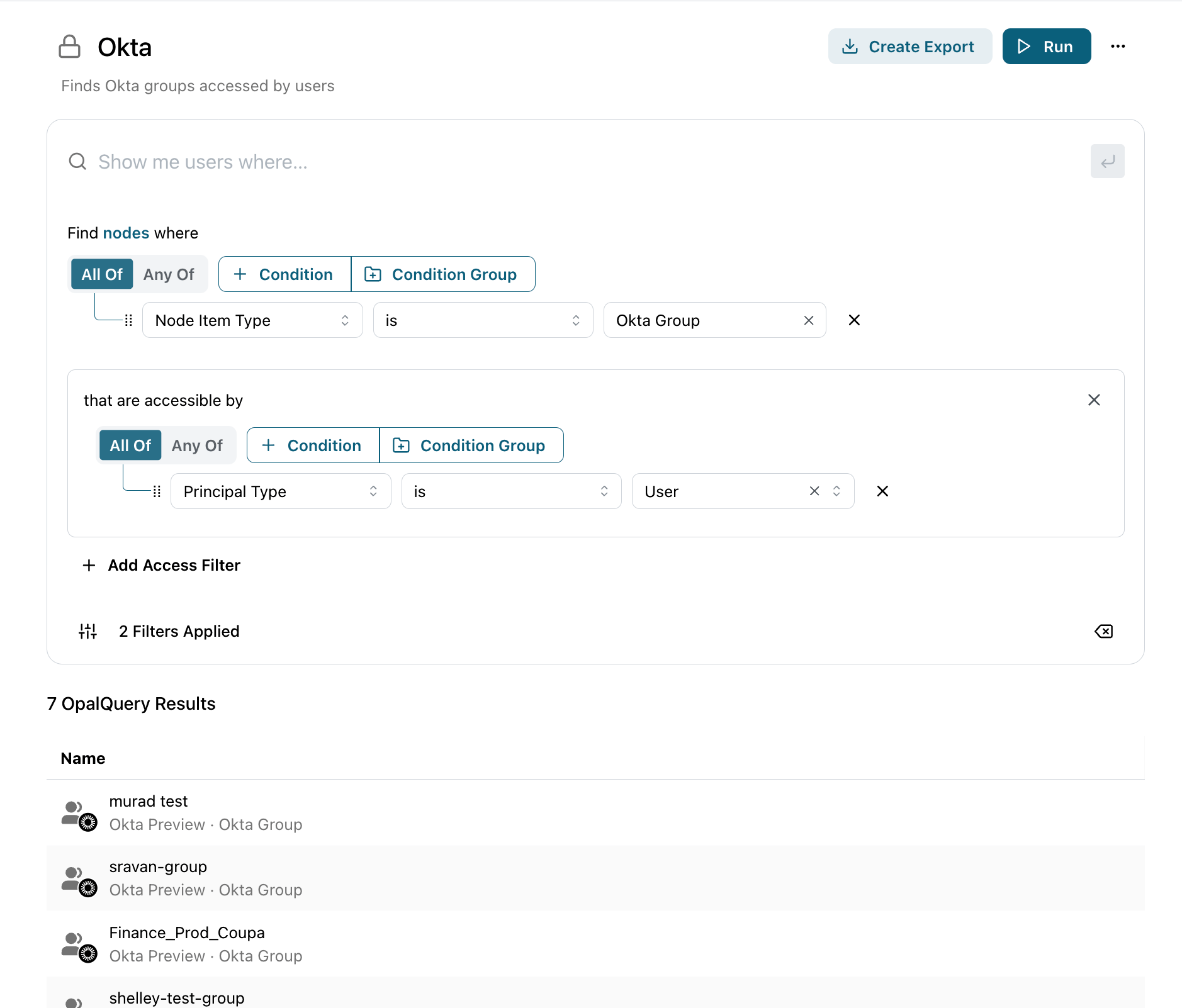
A node query: Okta groups (a node filter) narrowed to those accessible by users (an access filter). Results are a flat list of matching entities.
Walkthrough: production IAM roles accessible by contractors
This example finds AWS IAM roles taggedenv=prod that any contractor can reach — a common review before an audit.
1
Start a node query
From the Welcome to Queries page, choose Node query and open a blank builder.
2
Narrow the returned entities
Add a Node filter for Entity Item Type
is AWS IAM Role, then add a Tag filter for env = prod. The query now returns only production IAM roles.3
Add an access relationship
Add an Access filter: Accessible by an entity where Entity Type
is User and Tag is contractor. This keeps only the roles that at least one contractor can reach.4
Run and review
Click Run. Each row is a matching IAM role; click a name to inspect the entity.