

- Principal — the identity that holds the access (a user or group). Filter it with the same entity filters as node queries.
- Asset — the resource or group being accessed. Filter it the same way.
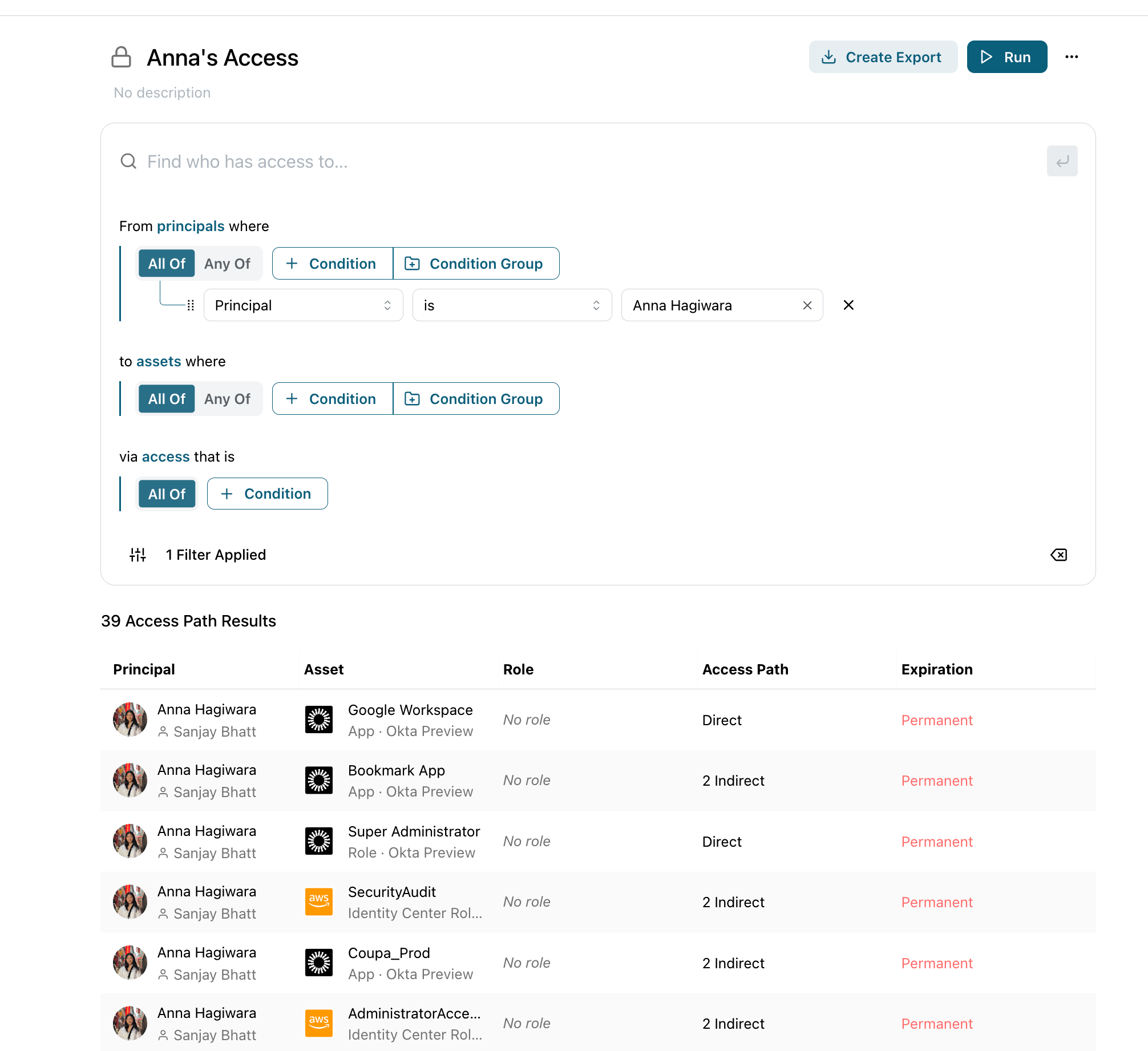
An access query for a single principal, with results showing each asset they can reach, the role, and whether access is direct or indirect.
Direct and indirect access
Each result row summarizes how the principal reaches the asset. The access column reads Direct, N Indirect, or a combination such as Direct + 2 Indirect — indirect access is granted through nested group memberships or other chains. Click a row to expand every underlying access path and see exactly how the access is granted.Edge filters
Edge filters constrain the access relationship itself, not the entities on either end:Advanced access filters
The Principal and Asset sides each expose an Advanced access filters section that scopes that side by its own access edges — nested one level in:- On the Principal side — keep only principals that also have access to, or are also accessible by, a matching entity. For example, “principals who also have access to
AdministratorAccess.” - On the Asset side — keep only assets that also have access to, or are also accessible by, a matching entity.
billing-prod and also holds admin access somewhere?”
Templates
The starter page includes ready-made access queries you can run as-is or customize:- Orphaned access — inactive users — permanent access still held by users who are no longer active in your IDP.
- All permanent access — every direct permanent grant to any asset; the standing access admins most often want to reduce.
Walkthrough: what can a departing employee still reach?
Before offboarding, confirm exactly what access a user still holds.1
Start an access query
From the Welcome to Queries page, choose Access and open a blank builder.
2
Set the principal, leave the asset blank
Set the Principal to the departing user. Leaving the Asset side blank returns everything they can reach.
3
Review direct vs. indirect access
Run the query. Each row is an asset the user can reach with a given access level. Rows marked Indirect are inherited — click to expand the path and see which group grants the access.
4
Narrow to what matters
Add Permanent access only to focus on standing grants that won’t expire on their own, or Direct only to see access you can revoke directly.