> ## Documentation Index
> Fetch the complete documentation index at: https://docs.opal.dev/llms.txt
> Use this file to discover all available pages before exploring further.
# Google Workspace
> Learn how to connect Google Workspace with Opal.
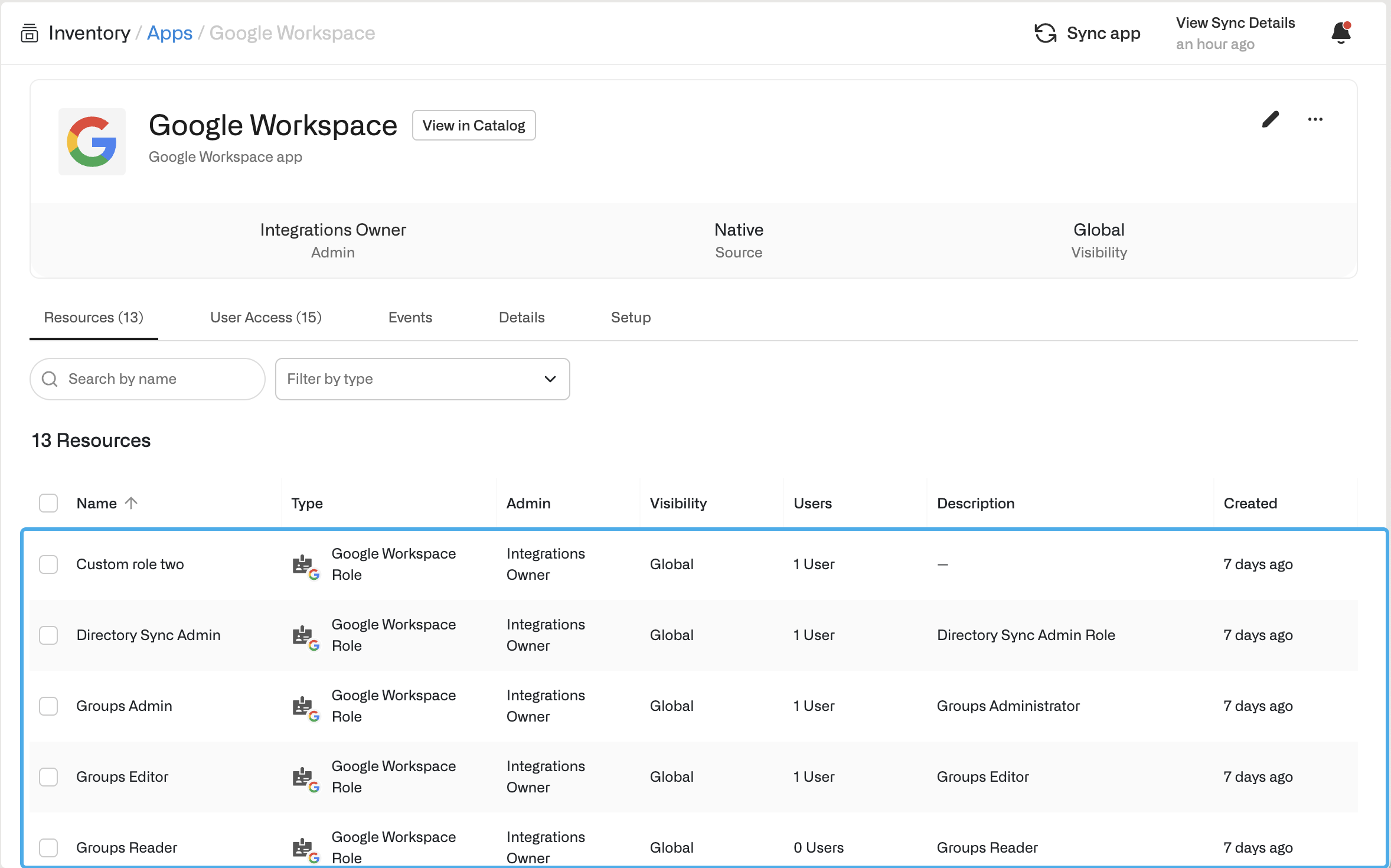
Opal natively supports an integration with Google Workspace. This integration enables organizations to manage access to default and custom admin roles.
 ## Configuration
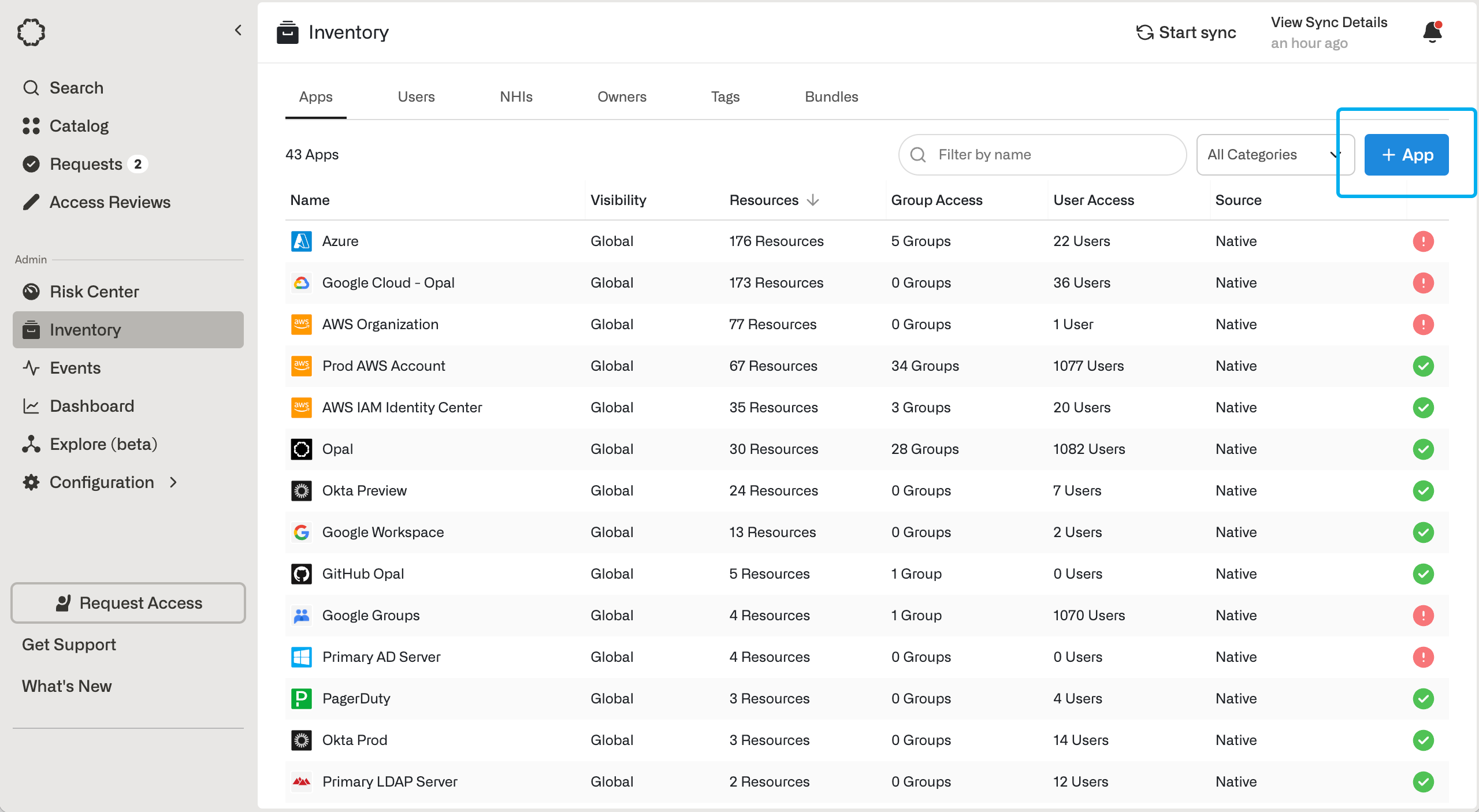
1. Go to **Inventory** and select **+ App** to add the Google Workspace App.
## Configuration
1. Go to **Inventory** and select **+ App** to add the Google Workspace App.
 2. For Opal to manage your Google Workspace on your behalf, you'll need to [create a Google service account](/integrations/google#setting-up-a-service-account-for-opal) with proper permission scopes to retrieve role and user information. Grant the service account the following scopes:
[https://www.googleapis.com/auth/admin.directory.user](https://www.googleapis.com/auth/admin.directory.user),
[https://www.googleapis.com/auth/admin.directory.rolemanagement](https://www.googleapis.com/auth/admin.directory.rolemanagement)
The `admin.directory.user` scope is used to import and manage users, and the `admin.directory.rolemanagement` scope is used to import and manage roles.
If you only want to view user's access and not grant/revoke their access, you can use the `admin.directory.user.readonly` and `admin.directory.rolemanagement.readonly` scopes instead.
3. Enable the [Admin SDK API](https://console.cloud.google.com/apis/library/admin.googleapis.com) in the project that the service account was created in.
In Google, [role assignment
privileges](https://support.google.com/a/answer/7519580?hl=en\&ref_topic=9832445\&sjid=14153642454757397359-NC)
are only available to super administrator role. Opal needs the Google
Workspace admin email to be a super administrator in order to import admin
roles.
4. Return to Opal to finish the app creation form. **Google Workspace admin email** should be a user with the **Super Admin Role** in order for the service account to read role assignments. You can find super admins in the [admin console](https://admin.google.com/) under **Admin Roles** > **Super Admin**. This email is **not** your service account email. Use this same account for the **Google Workspace customer ID** [field](https://support.google.com/a/answer/10070793?hl=en\&src=supportwidget0\&authuser=0).
## Run app validation checks
After you save your app, you can view existing sync issues from the **Setup** tab on the app detail page. Missing permissions and sync issues show in the **App Validations** section. Select the refresh icon to rerun validation checks.
2. For Opal to manage your Google Workspace on your behalf, you'll need to [create a Google service account](/integrations/google#setting-up-a-service-account-for-opal) with proper permission scopes to retrieve role and user information. Grant the service account the following scopes:
[https://www.googleapis.com/auth/admin.directory.user](https://www.googleapis.com/auth/admin.directory.user),
[https://www.googleapis.com/auth/admin.directory.rolemanagement](https://www.googleapis.com/auth/admin.directory.rolemanagement)
The `admin.directory.user` scope is used to import and manage users, and the `admin.directory.rolemanagement` scope is used to import and manage roles.
If you only want to view user's access and not grant/revoke their access, you can use the `admin.directory.user.readonly` and `admin.directory.rolemanagement.readonly` scopes instead.
3. Enable the [Admin SDK API](https://console.cloud.google.com/apis/library/admin.googleapis.com) in the project that the service account was created in.
In Google, [role assignment
privileges](https://support.google.com/a/answer/7519580?hl=en\&ref_topic=9832445\&sjid=14153642454757397359-NC)
are only available to super administrator role. Opal needs the Google
Workspace admin email to be a super administrator in order to import admin
roles.
4. Return to Opal to finish the app creation form. **Google Workspace admin email** should be a user with the **Super Admin Role** in order for the service account to read role assignments. You can find super admins in the [admin console](https://admin.google.com/) under **Admin Roles** > **Super Admin**. This email is **not** your service account email. Use this same account for the **Google Workspace customer ID** [field](https://support.google.com/a/answer/10070793?hl=en\&src=supportwidget0\&authuser=0).
## Run app validation checks
After you save your app, you can view existing sync issues from the **Setup** tab on the app detail page. Missing permissions and sync issues show in the **App Validations** section. Select the refresh icon to rerun validation checks.
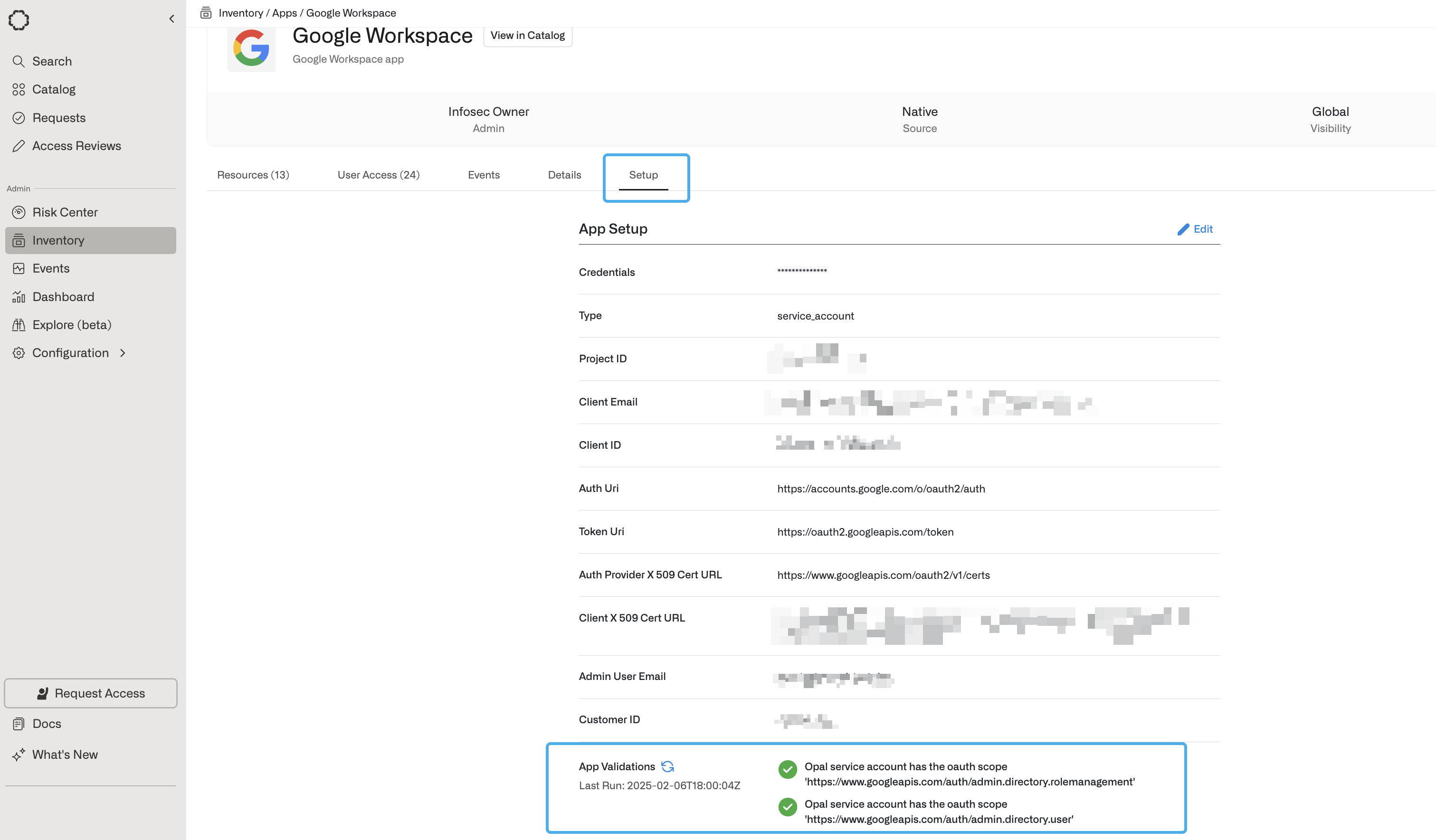 You can hover over the validation icons to learn why Opal needs a given permission. To correctly sync your app to Opal, ensure you address any sync errors, marked with the red ! icon. Inspect warnings on a case-by-case basis: warnings might impact features you’re not using and may be safely ignored, but this depends on your use case.