> ## Documentation Index
> Fetch the complete documentation index at: https://docs.opal.dev/llms.txt
> Use this file to discover all available pages before exploring further.
# Add a Compute Engine Instance
Opal lets your developers find and request access to SSH into GCP Compute instances. Use the following steps to add Compute instances to your Opal dashboard.
## 1. Set up OS Login on the VM Instance
Follow Steps 1 and 3 in the [following guide](https://cloud.google.com/compute/docs/instances/managing-instance-access#console). By the end of it, you should have added the `enable-oslogin` key with value `TRUE` in the VM instance metadata.
## 2. Configure osLoginExternalUser for users
This step is optional and only applies to Opal users who you want to grant GCP Compute instance access and who are outside of your Google Cloud organization. Read this [guide](https://cloud.google.com/compute/docs/oslogin/manage-oslogin-in-an-org#external-user) to enable `osLoginExternalUser` for a user. The user email must correspond to the Opal user's email.
## 3. Grant the compute.Viewer permission for users
The Opal user who you want to grant access to needs the `compute.Viewer` permission on the Project to be able to find and SSH into the instance. This can be done via the following:
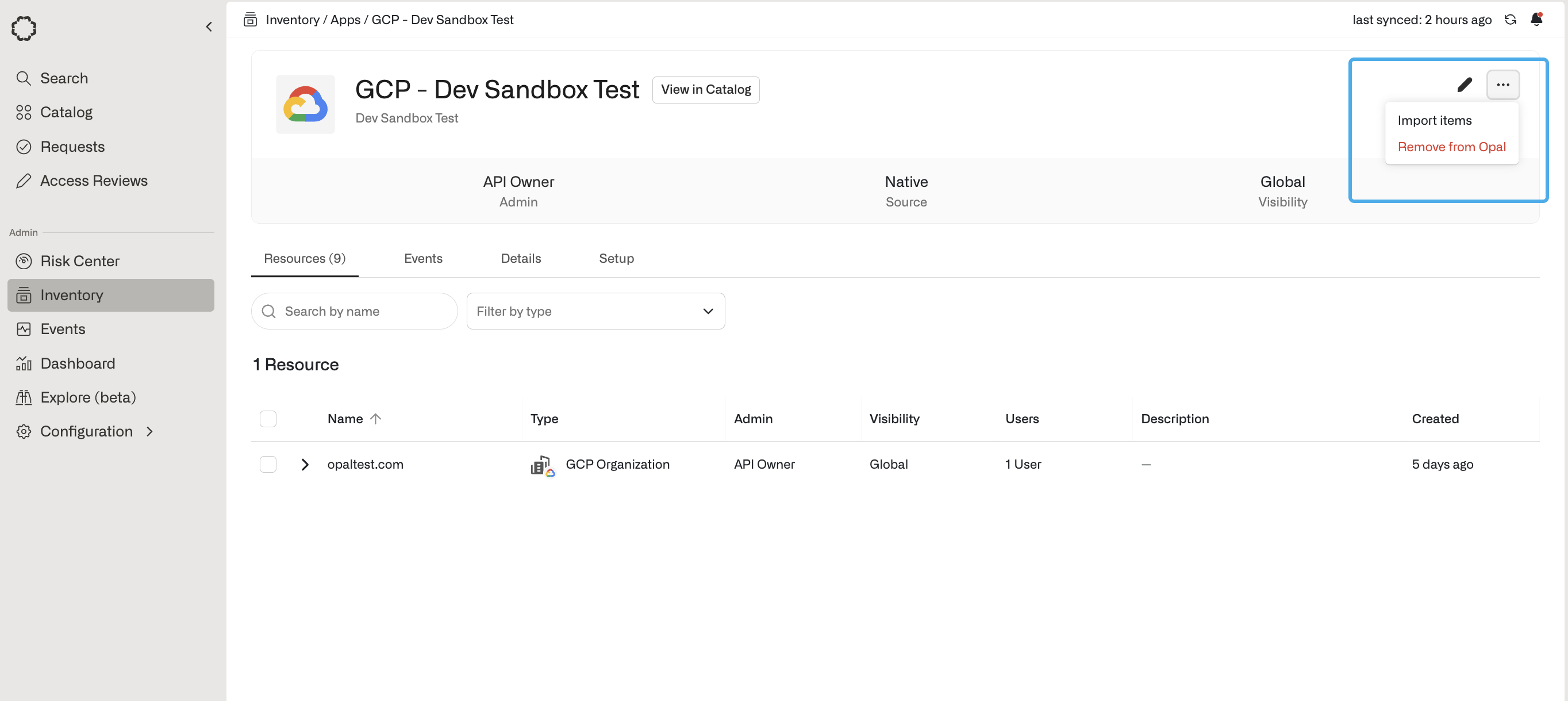
First, import the GCP Project corresponding to the Compute instance in Opal. Go to the **Inventory**, then your Google Cloud App, then select on the **...** on the top right, then **Import items**. There you can import your GCP Project as a Resource.
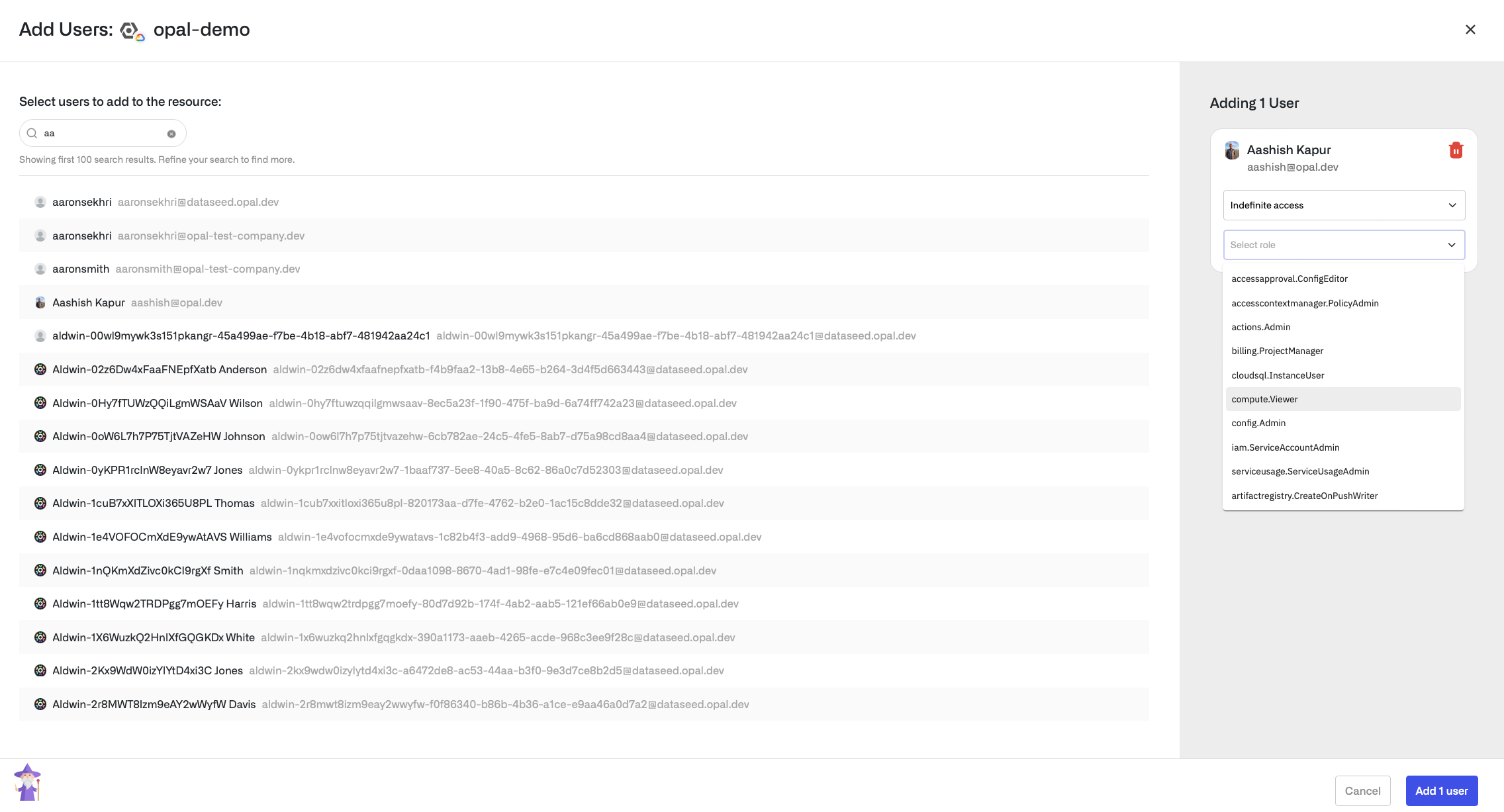
 Go to the Project resource you just added and select the **User Access** tab. You can click **+Add Users** on the right to browse and select a user to add to the project with the `compute.Viewer` role.
 ## 4. Grant the compute.OsLogin permission
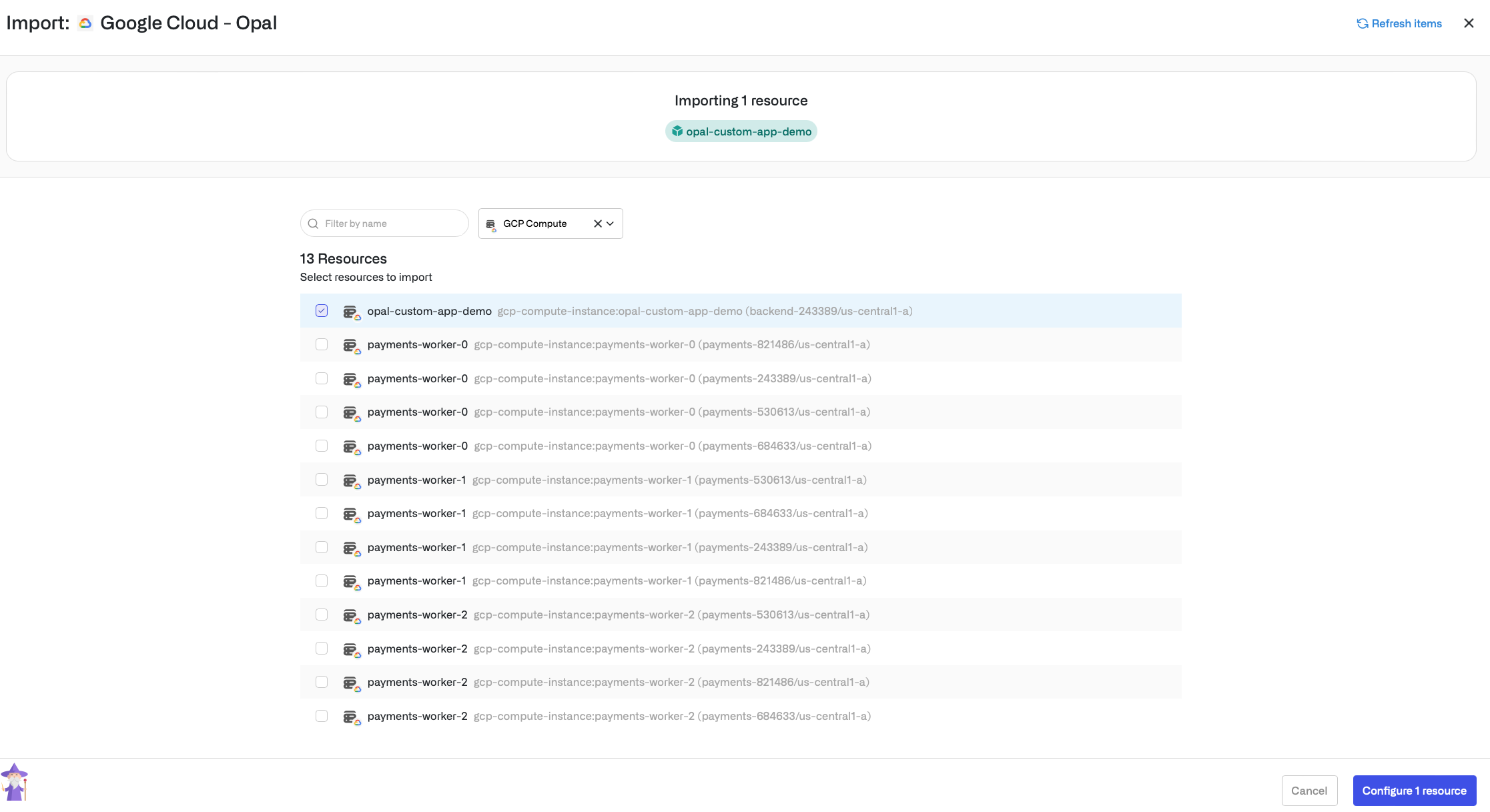
First, import the Compute instance into Opal. Go to the **Inventory**, then your Google Cloud App, then select on the **...** on the top right, then **Import items**. There you can filter by type **GCP Compute** and import your Compute instance as a Resource.
## 4. Grant the compute.OsLogin permission
First, import the Compute instance into Opal. Go to the **Inventory**, then your Google Cloud App, then select on the **...** on the top right, then **Import items**. There you can filter by type **GCP Compute** and import your Compute instance as a Resource.
 Next, go to **Resources** on the left sidebar, then to the Compute resource you just added, and select the **User Access** tab of the resource. Add the user to the Compute instance with the `compute.OsLogin` access level. If no choice to set the access level is presented, add the user without specifying the access level.
## 5. If needed, install gcloud
Install the `gcloud` binary, as described in this [guide](https://cloud.google.com/sdk/docs/install). This command will be used to SSH into the instance.
## 6. Log in to gcloud
The user who was granted permission must perform `gcloud auth login` in the shell, logging in with an email matching the Opal user.
## 7. SSH into the VM instance
A couple minutes or so after the user was granted the `compute.OsLogin` permission, the user should be able to SSH into the instance with a command of the form:
`gcloud compute ssh --project=PROJECT_ID --zone=ZONE_ID COMPUTE_INSTANCE_NAME`.
For example, `gcloud compute ssh --project=my-project --zone=us-central1-a my-compute-instance`.
Next, go to **Resources** on the left sidebar, then to the Compute resource you just added, and select the **User Access** tab of the resource. Add the user to the Compute instance with the `compute.OsLogin` access level. If no choice to set the access level is presented, add the user without specifying the access level.
## 5. If needed, install gcloud
Install the `gcloud` binary, as described in this [guide](https://cloud.google.com/sdk/docs/install). This command will be used to SSH into the instance.
## 6. Log in to gcloud
The user who was granted permission must perform `gcloud auth login` in the shell, logging in with an email matching the Opal user.
## 7. SSH into the VM instance
A couple minutes or so after the user was granted the `compute.OsLogin` permission, the user should be able to SSH into the instance with a command of the form:
`gcloud compute ssh --project=PROJECT_ID --zone=ZONE_ID COMPUTE_INSTANCE_NAME`.
For example, `gcloud compute ssh --project=my-project --zone=us-central1-a my-compute-instance`.