> ## Documentation Index
> Fetch the complete documentation index at: https://docs.opal.dev/llms.txt
> Use this file to discover all available pages before exploring further.
# Sync schedules and triggers
> Learn how Opal syncs apps, groups, resources, and users from remote systems.
Real-time sync, which syncs objects on an event-driven basis as they're
updated in end systems, is supported for Okta, Azure, and AWS. Follow the
guides to enable real-time sync for
[Azure](/integrations/azure-real-time-sync) or
[AWS](/integrations/aws-real-time-sync). [Okta real-time
sync](/integrations/okta#real-time-sync) is automatically enabled.
Learn about the different ways Opal supports syncing items from your end system.
Note that syncs, both automatic and manual, may be throttled to preserve service.
## Automatic syncs
Opal periodically syncs resources, apps, groups, and users from your end systems.
**Managed** resources are apps, groups, and resources you’ve imported to Opal. **Unmanaged** resources exist in your end system but are not imported to Opal. See the guide to [import items to Opal](/docs/import-and-configure-resources-and-groups) to learn more.
### Periodic syncs
Multiple times per day, [user attributes](/docs/add-additional-idphr-providers#import-attributes) from IDP/HRIS data, and managed resources and groups are synced. These syncs may be skipped if they overlap with other syncs.
Multiple times per week, all apps, groups, and resources are synced, including unmanaged ones, to reconcile any discrepancies between the end system and objects in Opal. These syncs may be delayed given high volume.
Both of these syncs may create and remove users in Opal if they've changed in the remote app.
### High-priority syncs
The following tasks are considered high-priority and are executed soon after they’re triggered:
* On-call schedules synced from [productivity integrations](/docs/connect-your-productivity-tools)
* [Access rule](/docs/access-rules) membership updates
* Notification sends for escalated request or access reviews
* [Ticket propagation](/docs/ticket-propagation)
## Trigger manual syncs
### Managed resources and groups
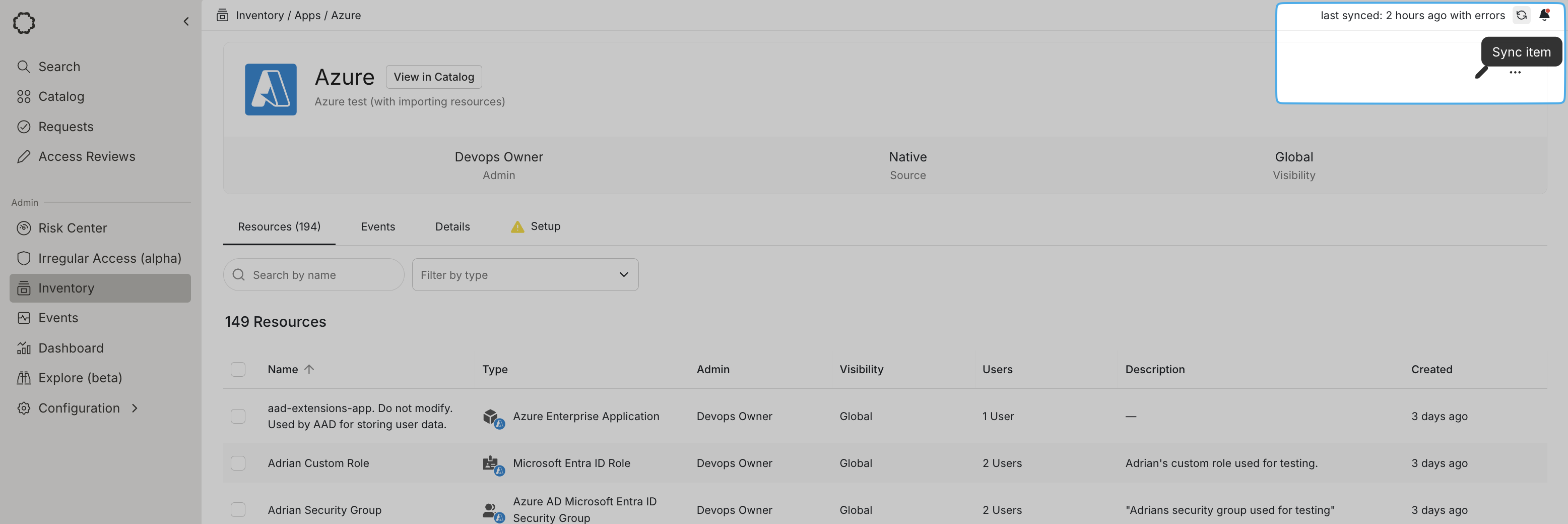
To sync resources, groups, and users for an individual app, go to the detail page for the app in the **Inventory** and select the **Sync item** button on the upper right.
To sync all apps, resources, groups, and users, go to **Inventory** > **Apps** and select the **Sync Inventory** button the upper right.
Both of these syncs may create and remove users in Opal if they've changed in the remote app. These syncs do **not** sync user attributes.
 ### User attributes
To sync user attributes from your IDP/HRIS—title, manager, etc.—go to the **Inventory** > **Users** tab and select the **Sync Users** button on the upper right. This does not create new users, but it populates attributes for existing users.
## View sync status
Use the **Sync Status** modal by clicking the last synced date on the upper right to see when and how objects were last synced—this includes manual, high-priority, hourly, and weekly syncs. Scheduled syncs show the **Synced by** field set to **Opal System**.
### User attributes
To sync user attributes from your IDP/HRIS—title, manager, etc.—go to the **Inventory** > **Users** tab and select the **Sync Users** button on the upper right. This does not create new users, but it populates attributes for existing users.
## View sync status
Use the **Sync Status** modal by clicking the last synced date on the upper right to see when and how objects were last synced—this includes manual, high-priority, hourly, and weekly syncs. Scheduled syncs show the **Synced by** field set to **Opal System**.
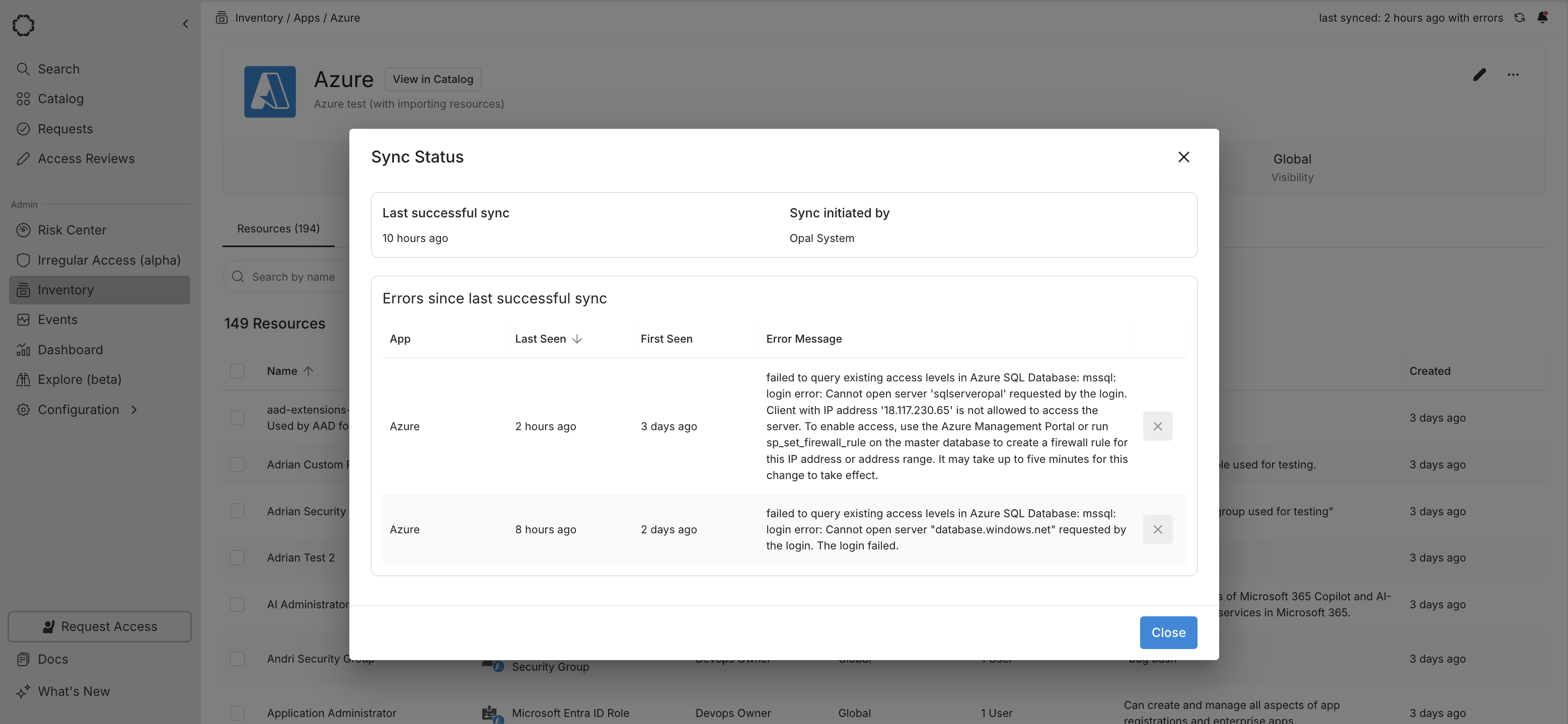 You can also use the `GET sync_errors` [API endpoint](/api-reference/apps/get-sync_errors) to programmatically retrieve errors since the last successful sync.