> ## Documentation Index
> Fetch the complete documentation index at: https://docs.opal.dev/llms.txt
> Use this file to discover all available pages before exploring further.
# Special roles in Opal
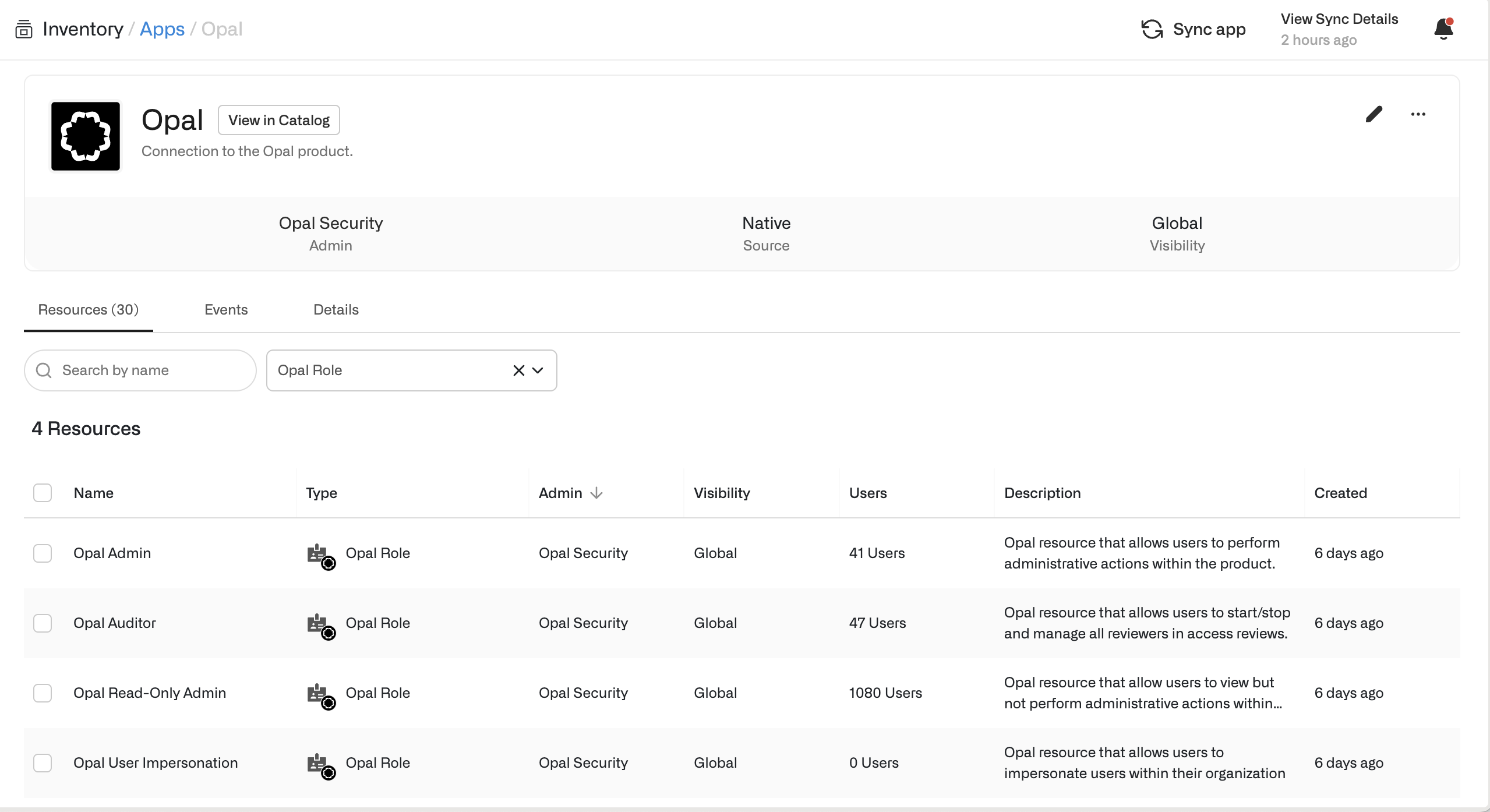
The following roles in Opal are treated as resources—a user's access to a role may be time-bounded, indefinite, etc. These roles are not scoped by resource but apply across the Opal platform, while Group/Resource Admins' capabilities are limited to the group or resource.
The following are special roles in Opal:
* **Admin**: Super-admins who can add integrations to Opal, see and modify all settings, and manage all configurations for resources and groups
* **Auditor**: Users who can start and stop user access reviews. In addition, they can assign any reviewer to review
* **Read-only Admin**: Users who can see everything a super-admin can see, but otherwise have normal user privileges
* **User Impersonation**: Users with the ability to "impersonate" another Opal user, entering read-only mode to see what they see
* **Global Requester**: Gives users visibility into the entire catalog, regardless of visibility rules, and gives users the ability to request resources and groups [on behalf of](/docs/end-user-faq#request-access-in-the-opal-ui) other users
 Additionally, the following roles can be assigned in the product:
* **Group/Resource Admins:** Users with admin capabilities for the resources and groups that they own
## Role capabilities
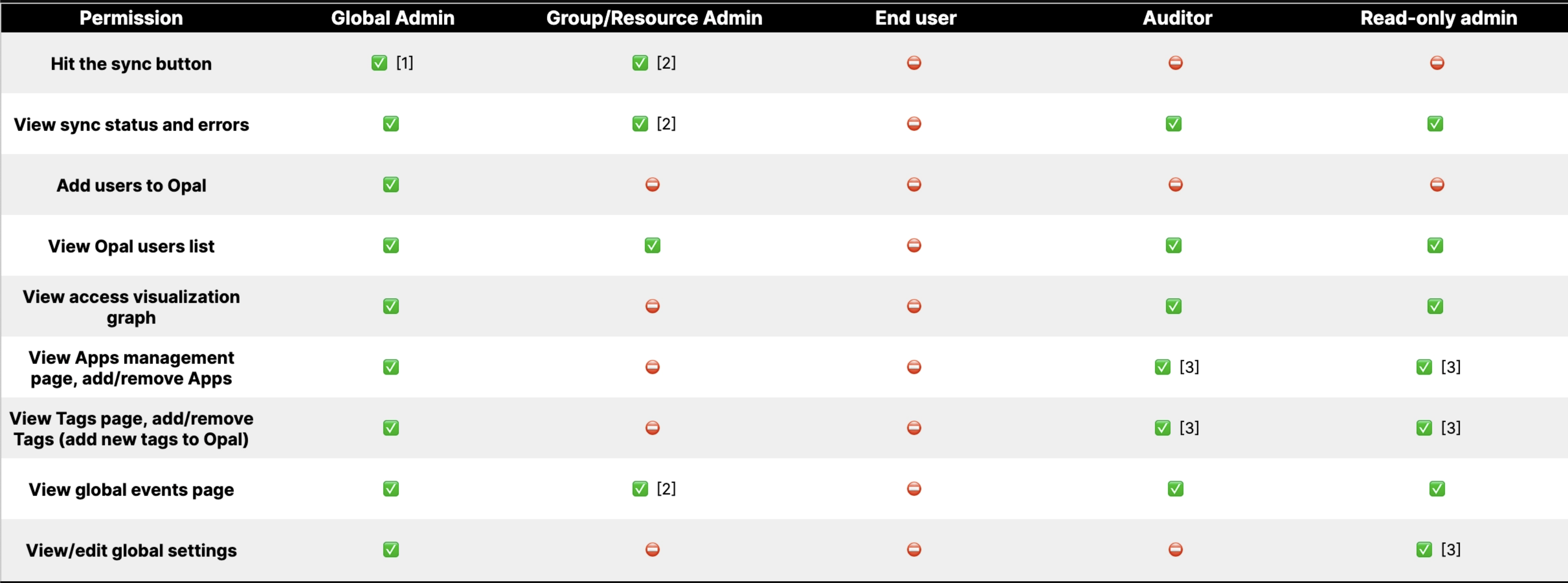
Global permissions:
Additionally, the following roles can be assigned in the product:
* **Group/Resource Admins:** Users with admin capabilities for the resources and groups that they own
## Role capabilities
Global permissions:
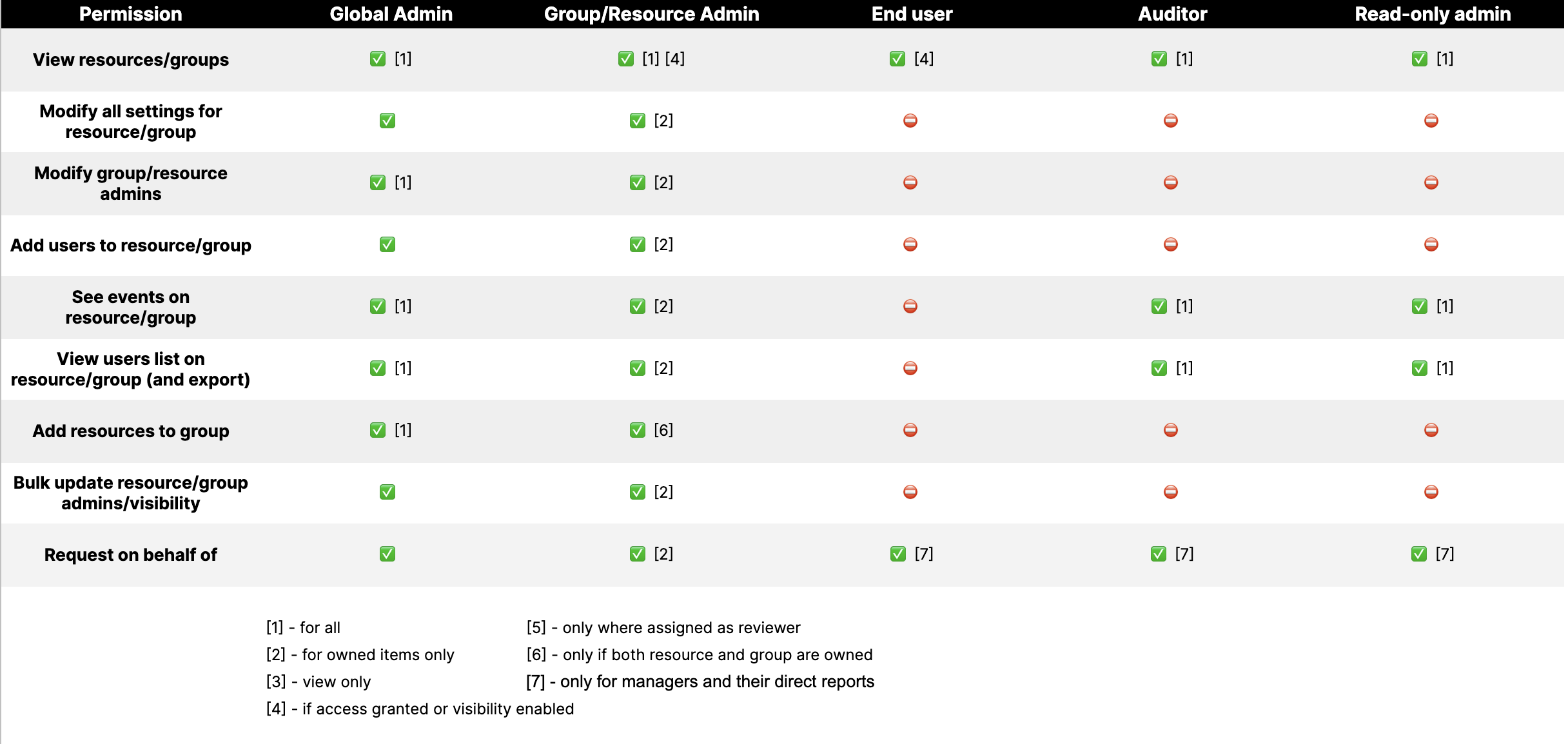
 Group/Resource permissions:
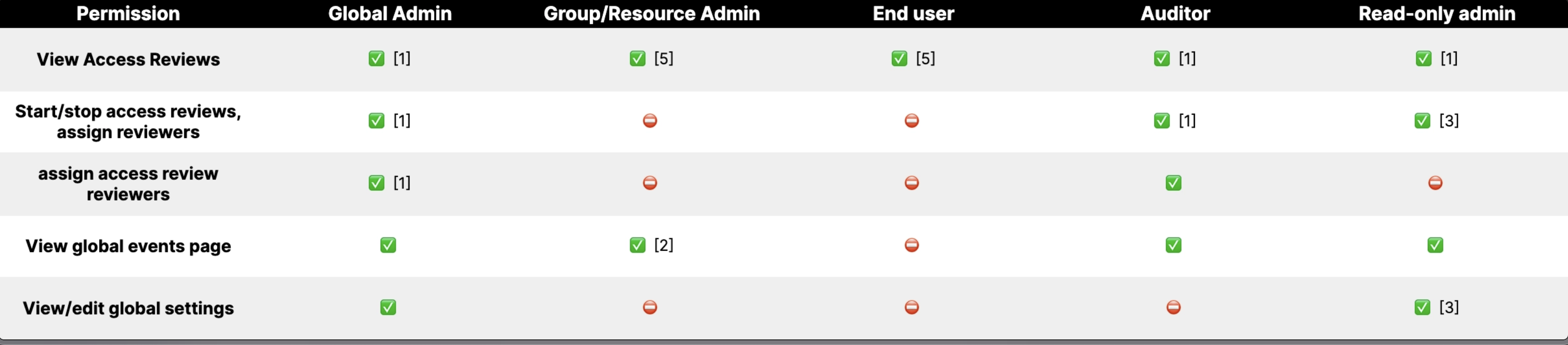
 User [Access Reviews](/docs/access-campaigns):
 ## User Impersonation
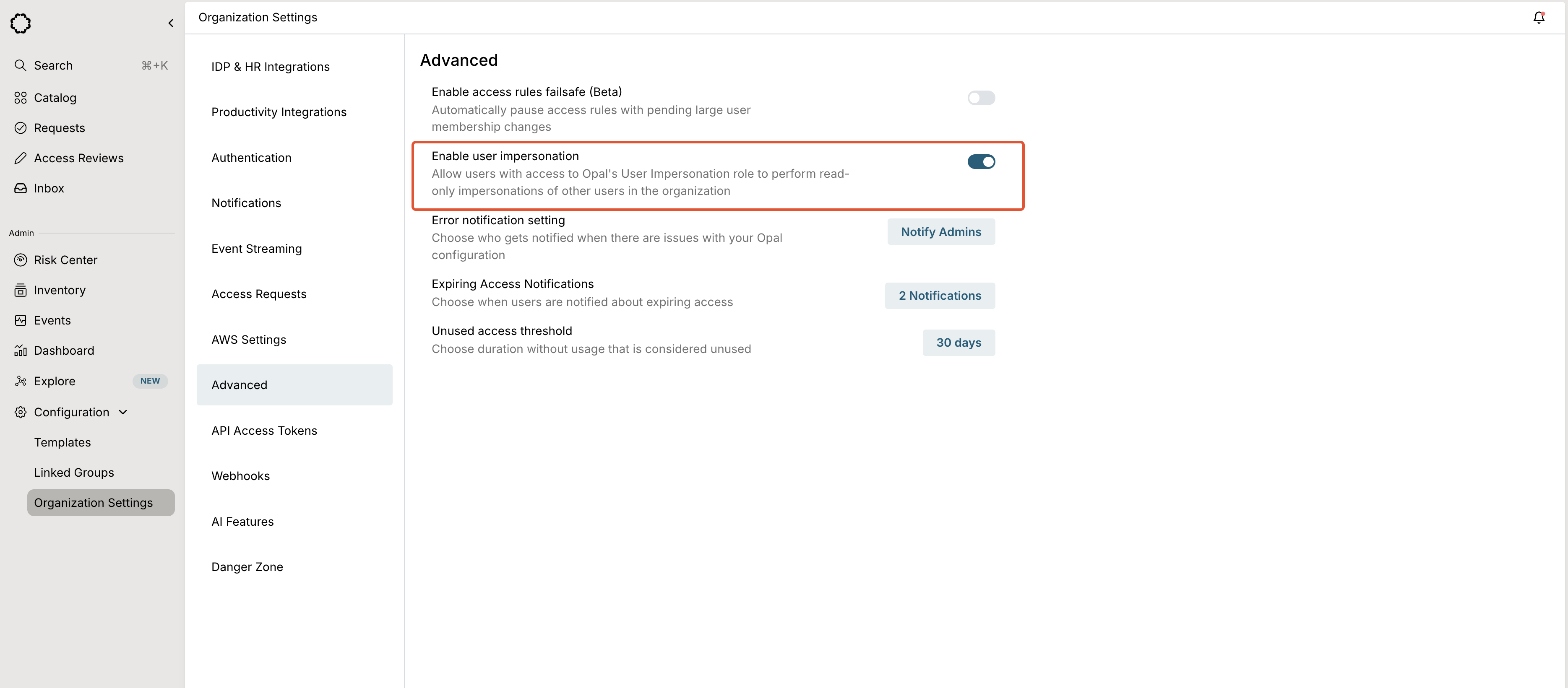
To enable the User Impersonation role, admins can go to **Organization Settings > Advanced** and toggle **Enable user impersonation**.
## User Impersonation
To enable the User Impersonation role, admins can go to **Organization Settings > Advanced** and toggle **Enable user impersonation**.
 Access requests for this resource require a specified user to impersonate, which you set as a **Role** when you add a user to the **User Impersonation** role.
## Global requestor
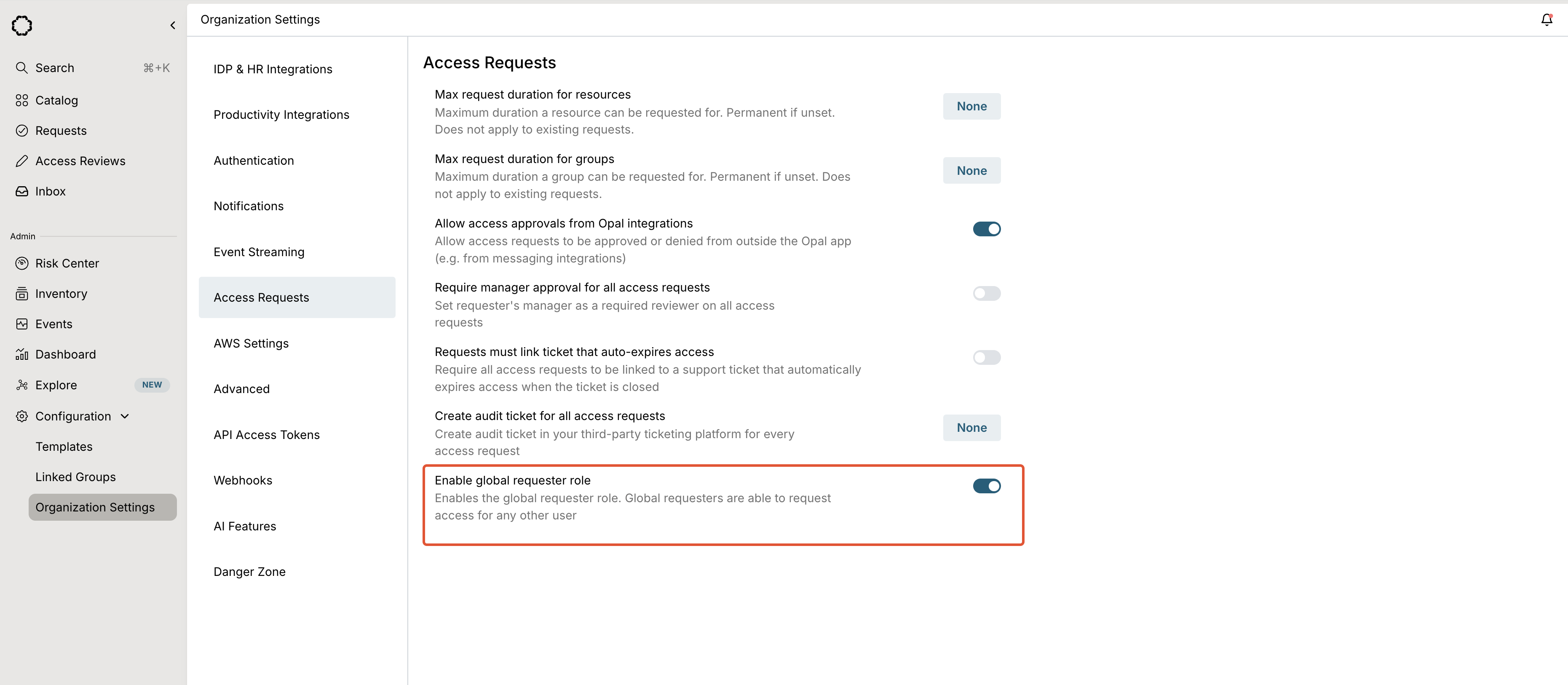
To enable the Global Requestor role, go to **Organization Settings > Access Requests** and toggle **Enable global requestor role**. See [request on behalf rules](/docs/request-on-behalf) to learn about how visibility settings and request configurations affect the global requestor role.
Access requests for this resource require a specified user to impersonate, which you set as a **Role** when you add a user to the **User Impersonation** role.
## Global requestor
To enable the Global Requestor role, go to **Organization Settings > Access Requests** and toggle **Enable global requestor role**. See [request on behalf rules](/docs/request-on-behalf) to learn about how visibility settings and request configurations affect the global requestor role.
 ***
***