> ## Documentation Index
> Fetch the complete documentation index at: https://docs.opal.dev/llms.txt
> Use this file to discover all available pages before exploring further.
# Overview
> Explore and analyze access across your organization with OpalQuery.
OpalQuery — found under **Queries** in the admin sidebar — is an interactive tool for admins to query entities (users, resources, and groups) across your organization. Use it to understand who has access to what, audit access patterns across connections and entity types, and export results.
Use OpalQuery to:
* Find entities with certain attributes (e.g. type, tags)
* Find principals that have access to a scope of entitlements
* Find entitlements that are accessible by a scope of principals
* Save and share queries with other admins
* Export query results for reporting
## Requirements
You must be an [Opal Admin or Read-only Admin](/docs/roles-in-opal) to access OpalQuery. Both roles have full access to the feature, including viewing, running, creating, editing, exporting, and changing the visibility of queries.
## Build a query
A query returns a set of **nodes** — users, resources, or groups. You shape the result with two kinds of filters:
* **Node filters** define which nodes are returned, based on the node's own properties (type, name, tags, etc.).
* **Access filters** further narrow the result by traversing edges in the access graph — either *outbound* (what the node has access to) or *inbound* (what has access to the node).
Access filters accept the same set of filters as node filters: you describe the entity on the other end of the edge the same way you describe the nodes you want returned.
### Node Filters
Node filters narrow down nodes by their own properties.
| Filter | Description |
| -------------------- | ---------------------------------------------------------------------------- |
| **Entity** | A specific entity (user, resource, or group) |
| **Entity Type** | The broad category: User, Group, or Resource |
| **Entity Item Type** | A more specific subtype, such as AWS IAM Role, Google Group, or Service User |
| **Entity Name** | Match by name: EQUALS, CONTAINS, STARTS\_WITH, ENDS\_WITH |
| **App** | Entities imported from a specific App (e.g., AWS Identity Center) |
| **Tag** | Key-value tags applied to entities |
### Access Filters
Access filters traverse edges in the access graph. Each relationship takes the same filter set as node filters — used to describe the entity on the other end of the edge. Traversal considers all access managed in Opal, including both **direct** access and **indirect** access (e.g. access granted through nested group memberships).
| Relationship | Direction | Question it answers |
| ----------------- | ------------- | ----------------------------------- |
| **Has access to** | Outbound edge | What does this node have access to? |
| **Accessible by** | Inbound edge | Who has access to this node? |
When using **Has access to**, you can also filter the access edge itself by **Role Name** or **Role Remote ID** — for example, GitHub repos a user accesses with the `write` role. These filters are only available on the "Has access to" relationship.
Combine multiple filters and relationships using **All of** / **Any of** boolean logic to narrow or broaden your results. Each entity filter operator can also be flipped from **is** to **is NOT** to exclude matching entities — for example, "users who are NOT in the Engineering group."
### Building queries
You can build queries two ways:
**Visual builder** — add filters and relationships manually using the query builder.
**Natural language** — describe what you want in plain English and OpalQuery will translate it into filters. Natural language input supports the same filters and relationships available in the visual builder.
Examples:
* "Users with access to AWS IAM roles"
* "Who can access the Finance group?"
* "Show me users that have access to X Github repo with write access and deploy group" (Toxic Combination)
* "Users in the Engineering group who do NOT have access to the production database" (Negation)
Natural language queries are powered by AI and can be enabled/disabled in *Configuration > Settings > AI Features*.
## Run a query
Click **Run** or press `Cmd+Enter` (macOS) / `Ctrl+Enter` (Windows/Linux) to execute the query.
Results include entities with both direct and indirect access and will appear in a table with clickable entity names. Scroll down to load more results.
### Private vs. Public Queries
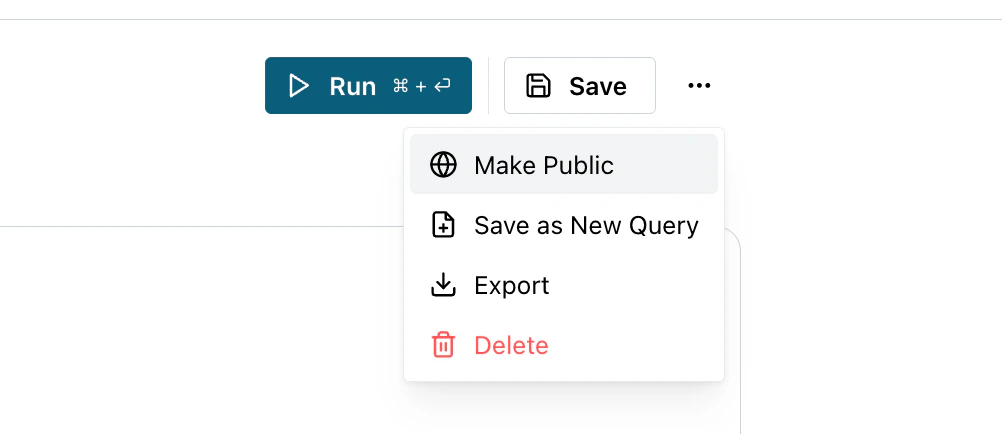
Queries are **private by default**, meaning only you can see them. To change
visibility, open the query and select **Make Public** or **Make Private** from
the more options menu.
* **Private** — visible only to you
* **Public** — visible and runnable by all admins in your organization
 ### Export results
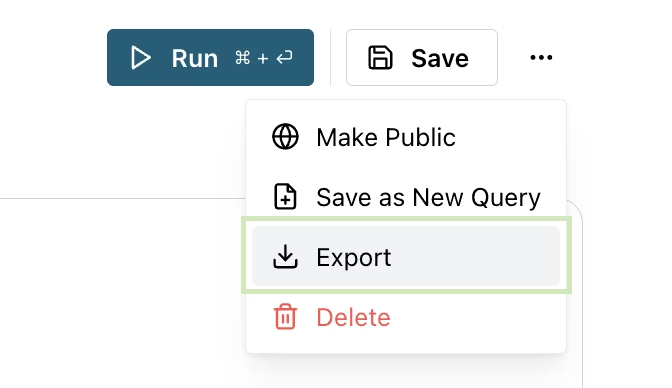
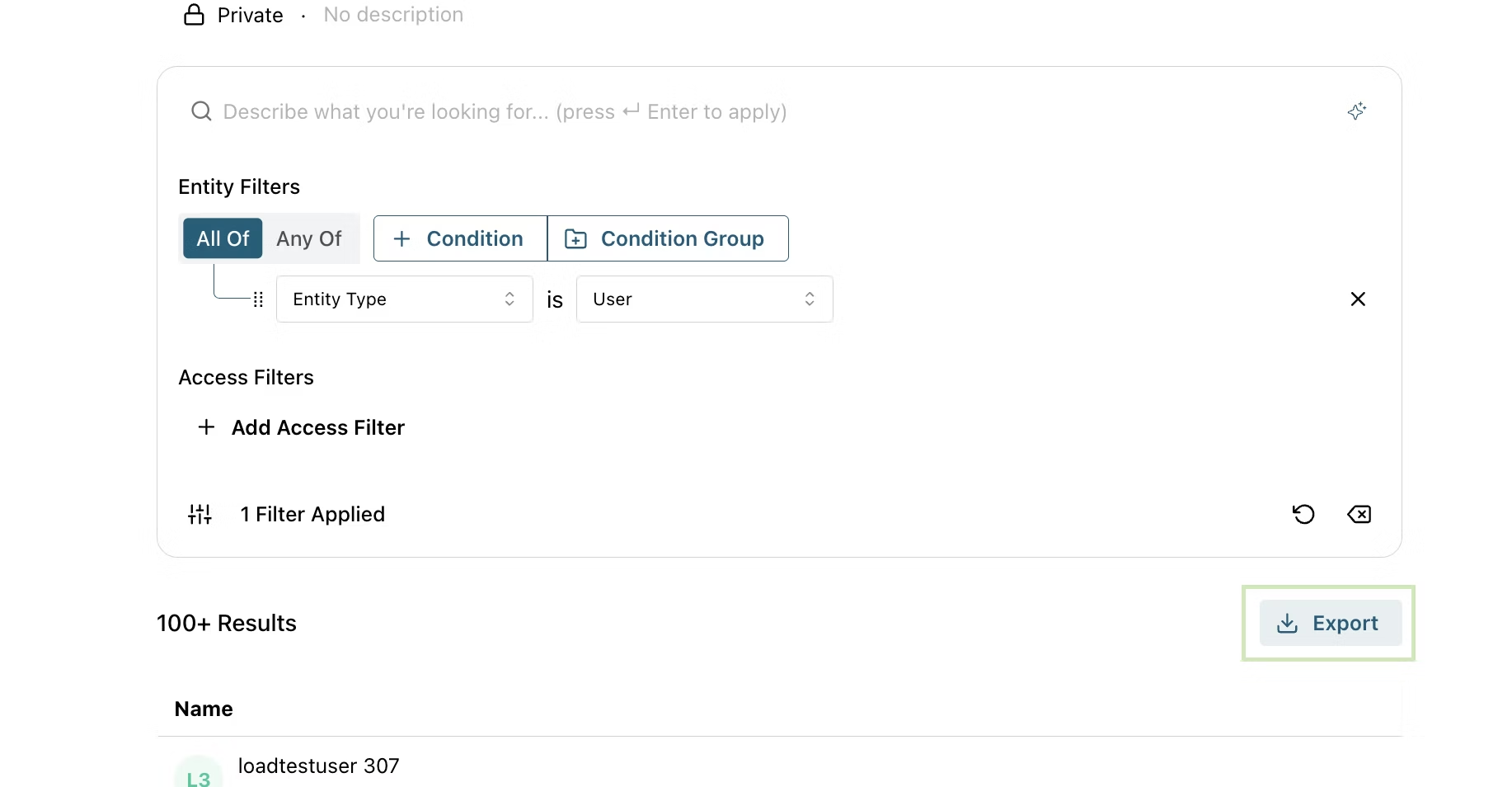
**Export** downloads the query results as a ZIP file containing results CSV and metadata JSON. Start an export job from the more button or result table header.
Export jobs have a 60-second timeout. Queries returning a large number of
results may not complete within this limit. If an export times out, try
narrowing your query filters before exporting.
### Export results
**Export** downloads the query results as a ZIP file containing results CSV and metadata JSON. Start an export job from the more button or result table header.
Export jobs have a 60-second timeout. Queries returning a large number of
results may not complete within this limit. If an export times out, try
narrowing your query filters before exporting.
 ### Duplicate a query
Use **Save as New Query** to create a variation of an existing query without modifying the original.
## Limitations
OpalQuery currently supports **node-based searches only** — queries return entities (users, resources, groups) that match your filters at the present moment. The following are not yet supported:
* Distinguishing indirect vs. direct access
* Time-based filters (e.g., "users who logged in within the last 30 days")
Natural language queries are constrained by the same limitations.
### Duplicate a query
Use **Save as New Query** to create a variation of an existing query without modifying the original.
## Limitations
OpalQuery currently supports **node-based searches only** — queries return entities (users, resources, groups) that match your filters at the present moment. The following are not yet supported:
* Distinguishing indirect vs. direct access
* Time-based filters (e.g., "users who logged in within the last 30 days")
Natural language queries are constrained by the same limitations.