> ## Documentation Index
> Fetch the complete documentation index at: https://docs.opal.dev/llms.txt
> Use this file to discover all available pages before exploring further.
# OIDC Provider Setup for Opal Actions
You can use OpenID Connect (OIDC) to authenticate users for actions that require additional authentication, configured at the resource level. This includes requesting access, approving an access request, and/or connecting to a session.
## OIDC Provider Setup
Prerequisite: You must register a new OIDC Provider with your IDP.
Use the callback URL `https://{YOUR_OPAL_BASE_URL}/callback/oidc`, substituting in your Opal base URL (e.g. `https://app.opal.dev/callback/oidc`) .For more information about obtaining these credentials, refer to your IdP's documentation: [Okta OIDC docs](https://help.okta.com/en-us/Content/Topics/Apps/Apps_App_Integration_Wizard_OIDC.htm), [Google OIDC docs](https://developers.google.com/identity/openid-connect/openid-connect)
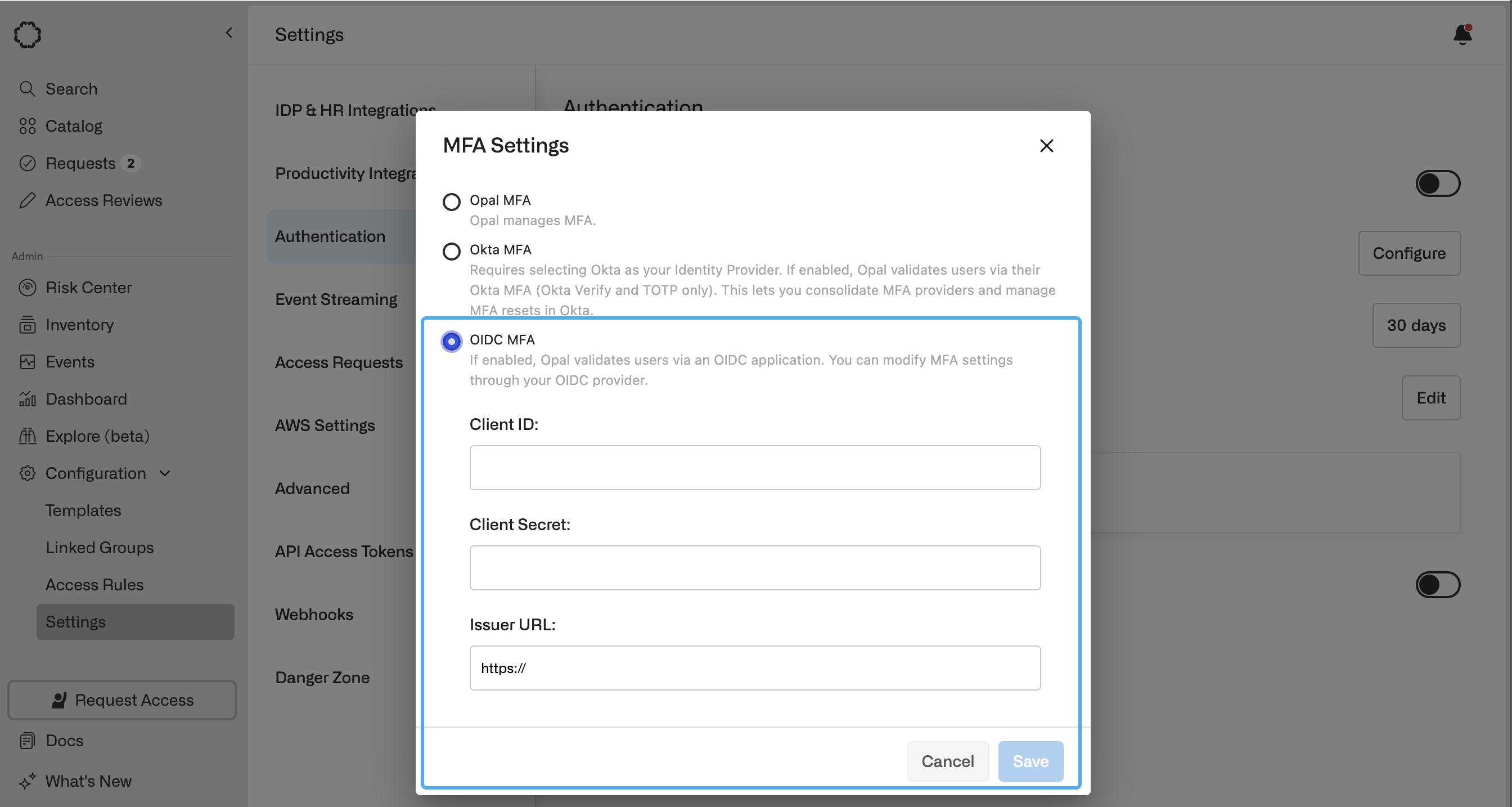
When registering your OIDC provider with Opal, you must have the following information available: **Client ID, Client Secret,** and **Issuer URL**.
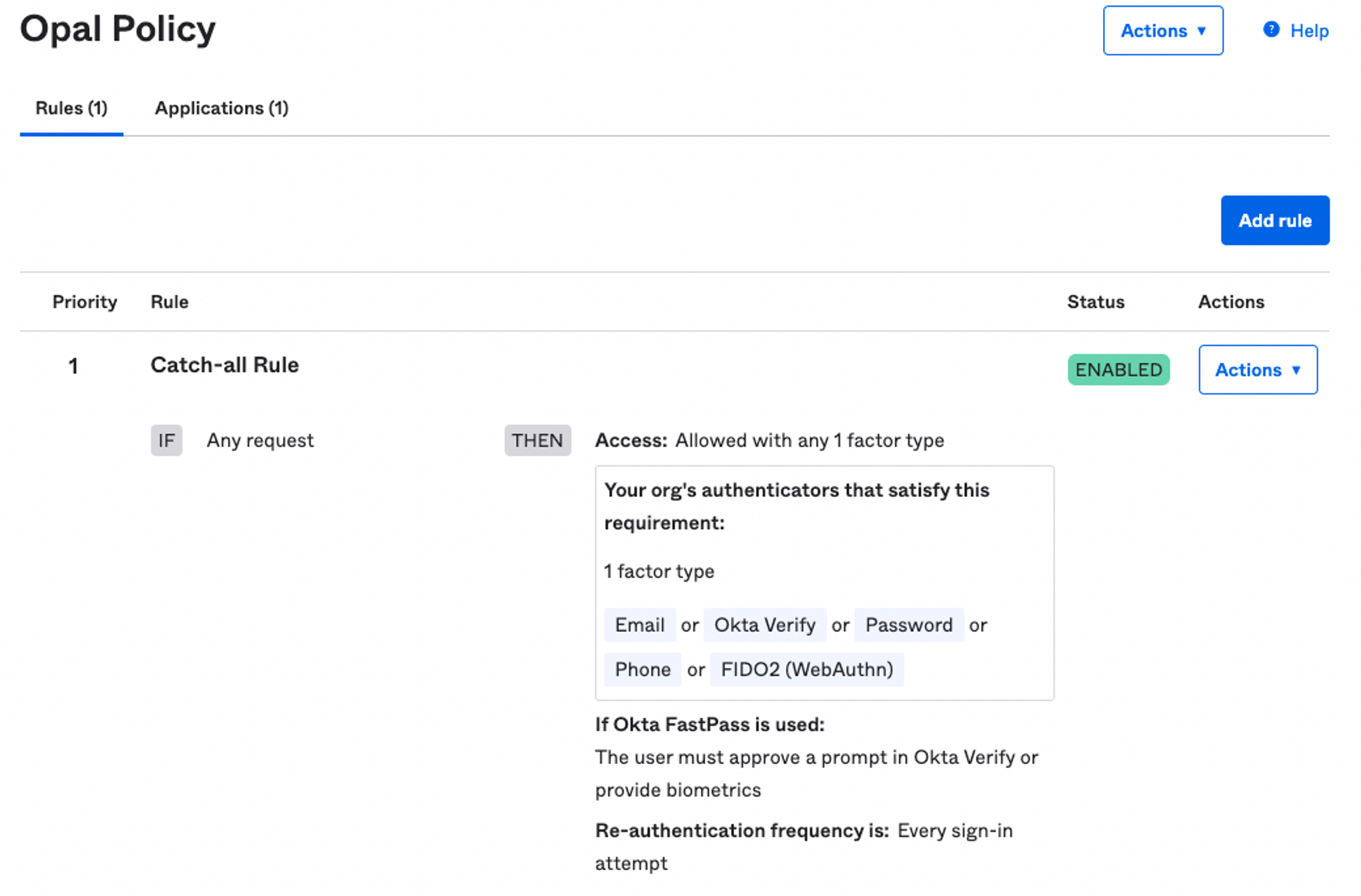
The OIDC provider must be configured to require MFA for every sign-in attempt. Password authentication is not required.
 ## Configure settings in Opal
1. In Opal, go to **Configuration > Settings** in the left sidebar.
2. Click **Authentication**, then **MFA settings for gated Opal Actions**. Click **Configure**.
3. Select **OIDC MFA** and fill in the Client ID, Client Secret, and Issuer URL from your IdP.
## Configure settings in Opal
1. In Opal, go to **Configuration > Settings** in the left sidebar.
2. Click **Authentication**, then **MFA settings for gated Opal Actions**. Click **Configure**.
3. Select **OIDC MFA** and fill in the Client ID, Client Secret, and Issuer URL from your IdP.