> ## Documentation Index
> Fetch the complete documentation index at: https://docs.opal.dev/llms.txt
> Use this file to discover all available pages before exploring further.
# Manage break-glass access
> Learn how to set up groups and users to support break-glass access paths.
To give end users temporary access to sensitive resources, you can use either break-glass users, or configure [nested groups](/docs/nested-groups).
## Break-glass users
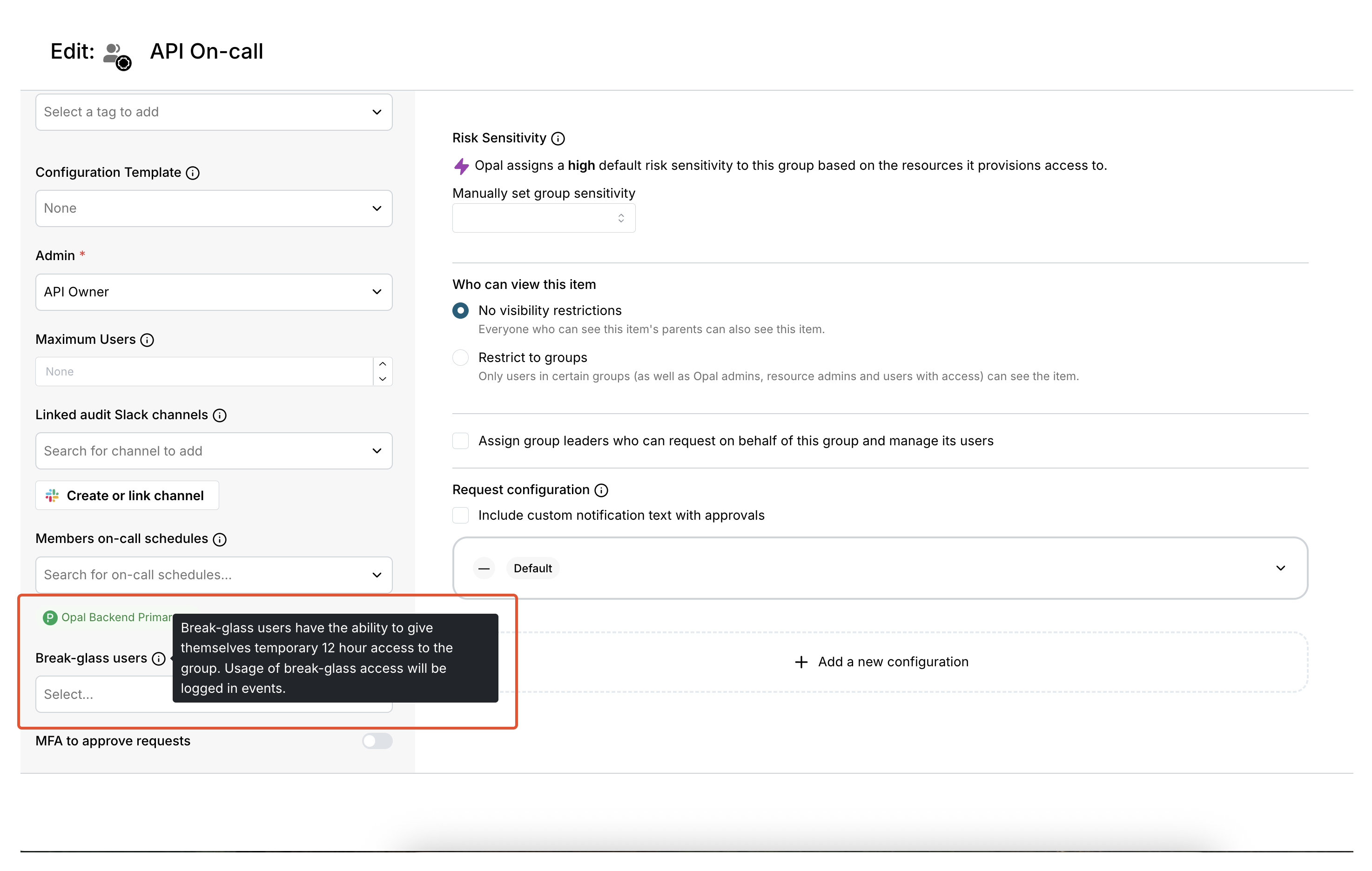
Admins and group owners can add **break-glass users** to groups by editing the group, then select **Break-glass users** in the sidebar.
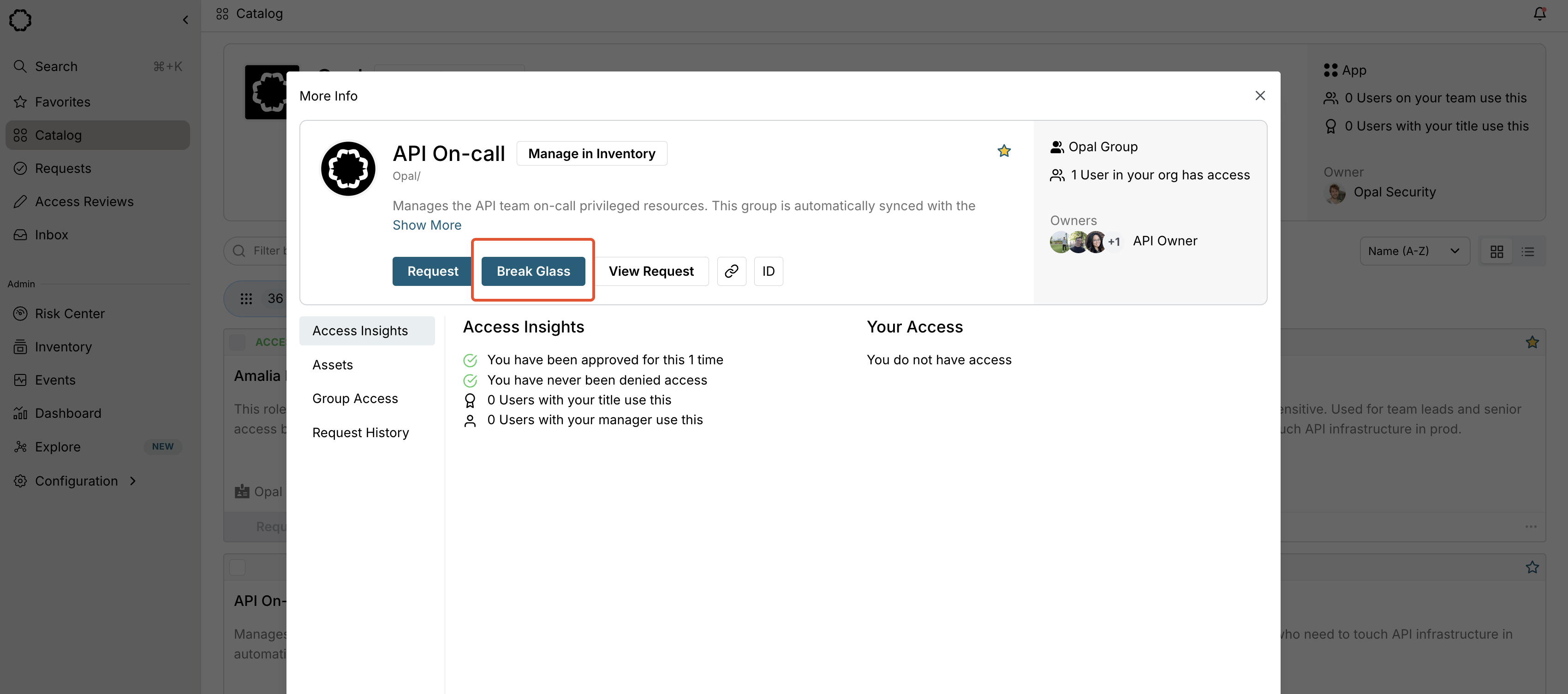
 These users can give themselves temporary, 12-hour access to the group using an option to **Break Glass** on the group in the catalog.
 You can only set break-glass users on groups, not other resources.
## Nested groups and break-glass access
You can alternatively achieve break-glass functionality using nested groups and request configurations. To do so:
1. Let the group you want to expose access to be **Target-group** and dedicate another group as **Breakglass-target-group**. From the **Inventory** under **Breakglass-target-group**, select **+Group** in the **Assets** tab and add **Target-group**. Users in **Breakglass-target-group** now have access to **Target-group**.
2. Set a resource configuration for **Breakglass-target-group** to be requestable and auto-approved for a group determined from on-call schedules, or however you need to populate the break-glass users.
3. You can set the **Target-group** request configuration independently for everyday access to the resource.
This option gives you a separate break-glass access path, while letting you retain existing request configurations.
You can only set break-glass users on groups, not other resources.
## Nested groups and break-glass access
You can alternatively achieve break-glass functionality using nested groups and request configurations. To do so:
1. Let the group you want to expose access to be **Target-group** and dedicate another group as **Breakglass-target-group**. From the **Inventory** under **Breakglass-target-group**, select **+Group** in the **Assets** tab and add **Target-group**. Users in **Breakglass-target-group** now have access to **Target-group**.
2. Set a resource configuration for **Breakglass-target-group** to be requestable and auto-approved for a group determined from on-call schedules, or however you need to populate the break-glass users.
3. You can set the **Target-group** request configuration independently for everyday access to the resource.
This option gives you a separate break-glass access path, while letting you retain existing request configurations.