> ## Documentation Index
> Fetch the complete documentation index at: https://docs.opal.dev/llms.txt
> Use this file to discover all available pages before exploring further.
# Group leaders
With the **Group leader** role, users can request access, optionally timebound, on behalf of a group. The group leader role can allow you to set up groups that map to temporary cross-functional internal projects, especially when used in tandem with other group features, such as nested groups.
## Group leaders
A user with the **Group leader** role can request access to a resource on behalf of a group, add and remove users to a group, and remove access to items for a group.
To assign a group leader to a group, go to the resource detail page and select the edit icon. Next, check the box enabling group leaders and select user(s) to assign leaders.
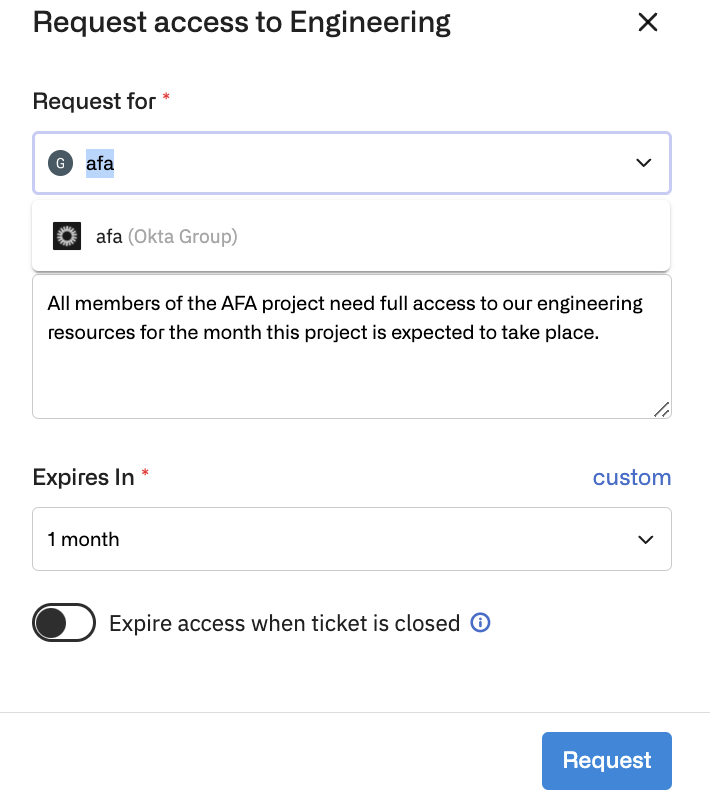
 To request a resource for a group, a group leader can request access to a resource as usual, and choose the group to request on behalf of from the dropdown list.
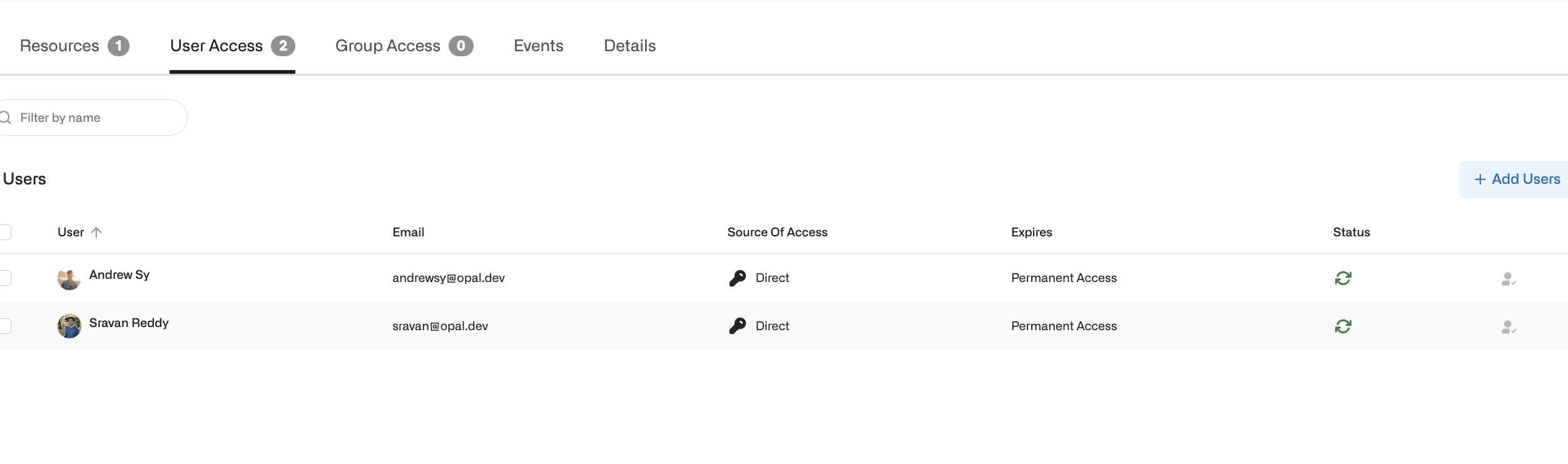
 To add or remove users from a group, go to the group detail page, select the **User Access** tab, and select the users to add or remove. Alternatively, select the users you want to add with the **+ Add Users** button.
 ## JIT access for group projects
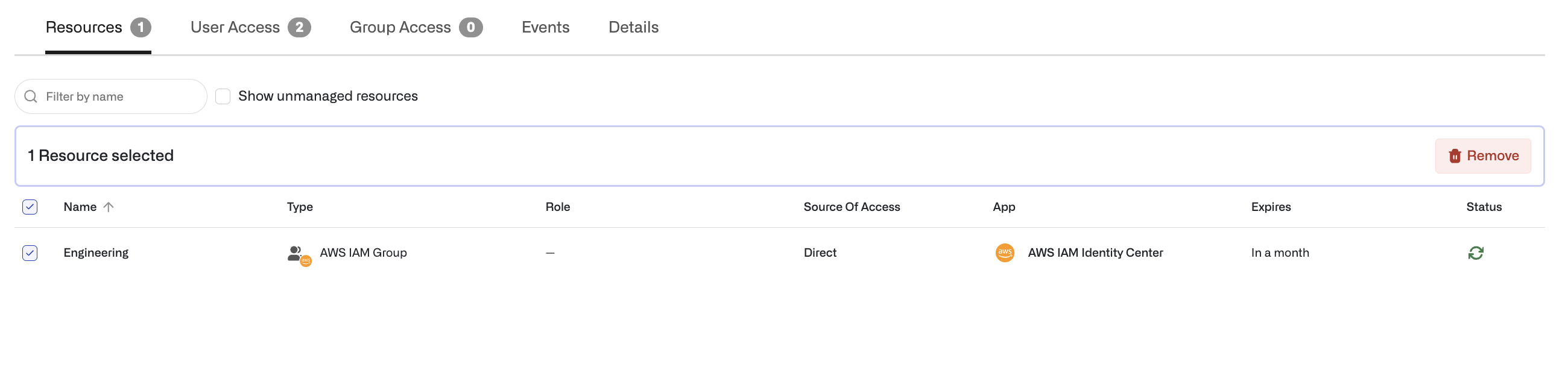
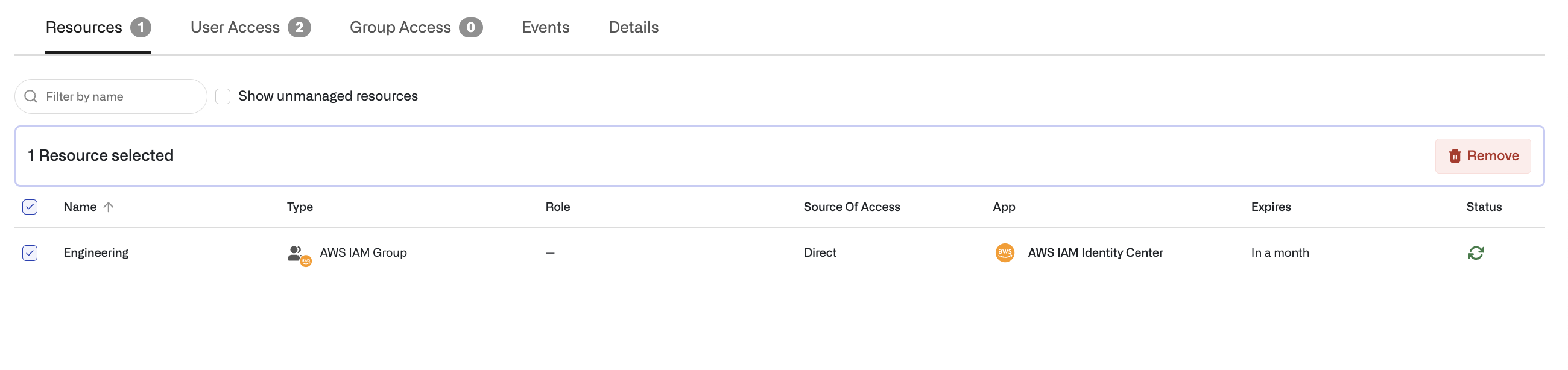
After access to an item on behalf of a group has been requested and approved, the item shows on the group detail page under the **Resources** tab. Items in the **Resources** tab show the expiration date of the item, or indefinite if the access to the resource is not timebound.
## JIT access for group projects
After access to an item on behalf of a group has been requested and approved, the item shows on the group detail page under the **Resources** tab. Items in the **Resources** tab show the expiration date of the item, or indefinite if the access to the resource is not timebound.
 ## Revoke access from groups
Group leaders can revoke user access to a group or group access to an item at any time by removing the user or item in from the **User Access** and **Resources** tabs, respectively, on a group detail page.
Select **Remove** from the **User Access** page to revoke user access.
## Revoke access from groups
Group leaders can revoke user access to a group or group access to an item at any time by removing the user or item in from the **User Access** and **Resources** tabs, respectively, on a group detail page.
Select **Remove** from the **User Access** page to revoke user access.
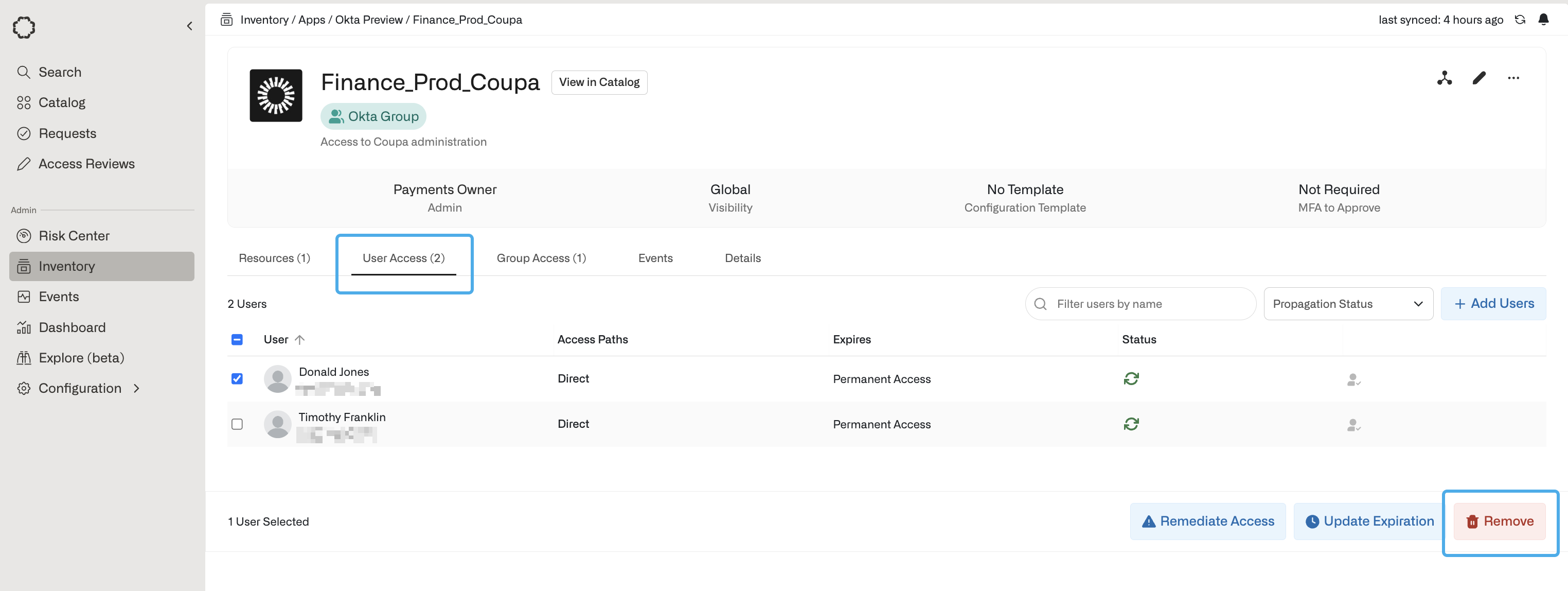 Select **Remove** from the **Resources** tab to remove the resource.
 ## API endpoints
For group projects, you can use Opal's API to retrieve the user ID of group leaders, add a group leader to a group, and make a request by a group leader on behalf of the group.
* To get a group leader, use [GET /groups](/reference/getgroups)
* To add a group leader, use [PUT /groups](/reference/updategroups)
* To make a request, use [POST /requests](/reference/createrequest)
***
## API endpoints
For group projects, you can use Opal's API to retrieve the user ID of group leaders, add a group leader to a group, and make a request by a group leader on behalf of the group.
* To get a group leader, use [GET /groups](/reference/getgroups)
* To add a group leader, use [PUT /groups](/reference/updategroups)
* To make a request, use [POST /requests](/reference/createrequest)
***