> ## Documentation Index
> Fetch the complete documentation index at: https://docs.opal.dev/llms.txt
> Use this file to discover all available pages before exploring further.
# Configuration templates
**Configuration templates** are groupings of settings you can reuse across multiple resources and groups. Streamlined configuration settings allows your team to move faster, and increases security by avoiding policy drift.
## Create templates
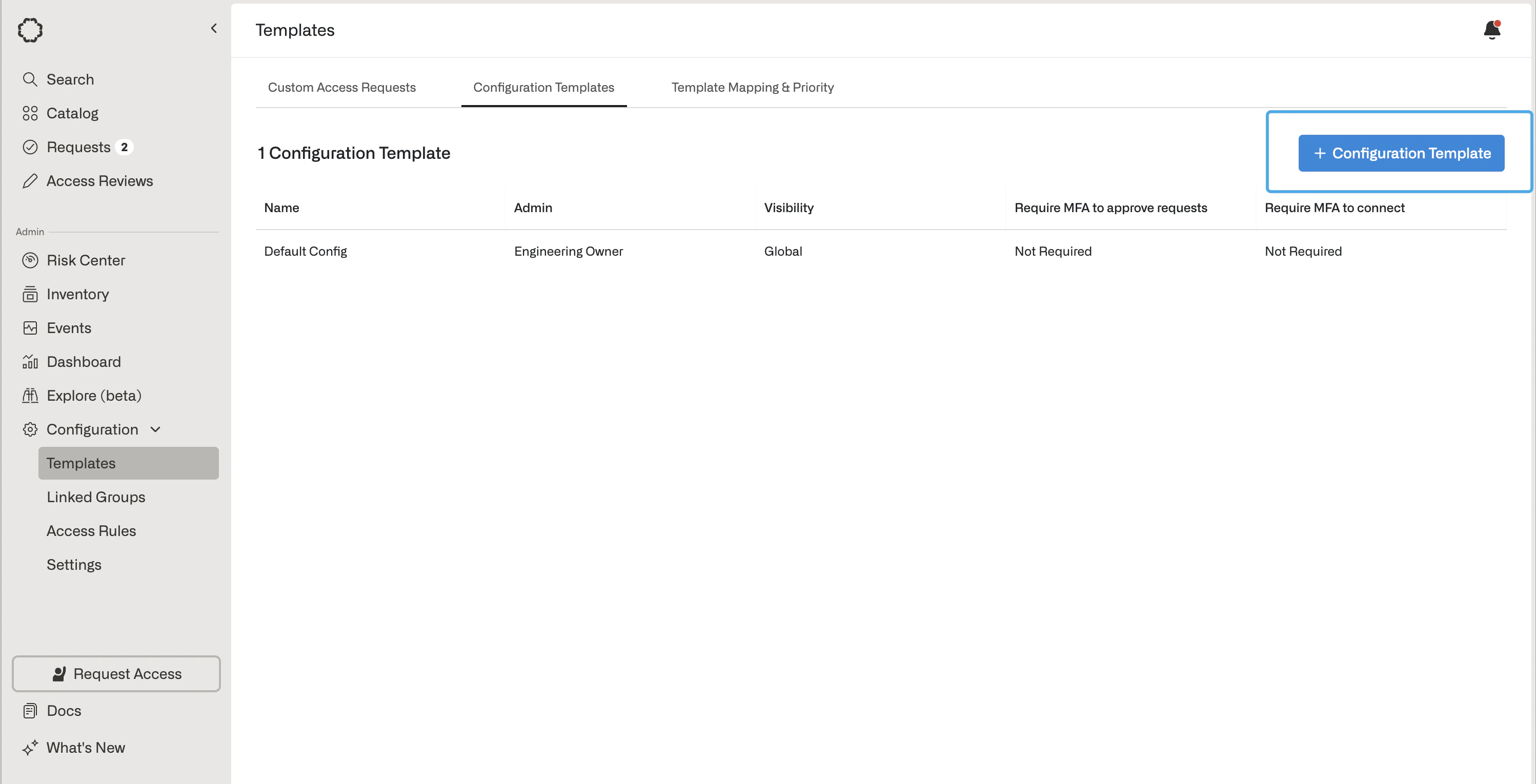
To create a template, go to **Templates**, then select **Configuration Templates**. Click **+ Configuration Template**.
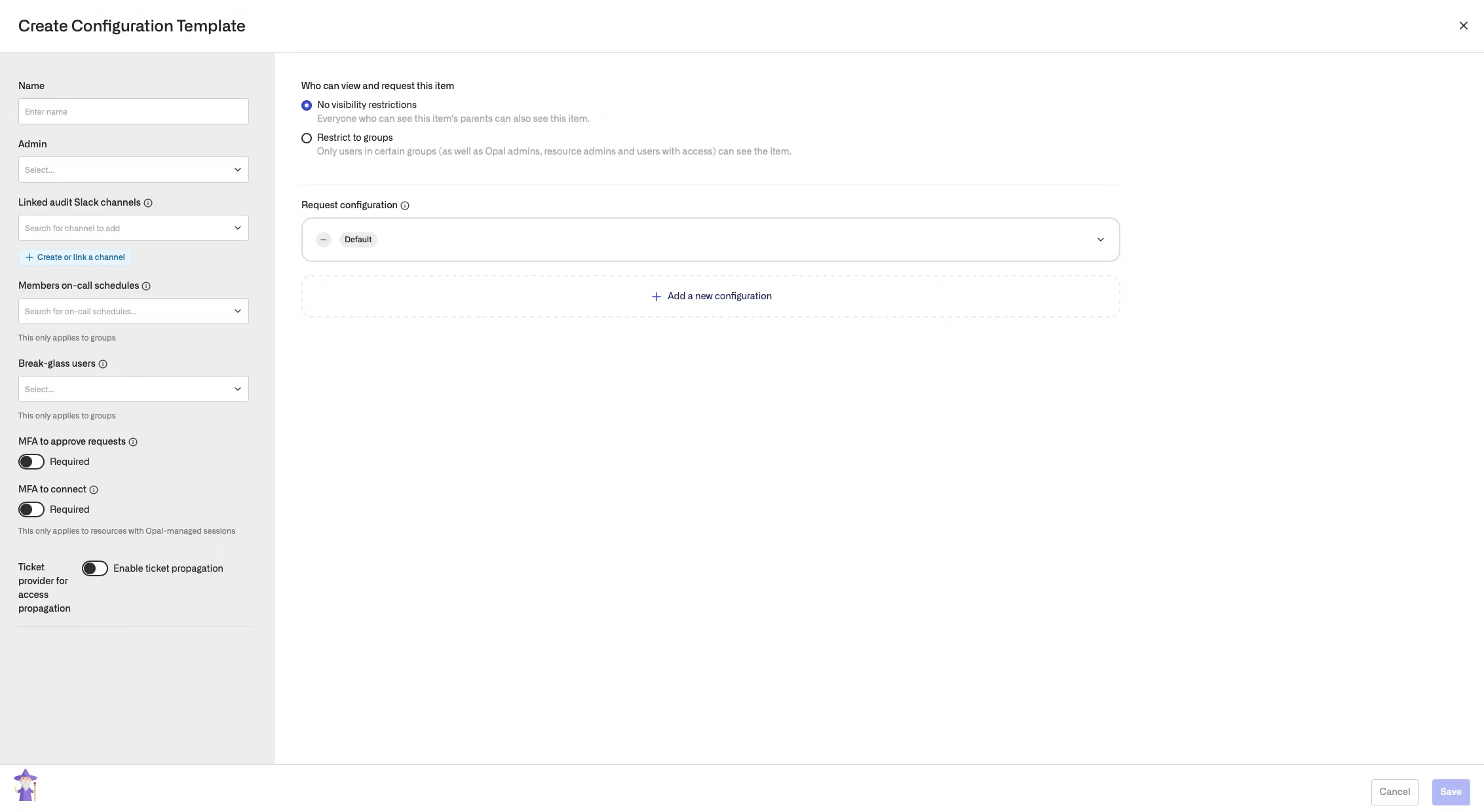
 You can provide a name, select an admin, optionally link a Slack channel, optionally add on-call members, optionally add break-glass users, and configure MFA settings, the same as you would in an resource-specific request configuration.
 ## Apply templates
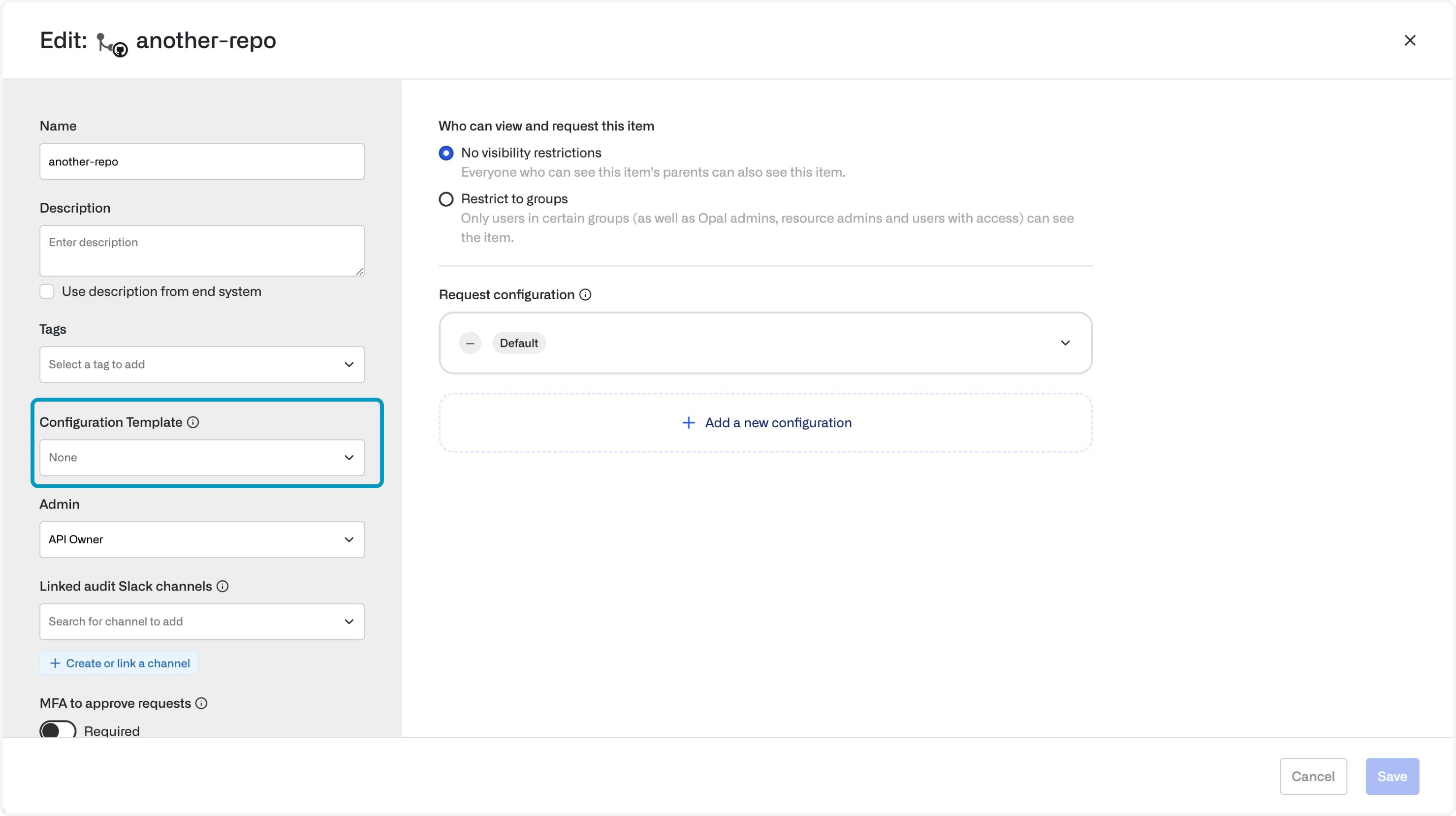
To apply a template to a resource or group, edit the field on the resource or group page:
## Apply templates
To apply a template to a resource or group, edit the field on the resource or group page:
 When a template is applied, **all its access management settings are configured by the values in the template**:
* If a configuration template is modified, all resources and groups linked to the template are also modified
* The settings cannot be directly edited except by unlinking the configuration template
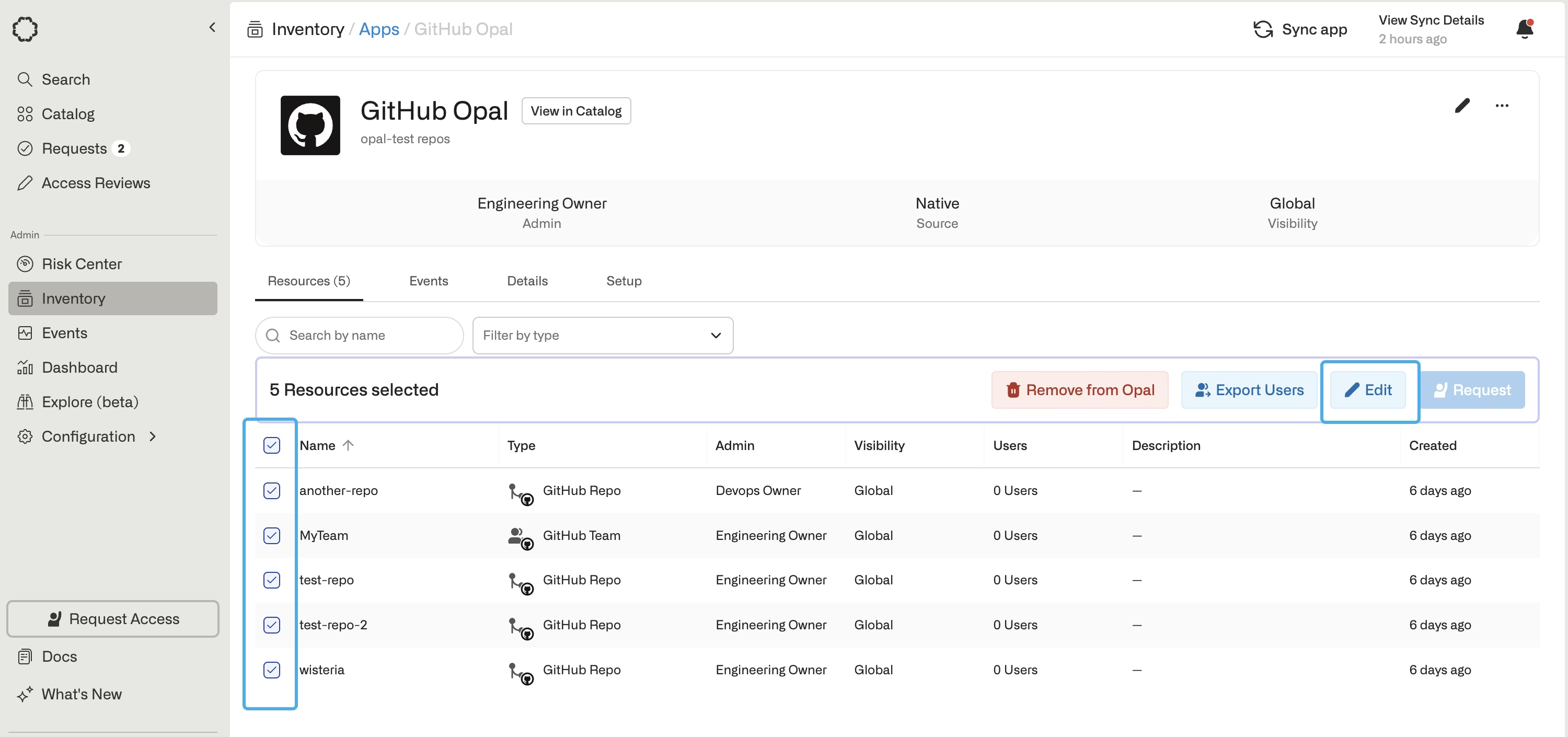
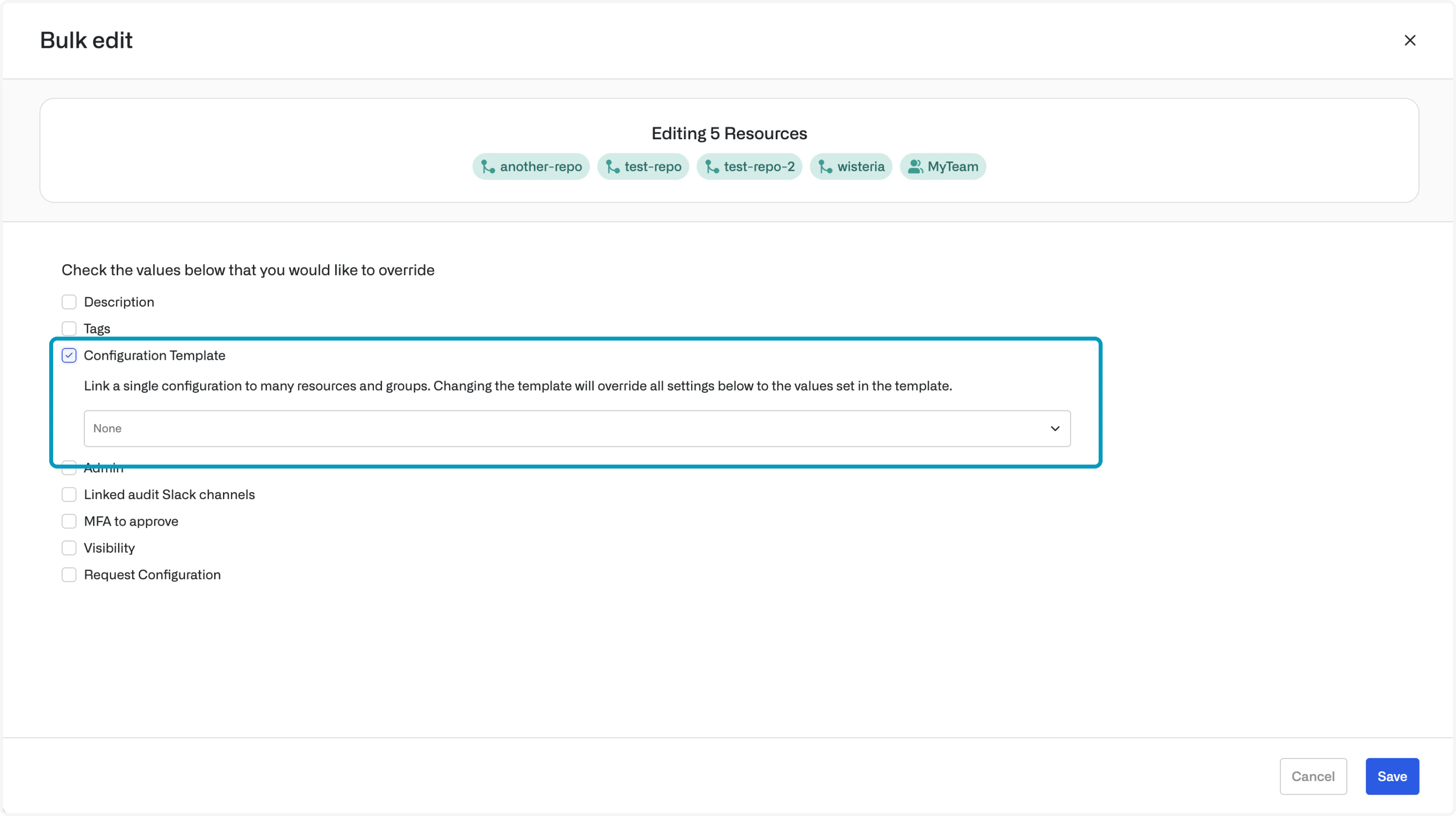
Configuration templates can be set in bulk:
When a template is applied, **all its access management settings are configured by the values in the template**:
* If a configuration template is modified, all resources and groups linked to the template are also modified
* The settings cannot be directly edited except by unlinking the configuration template
Configuration templates can be set in bulk:
 ## Set templates using tags
Importing based on tags is not supported for custom apps, so template mapping does not apply for custom apps.
You can also configure Opal to automatically set a configuration template using tags. Go to **Configuration > Templates > Template Mapping and Priority** and associate a tag with a template that you have configured.
When resources or groups are imported with certain tags, the set templates are automatically applied.
Note that templates are only applied on **import**, so you must first create and define the mapping, then import the resources. If you import a resource and later define a template or tag the resource, the template will not be applied.
## Set templates using tags
Importing based on tags is not supported for custom apps, so template mapping does not apply for custom apps.
You can also configure Opal to automatically set a configuration template using tags. Go to **Configuration > Templates > Template Mapping and Priority** and associate a tag with a template that you have configured.
When resources or groups are imported with certain tags, the set templates are automatically applied.
Note that templates are only applied on **import**, so you must first create and define the mapping, then import the resources. If you import a resource and later define a template or tag the resource, the template will not be applied. 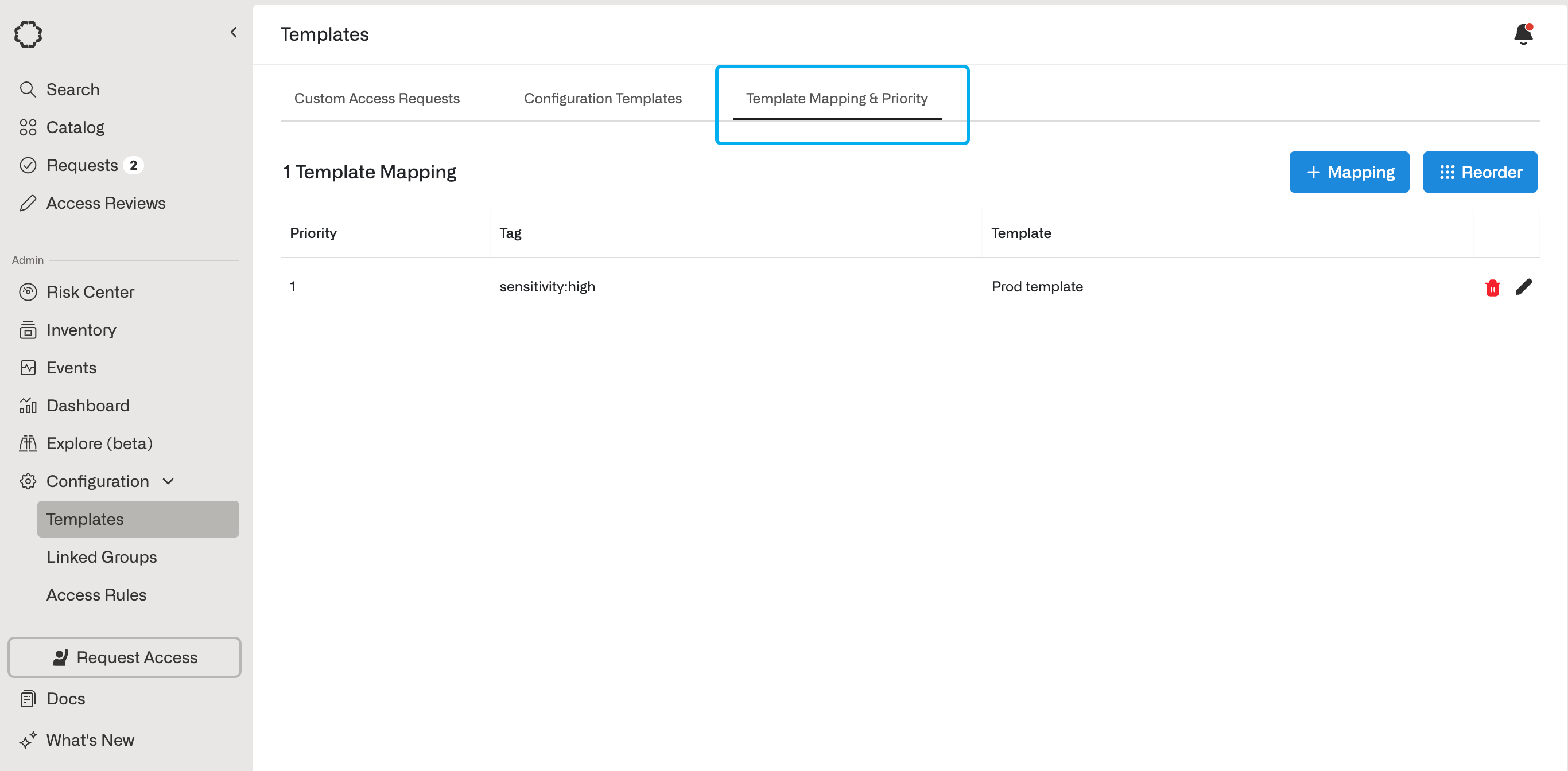 You can also reorder template mappings by selecting **Reorder**, so resources with multiple tags use the template with the highest priority.