> ## Documentation Index
> Fetch the complete documentation index at: https://docs.opal.dev/llms.txt
> Use this file to discover all available pages before exploring further.
# Bundles
> Learn how to use bundles to group commonly used resources.
Admins can create bundles—collections of resources and groups, contextualized by anticipated usage—to allow users to easily request access to common collections, without over-provisioning access.
A bundle is a wrapper for resources. Any resource or group contained in a bundle retains its established policies and configurations. Adding an item to a bundle does not change its admin, owner, approval policies, or visibility settings.
For example, given:
* Bundle B contains resources X and Y
* Resource X is only visible and requestable to users in group G
If user U is not in group G, they can request access to bundle B, but only resource Y will be visible and requestable in the bundle.
You can manage bundles in the Opal dashboard, using the [REST API](/reference/getbundles), or with [Terraform](https://registry.terraform.io/providers/opalsecurity/opal/latest/docs).
## Create and manage bundles
You must be an Opal admin to create a bundle.
### Create bundles
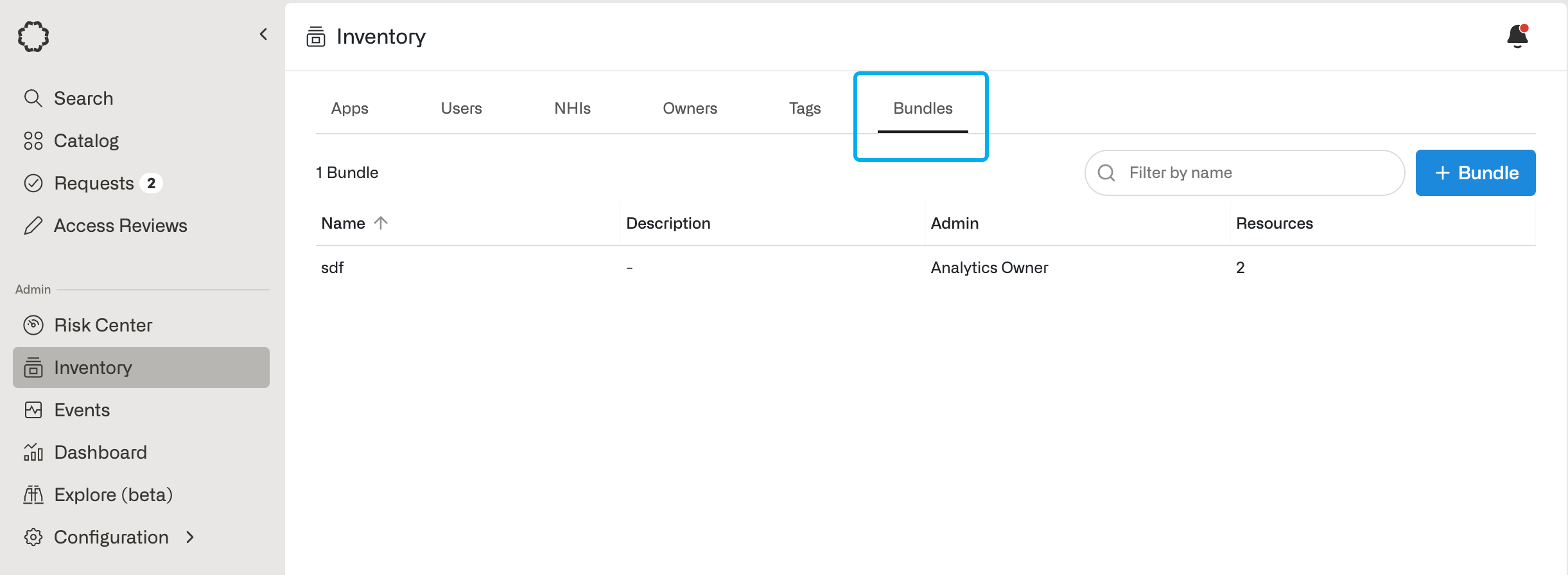
Go to the **Inventory** and select the **Bundles** tab.
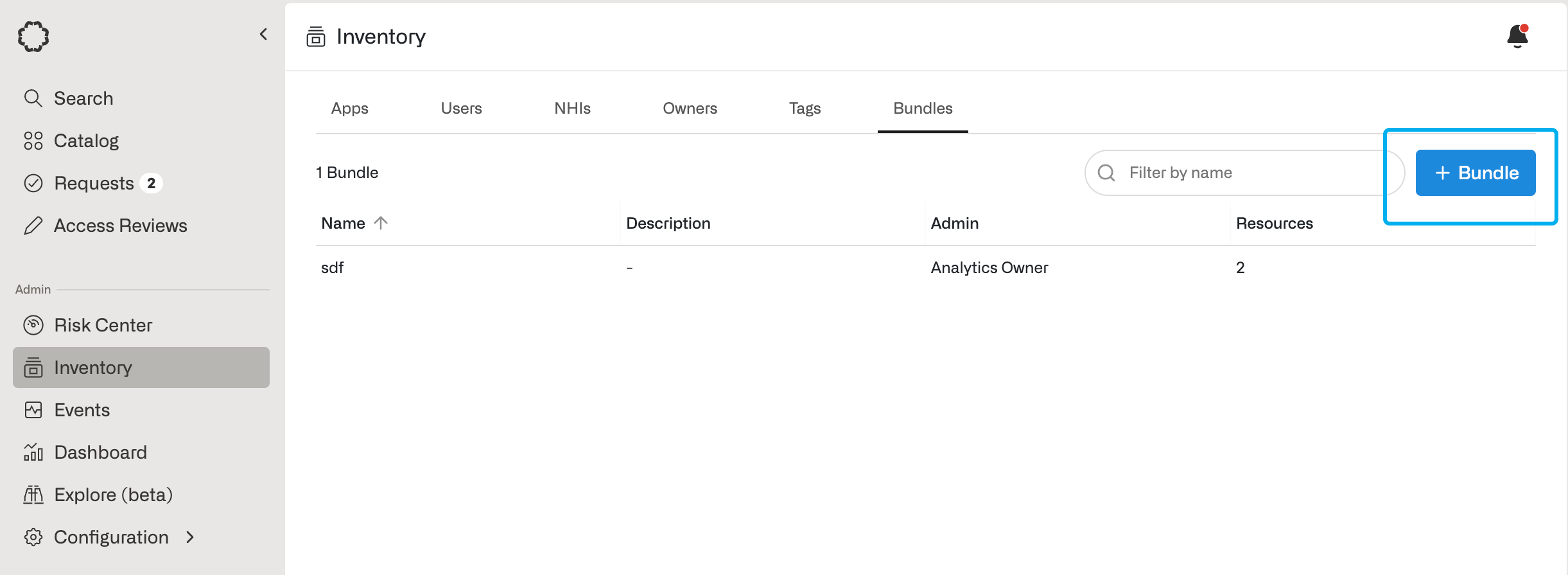
 Click on the **+ Bundle** button.
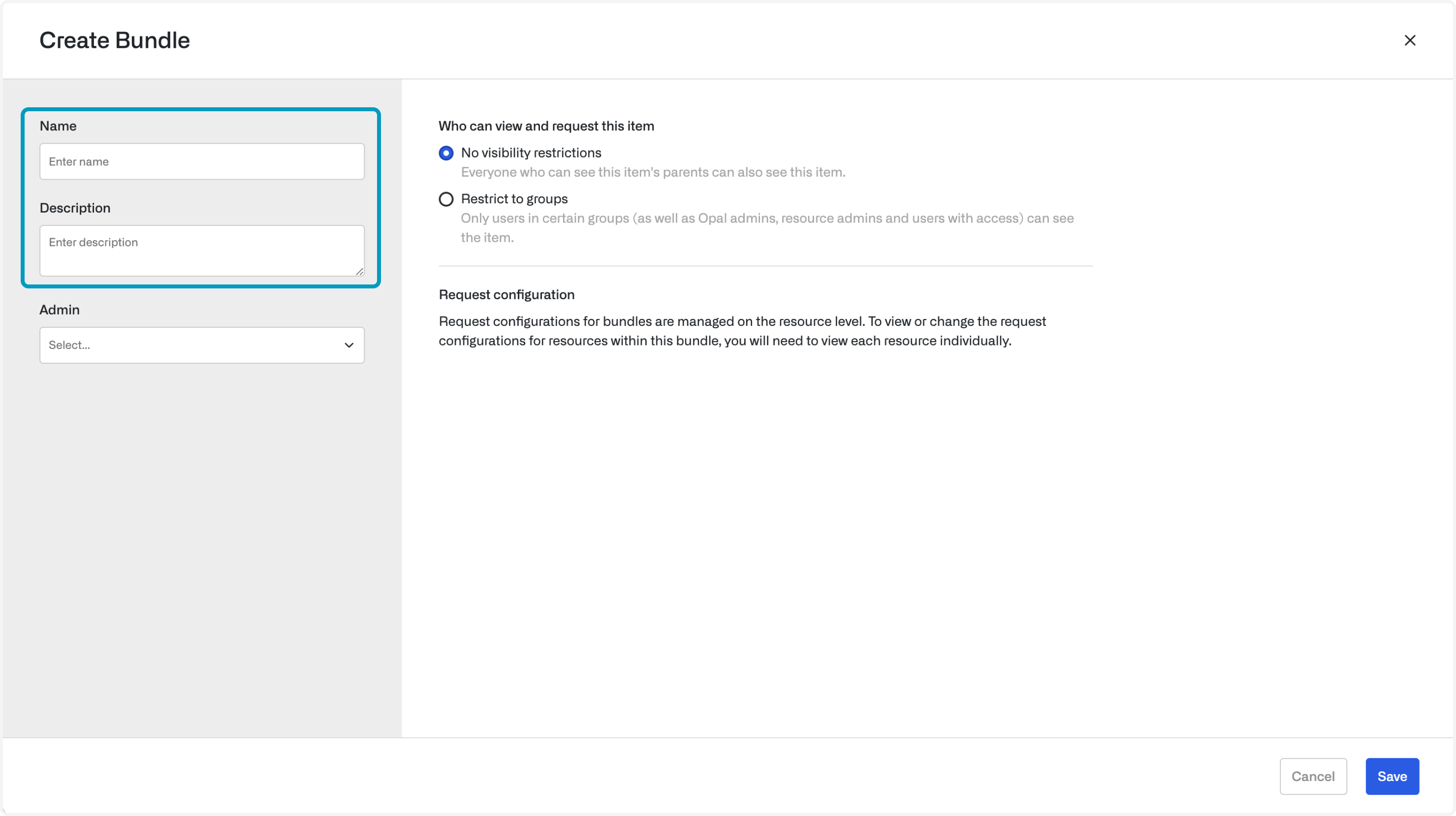
 Name your bundle and add an optional description:
 ### Set an admin
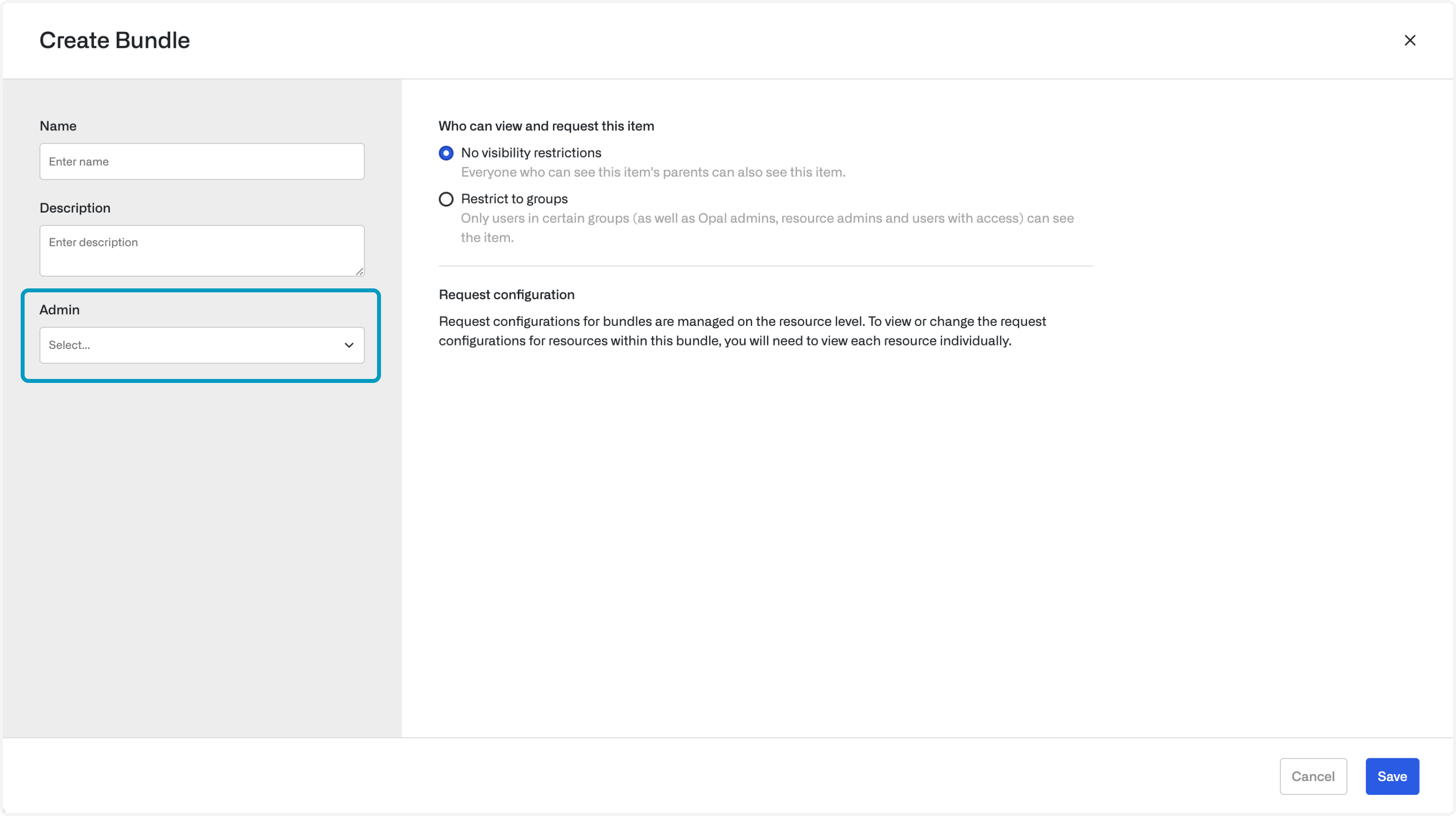
Select an Opal Owner to own adding and removing items from the bundle.
The admin does not gain permission to directly add users to any resources and groups contained in the bundle.
### Set an admin
Select an Opal Owner to own adding and removing items from the bundle.
The admin does not gain permission to directly add users to any resources and groups contained in the bundle.
 ### Add resources and groups
After you create the bundle, use the **Resources** and **Groups** tabs to add items to the bundle.
## User flow: request bundles
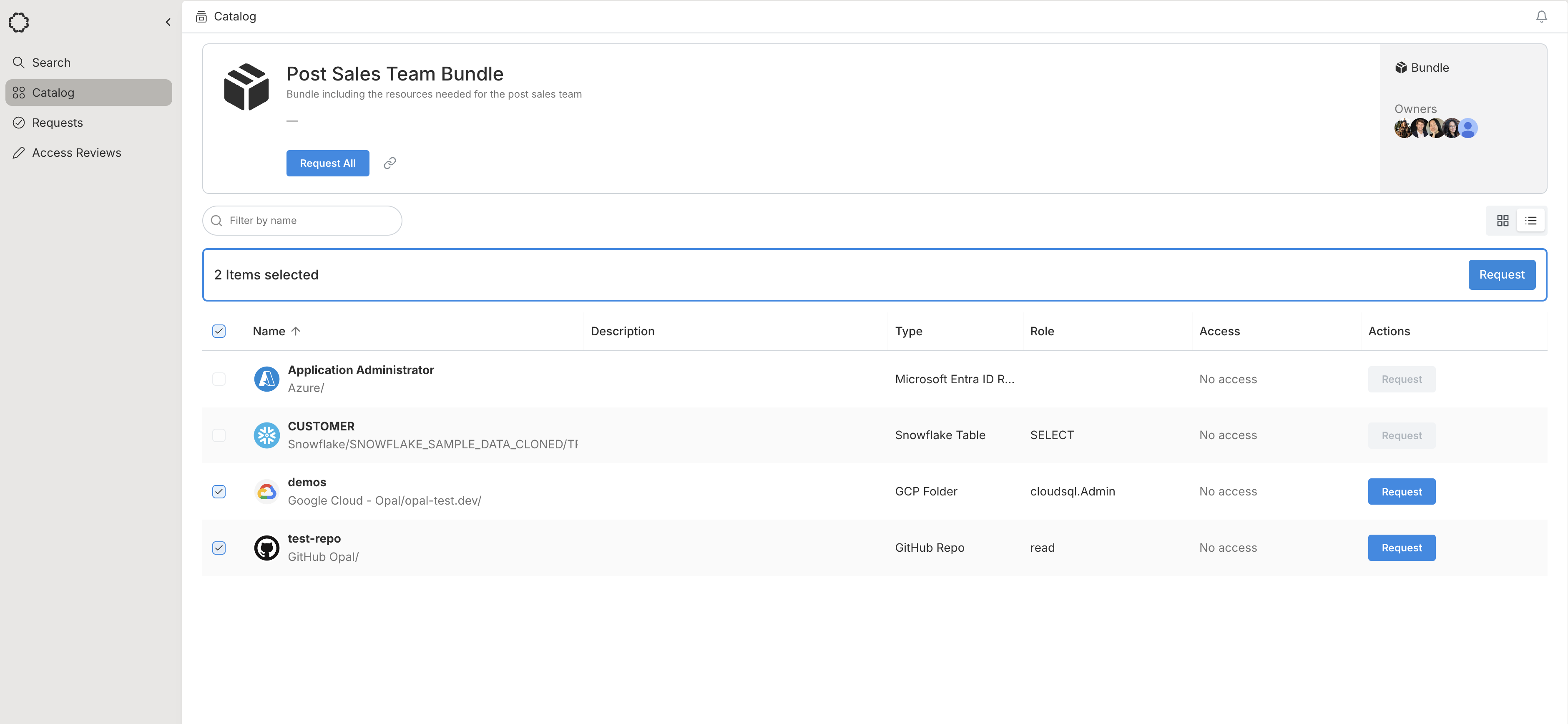
Go to the **Catalog** and select the **Bundles** tab. Click on the appropriate bundle.
### Bulk select
Select the resources you need Opal to bulk request.
### Add resources and groups
After you create the bundle, use the **Resources** and **Groups** tabs to add items to the bundle.
## User flow: request bundles
Go to the **Catalog** and select the **Bundles** tab. Click on the appropriate bundle.
### Bulk select
Select the resources you need Opal to bulk request.
 ### Bulk request
In the request form, delete any resources you don't need and submit your bulk request.
### Bulk request
In the request form, delete any resources you don't need and submit your bulk request.
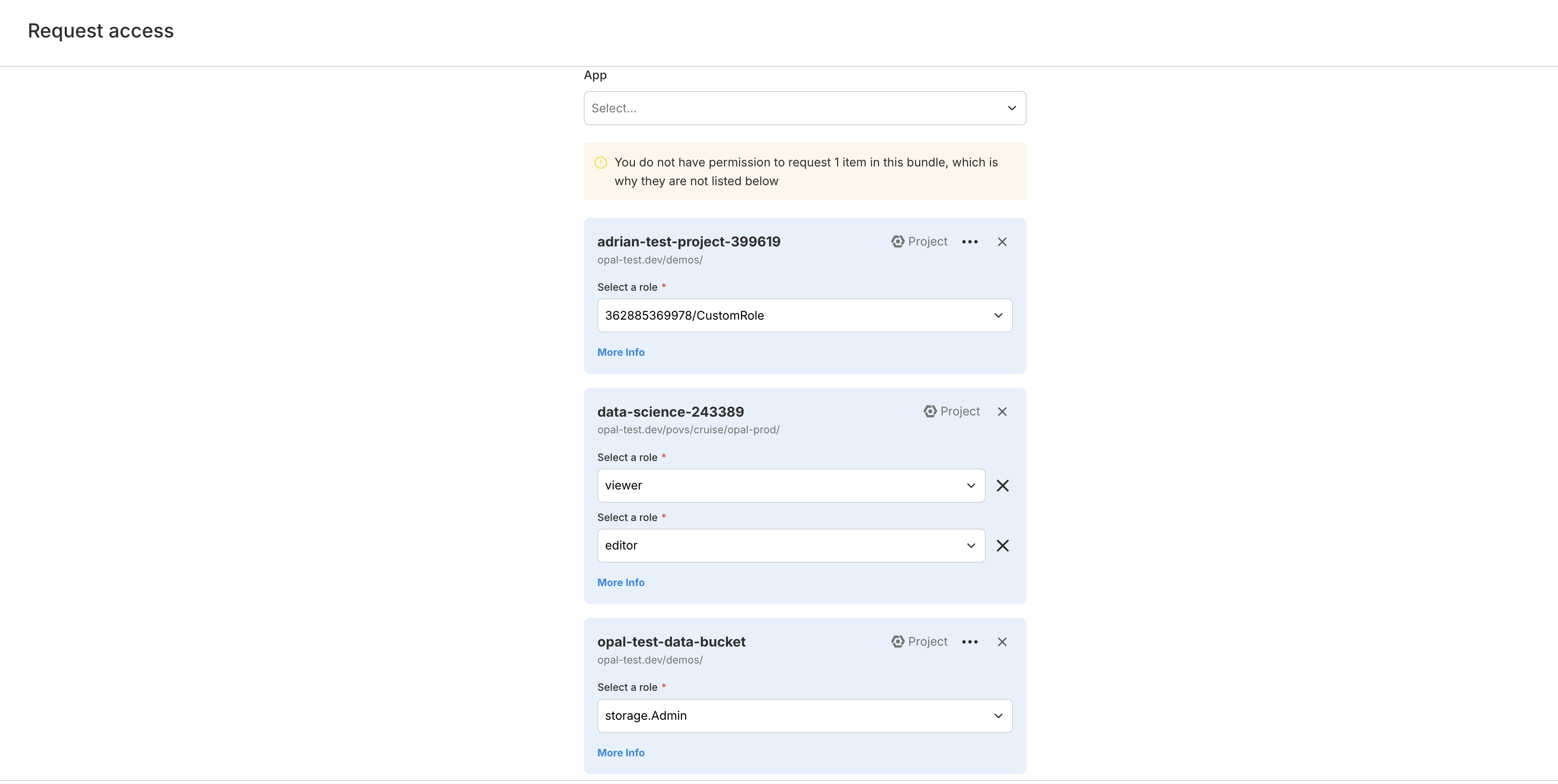 Approved access from bundle requests is propagated only after all items in the bundle have been approved.